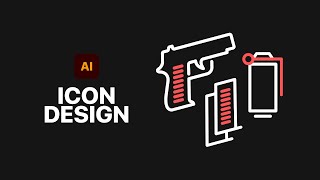
How to Design Game Icons in Adobe Illustrator
Learn to design game icons using Adobe Illustrator's Pen Tool, create a suite of icons, and apply textures. Master essential techniques for crafting professional-quality game graphics.

Secrets for Compositing Creative Art in Photoshop
Discover 8 powerful techniques for creating stunning composites in Photoshop, from depth of field to color balance. Elevate your digital art with expert tips inspired by gaming aesthetics.
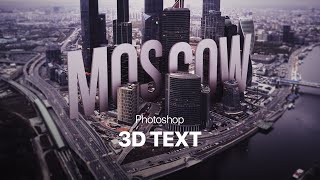
Photoshop Big 3D Text into a Photo
Learn to create and integrate 3D text into a city photo using Photoshop. Master techniques like rendering, clipping masks, vignettes, and iris blur for stunning visual effects.

Illustrator Logo Design Tutorial - Avocado & AI
Learn to design an AI-avocado logo in Adobe Illustrator using shape manipulation, custom drawing, and color techniques. Perfect for enhancing graphic design skills.

The Adjustment Layers in Photoshop Explained
Comprehensive guide to Photoshop's 19 adjustment layers, explaining each tool's function and application for enhancing digital images and creating visual effects.
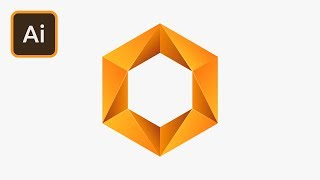
Create a Hexagon Gradient Logo in Illustrator
Learn to design a striking hexagon gradient logo in Adobe Illustrator, mastering techniques for shape creation, color application, and adding visual depth through highlights.

Create a Glowing Neon Text Effect in Photoshop
Learn to create stunning neon text effects in Photoshop with step-by-step guidance on gradients, blending modes, and motion blur techniques for eye-catching designs.
How to Design eCommerce Graphics in Photoshop
Learn to design web graphics in various sizes using Adobe Photoshop, covering selection, masking, smart objects, text manipulation, and artboard resizing for effective eCommerce visuals.

Hand Lettering Tutorial for Beginners
Learn custom lettering design in Adobe Illustrator with expert guidance. Master composition, guidelines, letter forms, spacing, and vectoring techniques to create unique hand-lettered designs.

How to Design Banners in Adobe XD
Learn to create eye-catching banners in Adobe XD with techniques for image manipulation, gradients, layers, and shadows. Enhance your design skills through practical, step-by-step guidance.

How to Create a Composite in Photoshop
Learn to create stunning composites in Photoshop, mastering techniques like masking, adding effects, and retouching. Perfect for enhancing your photo manipulation skills.

How to Design Awesome Text Effects - Photoshop Tutorial
Learn to create stunning text effects in Photoshop using brushes and tool presets. Master techniques for layer masks, scatter effects, and color fills to elevate your design skills.

How to Design a Logo with Shadows in Illustrator
Learn to enhance logos with dynamic shadows in Adobe Illustrator. Master techniques for creating depth, adjusting shapes, and applying blending modes to elevate your design skills.

How to Design a Chat UI in Adobe XD
Learn to create a chat UI in Adobe XD, covering wireframing, design elements, and essential tools. Perfect for UI designers looking to enhance their skills in modern interface design.
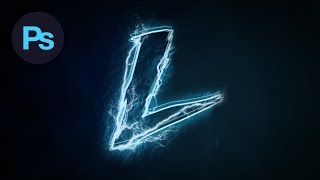
Design a Lightning Text Effect Photoshop Tutorial
Learn to create a striking lightning text effect in Photoshop using custom fonts, brushes, and advanced techniques for a visually electrifying design.
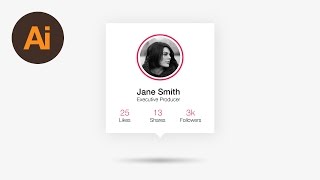
Learn How to Design a Social Profile UI in Adobe Illustrator - Dansky
Learn to design a social profile UI in Adobe Illustrator, covering layout creation, aesthetic styling, gradients, text elements, and final touches for a polished interface.
Learn How to Draw a Lightbulb Symbol in Adobe Illustrator - Dansky
Step-by-step guide to creating a lightbulb symbol in Adobe Illustrator, covering essential techniques for vector graphics design.
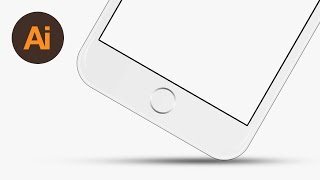
Learn How to Draw a Vector iPhone 6 in Adobe Illustrator - Dansky
Step-by-step guide to creating a vector iPhone 6 in Adobe Illustrator, covering shapes, camera, screen, highlights, buttons, and color matching.
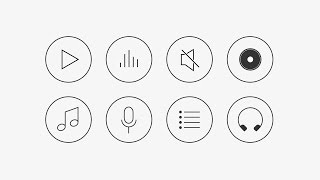
Learn How to Draw 8 Vector Music Icons in Adobe Illustrator - Dansky
Learn to create 8 music-themed vector icons in Adobe Illustrator, covering design techniques for various audio symbols like mute buttons, CDs, speakers, and headphones.

Learn How to Animate with Adobe Character Animator Tutorial 2022
Comprehensive tutorial on Adobe Character Animator, covering setup, lip-syncing, walk cycles, scenery, and exporting. Includes free Vambie character puppets for practice and potential Adobe CC subscription giveaway.
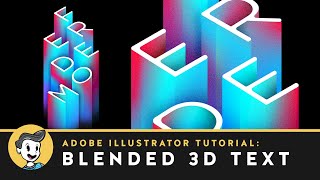
Blended 3D Text Effect in Adobe Illustrator
Learn to create a stunning 3D text effect using Adobe Illustrator's blend tool, with techniques for layering, gradients, and adding a marble texture for a professional finish.