MoGraph Tutorial - Color Cannon in Blender
Learn to create a vibrant color cannon effect in Blender 2.83 Alpha, covering setup, materials, and rendering techniques for eye-catching motion graphics.

Easy Fireworks in Blender Tutorial
Create dazzling fireworks displays in Blender 2.9 with this beginner-friendly tutorial. Learn particle systems, color adjustments, and rendering techniques for stunning visual effects.
Photorealistic Jello in Blender - Beginner Tutorial
Learn to create realistic, jiggly jello using soft-body physics in Blender 2.8. Master texturing, material application, and rendering techniques for photorealistic results in this beginner-friendly tutorial.
Create a Realistic Nature Scene - Blender Tutorial for Beginners
Learn to create a realistic 3D nature scene in Blender, covering landscape modeling, lighting, fog effects, and rendering techniques for beginners.
Element 3D Tutorial - How to Make NFTs Digital Art Animation
Learn to create NFT digital art animations using Element 3D. Master texturing, lighting, particle effects, and camera work to produce stunning visuals for the NFT marketplace.
Inside the CreatorGalaxy Headquarters - An Exclusive Studio Tour
Explore CreatorGalaxy's studio, featuring cutting-edge filmmaking equipment. Gain insights into professional setups for cameras, audio, lighting, and editing, perfect for aspiring content creators and tech enthusiasts.
How to Create an Amazing Cinematic Photo Slideshow in After Effects
Learn to create a cinematic photo slideshow with parallax effects in After Effects. Master techniques for professional-looking presentations that showcase your photos or videos effectively.
How to Edit Photos Like a Boss in Lightroom - My Full Workflow
Learn a professional's complete Lightroom photo editing workflow, from basic adjustments to advanced techniques for stunning results.
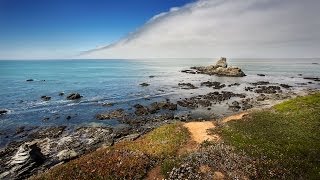
Processing a Landscape HDR Photo with Adobe Camera Raw
Master realistic HDR processing in Adobe Camera Raw or Lightroom with this landscape photo tutorial, enhancing your skills in creating stunning, high-dynamic-range images.

Batch Retouch 1000+ Photos in 1 Click - Photoshop & AI
Learn to create a Photoshop system for batch-retouching thousands of portraits automatically. Covers blemish removal, dodging, burning, contouring, eye enhancement, and backdrop cleanup using AI plugins and custom actions.

Blend Subject and Reflections Using Blend Modes in Photoshop
Master Photoshop blend modes to seamlessly integrate subjects and reflections with backgrounds. Learn selection techniques, color matching, and light adjustment for realistic composites.
How to Create Impactful Black and Whites in Lightroom
Master dramatic black and white conversions in Lightroom using local adjustments, reshaping light, and enhancing details. Learn to use adjustment brushes and graduated filters for impactful monochrome images.
The Amazing Power of Liquify for Portrait Retouching in Photoshop
Master Photoshop's Liquify tool for portrait retouching. Learn basic and advanced techniques, including Face-Aware Liquify, through practical examples and expert tips for professional results.
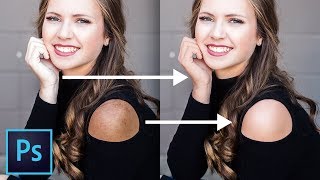
Powerful Ways to Match Skin Tones in Photoshop
Learn powerful techniques to match skin tones in Photoshop, achieving uniform color and eliminating discoloration. Master non-destructive methods using Curves and Hue/Saturation tools for professional-quality photo editing.
Make Portraits POP in Photoshop
Enhance portrait photography with a free Photoshop action. Learn to add depth, drama, and dimension using clarity, contrast, sharpening, and dodging techniques for striking results.
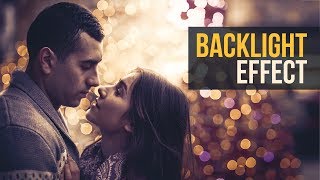
Brilliant Backlight or Rim Light Effect in Photoshop
Learn to create realistic rim lights and backlight effects in Photoshop using layer masks, understanding diffraction principles, and applying creative filters for enhanced image impact.
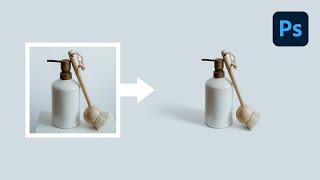
Create Seamless Product Backdrops with Shadows - Photoshop Tutorial
Master product photography in Photoshop: create seamless backdrops, realistic shadows, and perfect masks. Elevate your e-commerce and branding visuals with advanced techniques for professional-looking results.
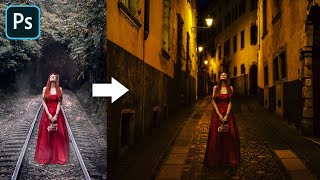
Advanced Color Matching Process in Photoshop
Master advanced color matching for seamless photo compositing in Photoshop. Learn masking, adjustment layers, realistic shadows, and depth of field techniques to create professional-quality manipulations.
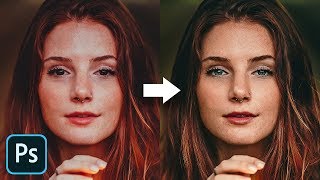
The Master Guide to Reconstructing Skin Tones - Photoshop Tutorial
Advanced Photoshop techniques for reconstructing skin tones, including color matching, curves adjustment, gradient maps, and retouching eyes. Learn to create realistic skin from scratch.
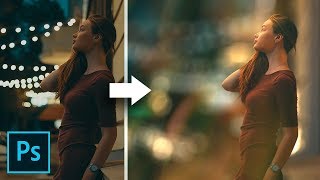
Blur the Background with Perspective in Photoshop
Learn advanced Photoshop techniques for creating realistic background blur with bokeh, perspective-based blurring, and soft-focus effects. Master hair masking and grain addition for professional-looking images.

Best A.I. Image Upscaler - Top 7 Software Compared
Comprehensive comparison of 7 top AI image upscaling software, evaluating their effectiveness in converting low-resolution images to high-quality, high-resolution versions.