Master Photoshop in 30 Days
Take your skills from beginner to pro in 30 days of Photoshop!

Digital Painting Basics - Simple Forms to Complex Paintings
Learn digital painting basics, from workspace setup to complex techniques. Master non-destructive editing, texture brushes, and tool combinations to create unique artworks using simple forms.
Easy Switching to Blender from Other 3D Software
Essential tips for transitioning to Blender: workflow, non-destructive techniques, UI navigation, addons, and key features. Streamline your switch from other 3D software with expert guidance.
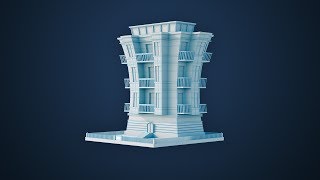
Modeling a Stylized Building in Blender - Exercise Notes
Learn to model a stylized building in Blender using efficient techniques, modifiers, and creative approaches. Practice mesh modeling fundamentals and gain practical skills in creating lively, non-destructive 3D designs.

Introduction to Camera Raw in Photoshop - Lesson 11
Comprehensive guide to Camera Raw in Photoshop, covering essential tools, techniques, and best practices for processing photos. Learn to enhance images with professional-grade editing capabilities.
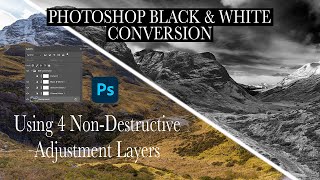
Dramatic Black and White Conversion in Photoshop Using Non-Destructive Adjustment Layers
Learn to create dramatic black and white images using non-destructive Photoshop adjustment layers. Master techniques for selective color adjustments, channel mixing, and curves to enhance tonal contrast and depth.
Non-Destructive Image Editing and the Power of Photoshop - Software Showcase
Explore non-destructive image editing in Photoshop, from finding free stock photos to using AI-driven tools and adjustment layers for powerful, flexible image manipulation.
Essential Photoshop Skills for Editing AI Art - Beginner Tutorial
Learn essential Photoshop skills for editing AI art, including cutting objects, color blending, upscaling, adding real elements, and using layer blends. Master techniques to enhance and refine your digital creations.
Photoshop Tutorial - Full Flower Edit Using Topaz Plugins and TK7 Rapid Mask Panel
Comprehensive flower editing tutorial using Topaz plugins, TK7 Rapid Mask Panel, and Photoshop techniques for artistic expression and non-destructive adjustments.
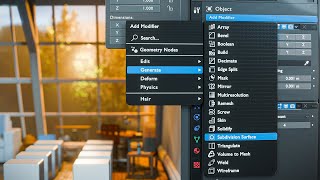
Blender Basics - Object Modifiers
Explore non-destructive editing with Blender modifiers. Learn Bevel, Array, Subdivision Surface, and Mirror modifiers to enhance your 3D modeling workflow and create adjustable effects.
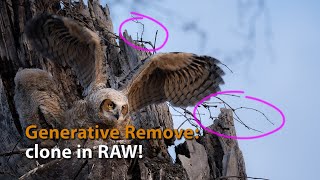
Generative Remove in Lightroom and ACR - Advanced Cloning for RAW Files
Explore advanced cloning techniques using Generative Remove in Lightroom/ACR for non-destructive RAW file editing, enhancing your photo manipulation skills.

The Easy Background Remover Hidden in Photoshop
Discover a powerful Photoshop tool for effortlessly removing backgrounds, even with complex edges like hair. Learn non-destructive techniques for precise image editing.
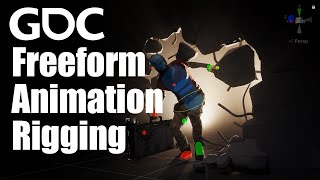
Freeform Animation Rigging - Evolving the Animation Pipeline
Explore Unity's Freeform Animation Rigging, enabling non-destructive motion preservation while modifying control rigs. Learn innovative workflows for flexible character animation in game development.
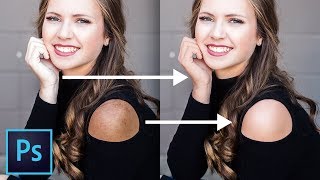
Powerful Ways to Match Skin Tones in Photoshop
Learn powerful techniques to match skin tones in Photoshop, achieving uniform color and eliminating discoloration. Master non-destructive methods using Curves and Hue/Saturation tools for professional-quality photo editing.
Basics of Color Efex Pro 4 - Affinity Photo Nik Collection Plug-In
Comprehensive guide to Color Efex Pro 4 in Affinity Photo, covering installation, interface elements, basic functions, and advanced features like control points and recipes for photo editing.
Layer Mask - Photoshop for Beginners
Learn Layer Masks in Photoshop: from basics to advanced techniques. Master non-destructive editing, feathering, density adjustment, and more. Enhance your photo editing skills with real-world examples.
The Complete Guide to Smart Objects in Photoshop
Comprehensive guide to Smart Objects in Photoshop, covering core concepts to advanced applications. Learn techniques for compositing, designing, and editing images non-destructively with practical examples and tips.

Compositing Made Simple with Smart Objects in Photoshop
Learn to create complex composites easily using Smart Objects in Photoshop. Master adding elements, matching colors, applying filters, and modifying text for efficient photo manipulation.
MidJourney AI Artworks - Affinity Photo Ultimate Beginners Guide
Comprehensive guide to enhancing MidJourney AI artworks using Affinity Photo, covering essential tools, techniques, and best practices for beginners.