Lightroom Tutorials
Comprehensive Lightroom tutorials covering advanced editing techniques, color grading, organization, and workflow optimization for photographers of all skill levels.
Learning Photoshop CC
Master Adobe Photoshop CC with comprehensive tutorials on retouching, design techniques, and advanced tools. Learn from a professional graphic designer to enhance your digital imaging skills.
Photoshop 2022 Crash Course - Tutorial for Complete Beginners
Comprehensive tutorial covering essential Photoshop skills for beginners, from basic tools to advanced techniques like masking, retouching, and adding effects.

How to Create a Composite in Photoshop
Learn to create stunning composites in Photoshop, mastering techniques like masking, adding effects, and retouching. Perfect for enhancing your photo manipulation skills.
Painterly Photography and Retouching in Photoshop
Learn techniques for creating painterly photographs, from setting up photo shoots to retouching in Photoshop. Master cropping, smoothing, masking, and color correction to achieve a unique artistic style.
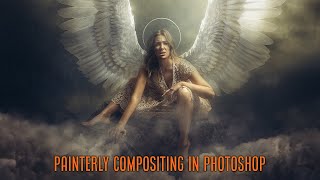
Painterly Retouching and Compositing in Photoshop - Create Painterly Effect
Learn to create stunning painterly effects in Photoshop through step-by-step retouching and compositing techniques. Master tools like healing brush, masking, and color correction to achieve a Renaissance-style look.
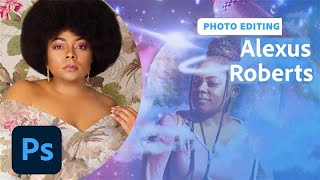
Self-Portrait Composites in Photoshop - Part 1
Learn to create stunning self-portrait composites in Photoshop with photographer Alexus Roberts. Master essential tools, techniques, and creative processes for blending self-portraits with stock images to produce captivating artwork.
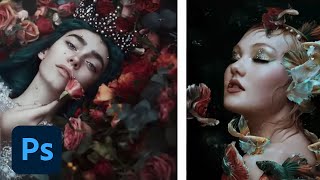
Editorial and Fantasy Photo Editing with Bella Kotak - Part 2
Explore advanced photo editing techniques with Bella Kotak, focusing on compositing, retouching, and color toning for editorial fantasy pieces using Adobe tools.
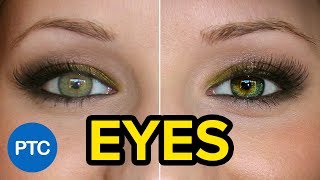
Techniques to Create Amazing Eyes in Photoshop - Eye Enhancement Photoshop Tutorial
Learn seven non-destructive techniques to enhance eyes in Photoshop, including retouching, sharpening, adding highlights, changing color, and creating multi-colored effects for stunning results.
Photography Masterclass - How to Edit User-Submitted Photos
Expert photographer Terry White demonstrates editing techniques on user-submitted photos, sharing his workflow and thought process to help improve your photo editing skills.
Photo Editing Techniques in Adobe Lightroom and Photoshop - Live Demonstration
Learn photo editing techniques with Adobe expert Terry White as he enhances user-submitted images live using Lightroom and Photoshop, demonstrating professional tips to elevate your photography skills.
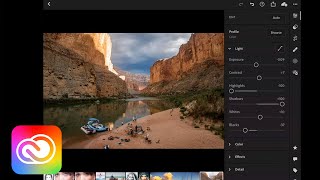
Transforming Your Photos on Mobile Devices - Adobe Creative Cloud
Discover mobile photo editing techniques using Lightroom and Photoshop on iPad. Learn to enhance composition, color, and exposure, make selective edits, and master retouching and compositing on-the-go.

Blend Modes - Photoshop for Beginners
Explore essential Photoshop blend modes with practical examples. Learn to enhance images using Normal, Multiply, Screen, Overlay, Soft Light, and Color modes for retouching, compositing, and special effects.

How to Select a Person in Photoshop Tutorial 2022
Learn advanced techniques for selecting people in Photoshop, including smart selections, hand-drawn methods, and channel-based approaches. Master essential skills for compositing, manipulation, and retouching.

How to Remove a Background in Photoshop Tutorial 2022
Learn essential techniques for removing backgrounds in Photoshop, including one-click removal, lasso tool tricks, select and mask workspace, and advanced methods like pen and channel selections.
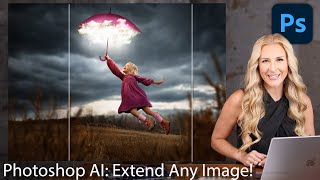
How to Extend Background in Photoshop Using Generative Fill and Outcropping
Learn to extend backgrounds in Photoshop using AI-powered Generative Fill and Outcropping. Master inpainting, object removal, and backdrop extension techniques to enhance your image editing skills.

Blend If in Photoshop - Masking, Effects, and Retouching Techniques - Lesson 8
Unlock Photoshop's "Blend If" feature to create stunning effects, from adding shine to masking and retouching. Learn real-world applications for enhancing your digital art and photo editing skills.
Photoshop 101 - Basics for Beginners
Learn essential Photoshop skills in 50 minutes. Covers fundamental tools, techniques, and features for beginners to start editing images and creating designs effectively.

How to Make Eyes Dramatic in Photoshop
Learn three powerful techniques to enhance eyes in portraits using Adobe Photoshop and Camera RAW. Master layer manipulation, masking, and retouching skills to create striking, dramatic eye effects.
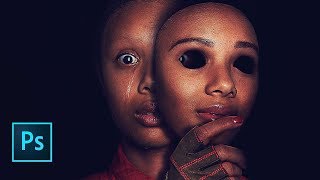
Us Movie Poster Photoshop Tutorial
Learn to recreate the "Us" movie poster using advanced Photoshop techniques. Master compositing, recoloring, masking, and various tools to achieve professional-level results in this comprehensive tutorial.

Create Soft Dreamy Portraits - 5-Step Formula in Photoshop
Transform portraits into soft, dreamy masterpieces using a 5-step Photoshop formula. Learn to enhance warmth, softness, and depth through Camera Raw and Masking techniques for stunning results.