Photoshop CC 2020 Tutorials In Hindi
फोटोशॉप सीसी 2020 की हिंदी में व्यापक ट्यूटोरियल श्रृंखला। चयन उपकरण, समायोजन परतें, त्वचा रिटचिंग, टाइपोग्राफी, ब्रश, रंग सुधार, पृष्ठभूमि हटाना और बहुत कुछ सीखें।

1-Minute Photoshop
Quick Photoshop tips and techniques to enhance images, from color manipulation to skin retouching, background effects, and workflow optimization.

Photoshop Retouching for Beginners
Master Photoshop retouching techniques for skin, hair, and makeup. Learn frequency separation, dodging and burning, color editing, and background enhancement to perfect your photos.
The Most Important Skin Retouching Trick in Photoshop
Learn a powerful Photoshop technique for skin retouching, including fixing discoloration, removing imperfections, and sculpting skin without affecting texture. Ideal for portrait photographers and retouchers.
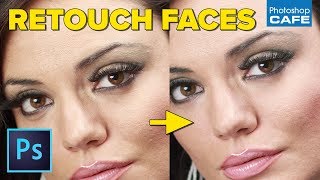
Pro Skin and Eye Retouching in Photoshop
Learn professional skin and eye retouching techniques in Photoshop for natural-looking results. Master dodge and burn, blemish removal, and eye whitening without relying on frequency separation or blurring.

Cinematic Photo Editing in Lightroom Classic and Photoshop - Part 1
Learn cinematic photo editing techniques in Lightroom and Photoshop with photographer Idara Ekpoh. Master color grading, dodging and burning, selective adjustments, and creative effects to elevate your images.

Self Portraits and Visual Storytelling - Editing Techniques in Lightroom and Photoshop - Part 1
Learn advanced self-portrait techniques and visual storytelling with photographer Idara Ekpoh. Master Lightroom Classic and Photoshop for stunning edits, including skin retouching, color grading, and creative effects.

Capture One - Dodge & Burn Skin Retouching Technique
Unique dodge and burn technique for skin retouching in Capture One, enhancing problem areas visibility before Photoshop editing.

Perfect Skin Tones in Photoshop - Color Palette Technique
Master the art of achieving perfect skin tones in Photoshop using color palettes, sampling, and Curves. Learn techniques for evening out skin tones and preparing images for retouching.
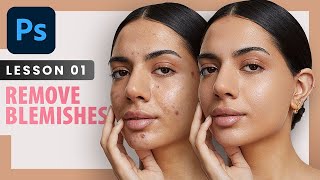
Remove Blemishes - Professional Photoshop Retouching Techniques - Lesson 1
Learn professional techniques for high-end skin retouching in Photoshop, including spot healing, healing brush, patch tool, and dodge and burn. Discover when to remove blemishes and how to achieve natural-looking results.

A.I. Does High-End Skin Retouching with 1-Click - Photoshop Plugin Review
Explore an AI-powered Photoshop plugin for automatic high-end skin retouching. Learn its features, compare with manual techniques and other tools, and decide if it's right for your workflow.
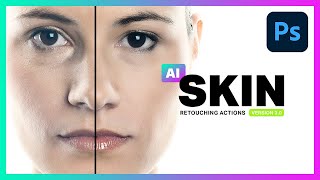
AI Skin Retouching Photoshop Actions - Is It Really AI?
Explore AI Skin Retouching Photoshop Actions: effectiveness, techniques, and the truth behind AI claims. Learn to create your own actions for portrait enhancement.

How to Get Perfect Skin in Photoshop Tutorial
Learn advanced skin retouching techniques in Photoshop, including blemish removal, smoothing, dodge and burn, frequency separation, and neural filters, for natural-looking, professional results.

How to Retouch Skin in Photoshop - Eternals Movie Poster Creation
Learn advanced skin retouching techniques in Photoshop, including frequency separation, masking, and color grading, while recreating the Eternals movie poster. Master professional tools for stunning portrait enhancements.

Neon Halo Light Effect Photoshop Tutorial
Learn to create a neon halo light effect in Photoshop, along with skin retouching, background replacement, and vignette techniques. Enhance your photo editing skills with this comprehensive tutorial.

Dune Part Two Style Poster Creation in Photoshop
Learn to recreate the Dune Part Two movie poster in Photoshop, mastering techniques like gradient maps, film grain, skin smoothing, and dodge and burn for a professional cinematic look.
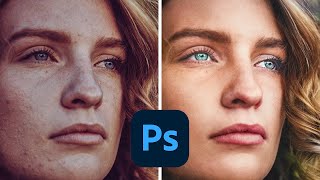
How to Make Colors Pop in Photoshop
Learn advanced Photoshop techniques to enhance colors, adjust skin tones, and create vibrant images. Master tools like Curves, Selective Color, and Neural Filters for stunning photo edits.

AI vs. Human Retouching Comparison - Photoshop Techniques and AI Apps
Compares AI and manual retouching techniques for various photo editing tasks, exploring their effectiveness, efficiency, and artistic value in professional image enhancement.
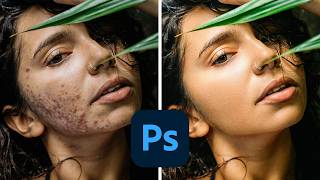
How to Smooth Skin in Photoshop
Learn professional skin smoothing techniques in Photoshop, including manual blemish removal and time-saving actions for efficient editing across various portrait styles.

3 Steps to High-End Skin Retouching in Photoshop
Learn advanced skin retouching in Photoshop: blemish removal, frequency separation, skin tone correction, and lip enhancement. Master high-end techniques for flawless, natural-looking results.

7 Common Photo Mistakes and How to Fix Them in Photoshop
Learn to fix common photo issues in Photoshop, from motion blur and missed focus to color casts and skin tone matching. Master techniques to recover details, remove imperfections, and enhance your images.