Luminar 4 Tutorial - Creative Color Effects for Images
Explore creative color effects in Luminar 4 to enhance your images. Learn techniques for adding vibrant and unique color adjustments to transform your photography.
Luminar 4 Tutorial - Single Image Edit from RAW File
Learn to enhance RAW photos using Luminar 4's powerful tools. Master single-image editing techniques to transform your photographs with professional-quality results.
Lightroom, Photoshop, and Topaz Studio 2 - Full Edit Floral Image Tutorial
Learn advanced photo editing techniques for floral images using Lightroom, Photoshop, and Topaz Studio 2 in this comprehensive tutorial.
Topaz Studio 2 Tutorial - Working with Textures
Discover the power of textures in Topaz Studio 2. Learn to enhance images using texture overlays, blend modes, and layer masking for artistic expression and creative photo editing.
File Formats for Photographers in Lightroom and Photoshop
Learn optimal file formats, bit-depths, and color spaces for Lightroom and Photoshop. Discover essential settings to enhance your digital photography workflow and image quality.
How to Edit Black and White Images with Luminosity Masks
Master black and white image editing with luminosity masks in Photoshop. Learn dodging, burning, contrast enhancement, and toning techniques to create stunning, mood-rich photographs.
How to Get Proper Exposure - Part 3: Reviewing RAW Images on Your Computer
Learn to evaluate RAW images in Lightroom and Photoshop to improve field exposure settings and determine when multiple exposures are needed for capturing full dynamic range.
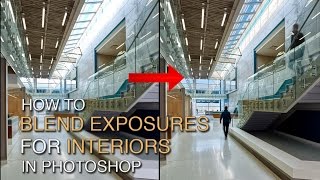
How to Blend Exposures for Interiors in Photoshop Using Luminosity Masks
Learn advanced Photoshop techniques for blending interior and exterior exposures using luminosity masks. Master BlendIf masking and painting through luminosity selections to achieve stunning results in architectural photography.
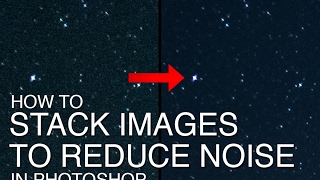
How to Stack Multiple Images to Reduce Noise in Starry Night Skies
Learn to reduce noise in starry night sky photos by stacking multiple exposures using Starry Landscape Stacker. Covers RAW processing, exposure stacking for stars and ground, and final blending in Photoshop.
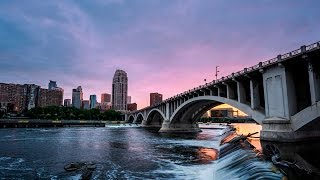
Restoring Sunset Colors with Luminosity Masks in Photoshop
Enhance dull sunset photos using luminosity masks in Photoshop. Learn techniques to add vibrant colors, control intensity, and create natural-looking results for stunning sky transformations.
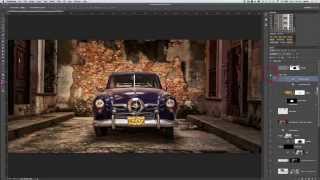
Photoshopping an Old Car in Havana with Luminosity Masks
Learn advanced photo editing techniques to transform an old car image in Havana using luminosity masks, Nik software, and textures. Enhance details, add contrast, and create a nostalgic atmosphere in your photography.
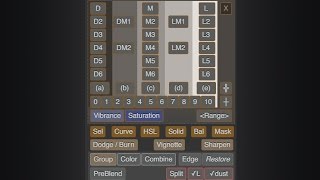
Lumenzia - Luminosity Masking Panel for Photoshop
Simplify luminosity masking in Photoshop with Lumenzia panel. Create custom masks, select zones visually, and achieve professional results effortlessly. Includes tools for vignettes and sharpening.
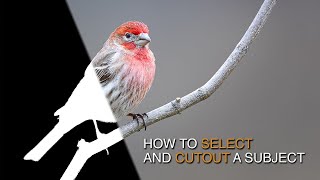
How to Select and Cut Out Subjects Using Lumenzia
Learn advanced techniques for selecting and cutting out subjects, enhancing details, and guiding viewer focus using Lumenzia's luminosity masking tools in Photoshop.
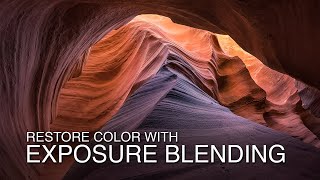
Exposure Blending Techniques for High Contrast Scenes - Restoring Color and Detail
Restore color and detail in high-contrast scenes using exposure blending with luminosity masks. Learn RAW processing techniques to enhance dynamic range in challenging photography situations.

Photographing Injuries for Forensic Science
Aprenda técnicas essenciais de fotografia forense para documentar lesões com precisão, incluindo exposição, profundidade de campo e uso de escalas, para auxiliar investigações e processos judiciais.

How to Use Adobe Camera RAW 2024 - Photoshop Tutorial
Learn to navigate and utilize Adobe Camera RAW 2024's interface, basic tools, and advanced masking features for photo correction and color enhancement in this comprehensive tutorial.
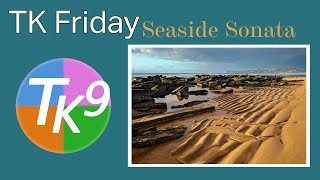
Seaside Sonata Full Edit - TK Friday
Comprehensive Photoshop editing tutorial using TK9 plugin, demonstrating advanced techniques on a seascape image to enhance color, contrast, and overall visual impact.

Creating BB8 in Blender - Texturing Tutorial - Part 2
Learn to create materials and textures for BB8 in Blender, including displacement techniques and using the principled shader in version 2.79. Gain practical skills in 3D modeling and texturing.
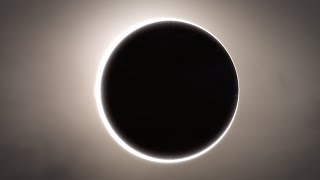
Blender Tutorial - Creating a Solar Eclipse
Learn to create a realistic solar eclipse using Blender's UV Sphere and compositing techniques in this concise 16-minute tutorial. Perfect for enhancing space-themed 3D projects.
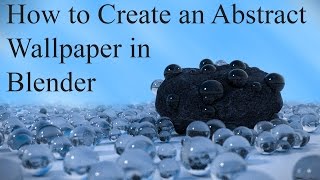
Creating an Abstract Wallpaper in Blender - Rock Texturing and Particle System Tutorial
Learn to create a textured rock, add particle systems, and enhance your image in Photoshop to produce a stunning abstract wallpaper using Blender's powerful 3D modeling tools.
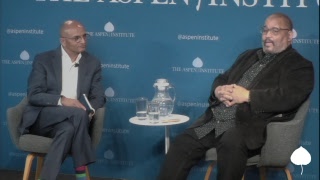
Visually Reimagining History - A Conversation with Dawoud Bey
Explore visual storytelling with photographer Dawoud Bey as he discusses his groundbreaking works, including The Birmingham Project and Night Coming Tenderly, Black, reimagining historical narratives through powerful imagery.