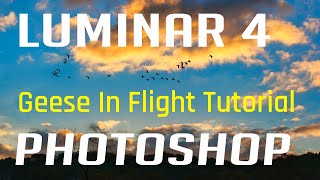
Luminar 4 and Photoshop Tutorial - Editing Geese in Flight Image
Learn to enhance a "Geese in Flight" photo using Luminar 4 as a Photoshop plugin. Master tools, techniques, and luminosity layer masking for stunning wildlife imagery.
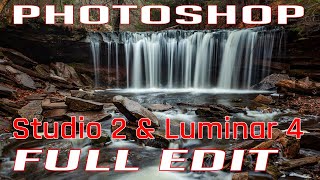
Photoshop Waterfall Editing Tutorial - Full Workflow with Multiple Software
Comprehensive waterfall photo editing tutorial using multiple software tools, covering advanced techniques for enhancing landscape images and improving overall workflow.
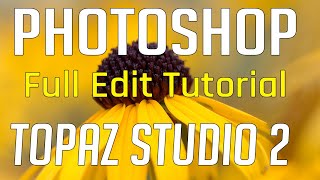
Photoshop Tutorial - Full Flower Edit Using Topaz Plugins and TK7 Rapid Mask Panel
Comprehensive flower editing tutorial using Topaz plugins, TK7 Rapid Mask Panel, and Photoshop techniques for artistic expression and non-destructive adjustments.
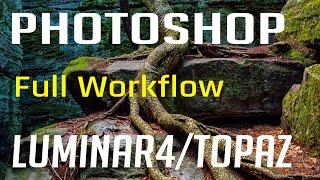
Photoshop, Lightroom, Topaz Studio 2, and Luminar 4 - Full Image Editing Tutorial
Comprehensive photo editing workflow using Lightroom, Photoshop, Topaz Studio 2, and Luminar 4. Learn advanced techniques to enhance images from raw format to polished final product.
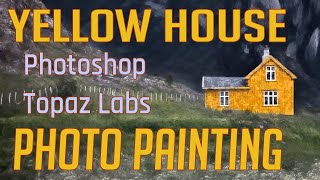
Photo Painting Tutorial: Yellow House with Photoshop and Topaz Labs Plugins
Transform a photo into a stunning painting using Photoshop and Topaz Labs plugins. Learn techniques like dodging, burning, and applying artistic filters to create a unique masterpiece from a simple image.

Topaz Studio 2 Tutorial - Texture Filter
Explore the Texture Filter in Topaz Studio 2 to enhance your images with creative textures. Learn techniques for adding depth and visual interest to your photographs through this powerful editing tool.

Topaz Studio 2 - The Radiance Filter Tutorial
Explore the unique Radiance Filter in Topaz Studio 2 to transform images by adding luminous effects to edges and contours, creating distinctive artistic results.

Topaz Studio 2 - AI Remix Filter Tutorial
Explore the AI Remix Filter in Topaz Studio 2 to transform photos into painterly artworks using artificial intelligence. Learn detailed usage for confident application.

Topaz Studio 2 Tutorial - The Abstraction Filter
Explore the Abstraction Filter in Topaz Studio 2 to create stylistic, painterly effects. Learn techniques for simplifying images and achieving unique artistic results across various subjects.

Topaz Studio 2 Tutorial - Motion Blur Filter
Learn to create dynamic motion effects in photos using Topaz Studio 2's Motion Blur Filter. Discover techniques to enhance images with realistic movement and artistic blur.

Topaz Studio 2 - Using the Focal Blur Filter for Natural Background Blur
Learn to create natural out-of-focus backgrounds using the Focal Blur Filter in Topaz Studio 2, enhancing your photo editing skills and achieving professional-looking results.

Topaz Studio 2 - Basic Adjustment Filter Tutorial
Learn to enhance your photos using Topaz Studio's Basic Adjustment Filter, covering lighting, contrast, and color adjustments for improved image quality.
DXO Film Pack 5 in PhotoLab 4 - Creative Film Rendering Tutorial
Explore creative film rendering techniques using DXO FILM PACK 5 within DXO PHOTOLAB 4. Learn to apply vintage and modern film effects to enhance your digital photography.
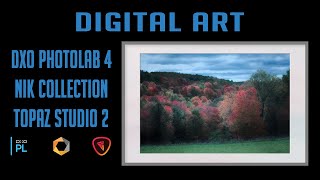
Digital Art Creation Using DXO PhotoLab 4, NIK Collection, and Topaz Studio 2
Explore digital art creation using powerful photo editing tools, enhancing images with advanced techniques and creative effects for stunning visual results.
DXO PhotoLab 4 - Exploring the HSL Color Wheel and Hue Picker Tool
Explore DXO PhotoLab 4's HSL Color Wheel and Hue Picker for precise color adjustments in photo editing. Learn to enhance images with powerful, accurate color control tools.
Black and White Conversion Tutorial Using Photoshop, Silver Efex Pro 2, Topaz Studio 2, and TK7 Luminosity Masks
Explore advanced black and white conversion techniques using Photoshop, Silver Efex Pro 2, Topaz Studio 2, and TK7 Luminosity Masks to enhance your photography skills and create stunning monochrome images.
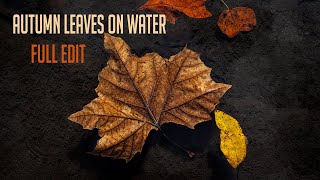
Autumn Leaves on Water - Full Photo Editing Tutorial
Full editing tutorial for autumn leaves on water photo, from Lightroom to Photoshop and Topaz Studio 2. Includes vignetting technique and showcases fall colors in Pennsylvania.

Topaz Adjust AI - One-Click Image Makeovers Tutorial
Explore the power of one-click image enhancements with Topaz ADJUST AI through 11 diverse examples, showcasing its ability to transform photos effortlessly and effectively.
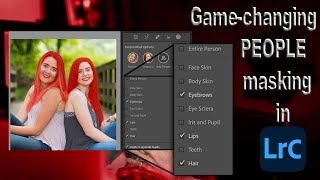
Lightroom 12 and ACR Update - One-Click Beauty Retouching with New Selection Tools
Discover new masking tools in Lightroom Classic and Adobe Camera Raw for effortless one-click beauty retouching, enhancing portraits with precision selections for hair, eyes, skin, and lips.
Select Anything with One Click in Lightroom and Adobe Camera RAW
Discover the new Select Objects tool in Lightroom and Adobe Camera RAW, enabling one-click selection of any item. Learn how this powerful feature simplifies photo editing workflows.
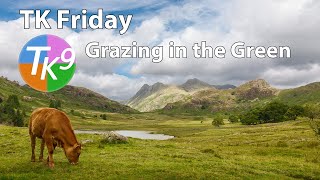
Full Edit Tutorial: Grazing in the Green - TK Friday
Comprehensive Photoshop editing tutorial using TK9 plugin, demonstrating advanced techniques on a landscape image. Includes downloadable resources for hands-on practice.