Self Portraits and Visual Storytelling - Editing Techniques in Lightroom and Photoshop - Part 1
Learn advanced self-portrait techniques and visual storytelling with photographer Idara Ekpoh. Master Lightroom Classic and Photoshop for stunning edits, including skin retouching, color grading, and creative effects.
Lightroom Workflows for Abstract Architecture Photography - Part 2
Explore advanced Lightroom techniques for abstract architecture photography with Tobi Shinobi. Learn pre-production strategies, local adjustments, curves, and pro tips to enhance your editing workflow and creative vision.
What's New in Creative Cloud and Photography - Latest Tools in Lightroom and Photoshop
Explore the latest Creative Cloud innovations with Adobe executives, featuring new Photoshop and Lightroom tools for enhanced photo editing and seamless workflows across desktop and iPad.
Photo Editing Techniques in Adobe Lightroom and Photoshop - Live Demonstration
Learn photo editing techniques with Adobe expert Terry White as he enhances user-submitted images live using Lightroom and Photoshop, demonstrating professional tips to elevate your photography skills.
Photo Editing Workflows with Weekend Creative - Part 1
Learn photo editing techniques for still-life and product photography, including Lightroom editing, Photoshop masking, remote collaboration, and scene lighting with Weekend Creative's Arabela Espinosa and Elle Mitchell.
Photo Retouching and Compositing Techniques - Part 2
Learn advanced Photoshop techniques for portrait retouching and compositing with Aaron Nace. Master color correction, blemish removal, background adjustments, and create stunning double exposure designs.
Photo Retouching and Compositing Techniques - Part 1
Learn advanced Photoshop techniques for portrait retouching, compositing, and creating dynamic effects with expert Aaron Nace. Master skills like hair extraction, light flares, and animating particles for stunning visual designs.
Transforming Your Photos on Mobile Devices - Adobe Creative Cloud
Discover mobile photo editing techniques using Lightroom and Photoshop on iPad. Learn to enhance composition, color, and exposure, make selective edits, and master retouching and compositing on-the-go.

Portrait Retouching in Lightroom and Photoshop - Tips and Techniques
Learn professional portrait retouching techniques using Lightroom Classic and Photoshop. Master adjustments, blemish removal, dodging and burning, and cutting out subjects to elevate your photo editing skills.
Photo Composition Techniques in Photoshop - Creating Magical Composites
Learn magical photo compositing techniques with Alexandria's Lens. Master background replacement, hair selection, and levitation effects to create enchanted photographs using Photoshop.

Photography Masterclass: Getting Started in Lightroom Classic - Part 2
Learn Lightroom Classic essentials: importing, organizing, and editing images. Master the Library Module, explore new features, and discover best practices for efficient photo management.
How to Edit VR180 on Any Camera - Canon R5C, Insta360 GO 2, RED V-Raptor or GoPro
Comprehensive tutorial on creating professional VR180 videos using various cameras and free editing software, covering setup, settings, calibration, and advanced techniques for optimal 3D results.

Master Canon R5C in VR180 - The Ultimate Tutorial Guide & Download Best Camera Settings
Comprehensive guide for mastering Canon R5C in VR180 filmmaking. Covers camera settings, tools, accessories, and techniques for optimal VR180 production with the Canon EOS R5C and RF Dual Fisheye lens.
Film & Edit VR180 on Canon EOS VR System - Best Camera Settings, Clog vs Clog3, RAW 3D Photo Workflow
Comprehensive guide on advanced VR180 filming techniques using Canon EOS VR System, covering camera settings, exposure, editing workflows, and RAW 3D photo processing for professional-quality immersive content creation.
Professional HDR Virtual Tour Masterclass with Full Frame Camera
Comprehensive tutorial on creating professional HDR virtual tours using full-frame cameras, covering equipment selection, setup, composition, and advanced techniques for high-quality 360-degree photography.
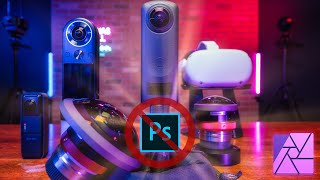
360° Photo Editing Workflow - Affinity Photo Tutorial for Virtual Tour Pros
Learn advanced 360° photo editing techniques using Affinity Photo, including RAW development, tripod removal, and seamless editing. Master professional virtual tour creation with various cameras and third-party plugins.

Insta360 ONE X Review and Quick Start Tutorial
Comprehensive review and tutorial for Insta360 ONE X camera, covering features, real-world tests, comparisons, and app usage. Includes sample footage and practical tips for users.
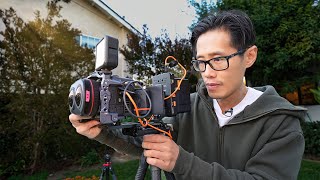
How to Film VR180 - 360° Fast - The Best Travel Tripod Quick Release Setup for Canon R5C & Insta360
Learn to build a fast support system for VR180 and 360 filmmaking, focusing on Canon EOS R5/R5C and Insta360 cameras. Discover tripod setups, quick-release systems, and essential tips for efficient VR production.
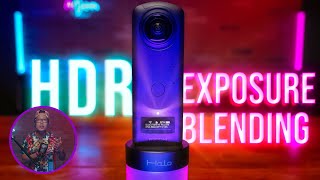
Ricoh Theta Z1 HDR with Photomatix and Exposure Blending - Upload on Facebook and Oculus as a 360° Photo
Learn advanced HDR techniques for Ricoh Theta Z1, including Photomatix editing, exposure blending, and uploading 360° photos to Facebook and Oculus. Enhance your virtual tour creation skills.
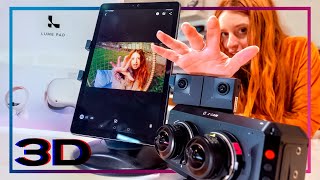
3D Lightfield - Create SBS or Light Field Video from VR180 or 360 - LEIA Lume Pad Review & Tutorial
Learn to create 3D SBS and lightfield videos from VR180/360 content. Explore the LEIA Lume Pad, master 3D conversion workflows, and discover tools for immersive content creation.
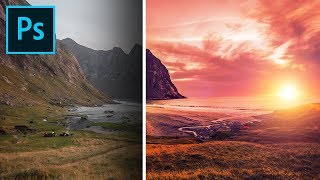
Formula for Colorful Landscapes in Photoshop
Learn a 3-step technique to enhance landscape photos in Photoshop, using blend modes, filters, and adjustments to create dramatic, colorful, and dreamy effects in your images.