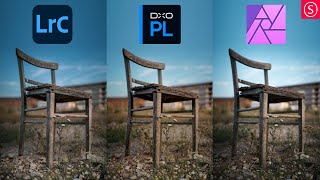
One Photo Edited in Lightroom Classic, DxO Photolab, and Affinity Photo
Comparative editing demonstration using Lightroom Classic, DxO Photolab, and Affinity Photo, showcasing techniques and results for a single image across these popular software tools.

Basics of Color Efex Pro 4 - Affinity Photo Nik Collection Plug-In
Comprehensive guide to Color Efex Pro 4 in Affinity Photo, covering installation, interface elements, basic functions, and advanced features like control points and recipes for photo editing.

Affinity Photo Workbook - Review - Should You Buy It?
Comprehensive review of Affinity Photo workbook, covering interface, core skills, projects, and effects. Evaluates content quality and usefulness for various skill levels in photo editing.
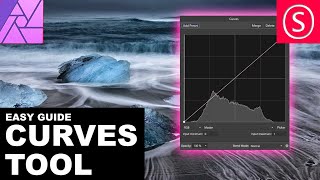
Curves Adjustment Explained - Affinity Photo Beginners Tutorial
Comprehensive tutorial on using Curves in Affinity Photo, covering histogram, channels, tonal range, and blend modes with practical examples for photo adjustment and creative effects.

Affinity Photo - Angel Wings Tutorial
Learn to add realistic angel wings to photos using masking, perspective, and adjustment techniques in Affinity Photo.

Affinity Photo - How to Remove Things From a Photo
Learn techniques to remove unwanted elements from photos using Affinity Photo. Master the Healing Brush Tool, Freehand Selection Tool, and other methods to clean up and enhance your images.
Mastering Removing Things from Photos - Affinity Photo Beginners Tutorial
Learn to expertly remove objects from photos using Affinity Photo. Understand key elements like patterns, textures, and perspective to achieve seamless results in photo editing.

Realistic Grain - Noise Effect Techniques - Affinity Photo Tutorial
Learn three realistic techniques for adding grain and noise effects in Affinity Photo, including customizable methods for adjusting grain size and creating luminosity-sensitive noise using blend ranges.
Why You Are Bad at Photo Editing - Affinity Photo Tutorial
Discover why photo editing challenges you and learn to rethink your approach. Gain insights on storytelling, color harmony, composition, and equipment to elevate your photo artistry skills.

Slice Fruit in Affinity Photo - Tutorial
Learn to digitally slice fruit and create floating effects in Affinity Photo for eye-catching ads, designs, and photo composites using simple techniques.

Selection Tool Tricks You Need to Know - Affinity Photo Beginner Tutorial
Master essential selection techniques in Affinity Photo, from basic shapes to advanced refinements. Enhance your photo editing skills with time-saving tricks for precise and efficient selections.
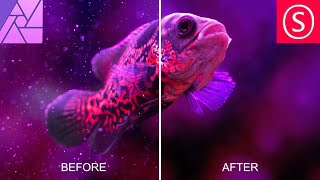
Remove Dust & Specks - Affinity Photo Tutorial
Learn effective techniques to remove dust and specks from photos using Affinity Photo, including filters, masks, and noise addition for a clean, professional result.

Powerful Ways to Brighten Up Shadows - Affinity Photo Tutorial
Discover three powerful techniques to enhance shadow details in Affinity Photo, including custom luminance masks, blend ranges, and dodge and burn tools for precise photo editing.

Phone Popout Effect - Affinity Photo Tutorial
Create a convincing 3D phone popout effect in Affinity Photo for eye-catching social media posts with this step-by-step tutorial on photo manipulation techniques.

How to Cartoon Your Photos - Step-by-Step Tutorial
Learn to transform photos into cartoons using digital art software. Master line art, coloring, shading, and workflow techniques to add personality and create unique illustrations from your images.
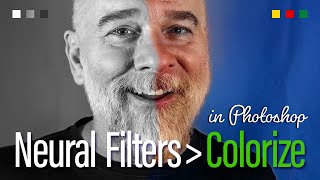
In the Old Days, There Was No Color - Check the Photos
Aprenda a colorir e restaurar fotos antigas em preto e branco usando os filtros neurais do Photoshop, incluindo Colorize e Photo Restoration, além de técnicas de edição não destrutiva.
The Best of Photoshop 2023 - Photo Restoration
Discover Photoshop 2023's Photo Restoration feature to transform old, damaged photos. Learn techniques for enhancing faces, reducing scratches, and masking effects to breathe new life into cherished memories.
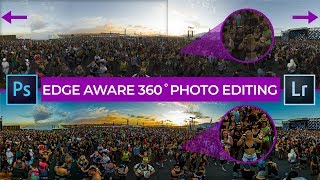
Professional 360 Photo Editing in Photoshop & Lightroom 2020 - Edge Aware Seamless Workflow
Master edge-aware 360 photo editing in Photoshop and Lightroom. Learn seamless workflows, RAW editing techniques, and advanced color grading for professional-looking virtual tours that stand out.

How to Remove and Replace Photo Backgrounds in Canva - Step-by-Step Tutorial
Master the art of removing image backgrounds in Canva with step-by-step guidance on uploading, editing, adding new backgrounds, adjusting dimensions, applying filters, and exporting your finished designs.

Best Canva Photo Editing Tips and Tricks - 10 Essential Techniques
Master essential photo editing techniques in Canva, from background removal and color isolation to creating mockups and animated effects. Learn 10 powerful tricks to enhance your images and design skills.

One-Minute Skin Retouching Action Tutorial in Photoshop
Master professional skin retouching in Photoshop with a custom action that creates smooth, natural-looking results while preserving texture. Learn to build and apply automated workflows for efficient photo editing.