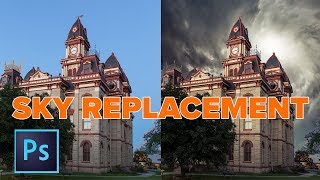
Sky Replacement in Photoshop - Add Clouds to Your Photo
Master sky replacement in Photoshop without selections. Learn to blend colors, add dynamic clouds, and enhance your photos with easy techniques for stunning results.
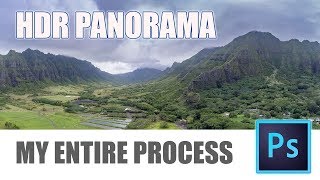
How to Make HDR Panorama Photos - Full Workflow from Shoot to Photoshop
Comprehensive guide to creating stunning HDR panoramas using Photoshop ACR or Lightroom Classic, covering shooting techniques with any camera or drone and the full editing workflow.

How to Make Animated Snow in Photoshop Overlay for Photos or Video
Learn to create and animate realistic 3D snow in Photoshop for photos and videos. Master techniques for depth, varying speeds, and seamless overlays in this comprehensive tutorial.
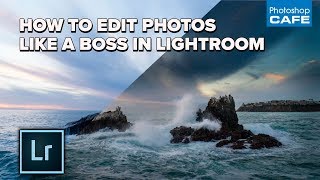
How to Edit Photos Like a Boss in Lightroom - My Full Workflow
Learn a professional's complete Lightroom photo editing workflow, from basic adjustments to advanced techniques for stunning results.
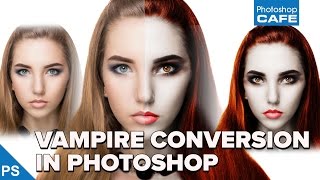
How to Turn a Person into a Vampire in Photoshop Tutorial
Learn to transform a portrait into a realistic vampire using Photoshop techniques. Master skin alteration, facial features adjustment, and eerie eye effects for a chilling supernatural look.
Craziest Photoshop Questions with Matt Kloskowski
Expert Matt Kloskowski addresses challenging Photoshop topics, including fixing blurry photos, logo design, and ethical considerations, offering valuable insights for digital artists and photographers.
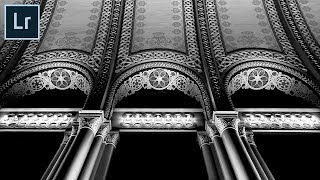
How to Create Impactful Black and Whites in Lightroom
Master dramatic black and white conversions in Lightroom using local adjustments, reshaping light, and enhancing details. Learn to use adjustment brushes and graduated filters for impactful monochrome images.
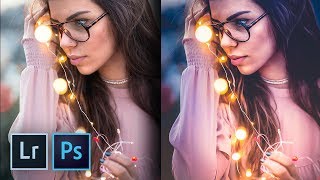
How to Create the Trendy Warm Lights Effect in Lightroom and Photoshop
Master the trendy warm lights effect in Lightroom and Photoshop. Learn color enhancement, drama addition, and dreamy image creation techniques. Discover local adjustments and achieve a painterly effect.

The Right Way to Place Objects on Grass for Photo Manipulation in Photoshop
Learn realistic photo compositing techniques in Photoshop, focusing on placing objects on grass. Master selection refinement, clipping masks, brush manipulation, and shadow creation for seamless integration.
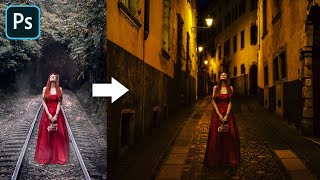
Advanced Color Matching Process in Photoshop
Master advanced color matching for seamless photo compositing in Photoshop. Learn masking, adjustment layers, realistic shadows, and depth of field techniques to create professional-quality manipulations.
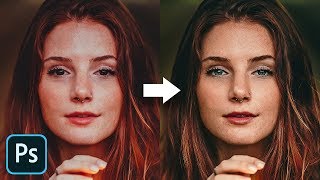
The Master Guide to Reconstructing Skin Tones - Photoshop Tutorial
Advanced Photoshop techniques for reconstructing skin tones, including color matching, curves adjustment, gradient maps, and retouching eyes. Learn to create realistic skin from scratch.
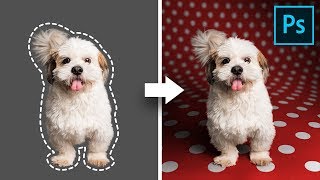
Create Backgrounds with Curved Perspectives - Photoshop Tutorial
Learn advanced compositing techniques to create beautiful backgrounds with curved perspectives in Photoshop, including custom warping, shadow creation, and pattern design for stunning pet photos.
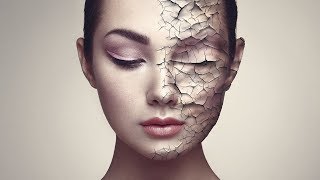
Create Realistic Cracked Skin in Photoshop
Learn to create realistic cracked skin effects using Photoshop's blend modes, Liquify tool, and smart masking techniques. Master advanced texture manipulation and adjustment layers for stunning visual results.
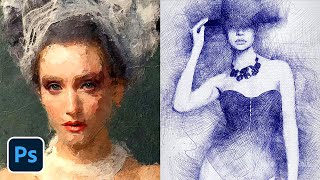
Photoshop Actions to Turn Photos into Art
Learn to transform photos into stunning artworks using three powerful Photoshop actions. Discover installation tips, usage techniques, and customization options for creating paintings, sketches, and mixed media effects.

Photoshop on the Web - Features & Limitations
Explore Photoshop's web version: features, limitations, and comparison with Photopea. Learn about UI, tools, adjustments, and potential future updates for this browser-based image editing solution.

Battle of A.I. Bokeh - Photoshop vs. Luminar
Comparison of AI-powered bokeh effects in Photoshop and Luminar, analyzing quality, performance, and features to help photographers choose the best tool for creating shallow depth-of-field effects.

Affinity Photo - Lasso Tool Explained
Comprehensive guide to Affinity Photo's Lasso Tool, covering modes, techniques, and practical applications for precise selections and photo editing.

Affinity Photo - Composition Tools - Photo Editing Tutorial
Explore essential composition tools like Golden Ratio, Rule of Thirds, and Diagonal Method to enhance your photo editing skills and create visually striking images in Affinity Photo.

Affinity Photo - Make a Planet
Learn to create a realistic planet using Affinity Photo, exploring texture manipulation, effects, and color techniques in this hands-on sci-fi inspired design tutorial.
Affinity Photo - Filters for Landscape Photography
Discover 5 powerful NIK Collection filters for enhancing landscape photos in Affinity Photo, from White Neutralization to Dynamic Contrast, for quick and stunning results.

Affinity Photo - How to Put Patterns on Clothing
Learn to apply 2D patterns onto clothing in Affinity Photo using liquefy, masks, and layer blending techniques. Create stunning designs easily with this step-by-step tutorial.