
Photo Manipulation for Beginners
Learn the essential techniques of photo manipulation, such as how to blend in Photoshop, how to make a mask, how to cut out an image, how to select hair, sky replacement, how to create Photoshop custom brushes, and more!

Remove ALL Distractions in One Click - New Photoshop Feature
Explore the groundbreaking Remove Tool in Photoshop Beta, capable of automatically eliminating distractions like people, power lines, wires, and cables with a single click. Test this feature across various images, from simple scenarios to complex challen…
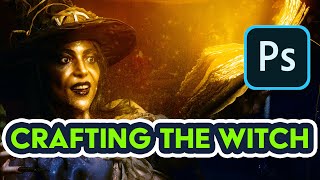
Creating a Halloween Witch Composition in Photoshop
Create a spooky Halloween witch composition using advanced Photoshop techniques for retouching, compositing, and blending digital artwork from photos.

Top 7 New Features in Adobe Photoshop 2025 Explained
Explore Photoshop 2025's groundbreaking features, from 3D integration to AI-powered distraction removal and enhanced generative capabilities, revolutionizing your creative workflow.

How to Create a Worn Paperback Cover Effect in Photoshop
Master the art of creating realistic worn paperback cover effects in Photoshop. Learn blending modes, printing artifacts, and techniques for adding authentic texture and wear to your designs.

Photoshop CC Tutorial - Designed for Beginners
Comprehensive introduction to Photoshop CC's essential tools and features. Learn image editing techniques, from basic adjustments to advanced manipulations, enhancing your digital design skills.
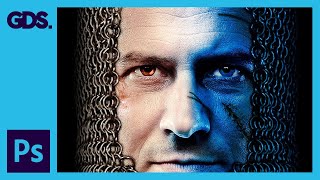
Game of Thrones Photo Manipulation - Adobe Photoshop Tutorial
Learn to create Game of Thrones-style photo manipulations in Adobe Photoshop, including image preparation, blue tint effects, and finishing touches for stunning artwork.
Learning Photoshop CC
Master Adobe Photoshop CC with comprehensive tutorials on retouching, design techniques, and advanced tools. Learn from a professional graphic designer to enhance your digital imaging skills.
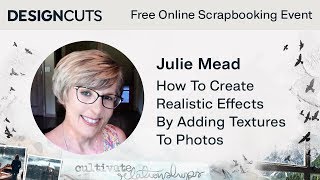
Scrapbooking Techniques - How to Create Realistic Effects by Adding Textures to Photos
Learn to enhance photos with realistic textures using overlays, blending modes, and adjustment layers. Master techniques for adding water droplets, bokeh effects, and manipulating light for stunning scrapbook designs.
Complete Photoshop Tutorial for Beginners in Hindi-Urdu
व्यापक फोटोशॉप ट्यूटोरियल जो शुरुआती लोगों को इंटरफेस, टूल्स और तकनीकों से परिचित कराता है। सीखें फोटो एडिटिंग, डिजाइनिंग और ग्राफिक्स बनाना।

Adobe Photoshop 2025 - New Features and Updates Overview
Discover the latest Photoshop 2025 features including enhanced Remove Tool, Generative Workspace, and Substance 3D Viewer for improved photo editing and creative workflows.
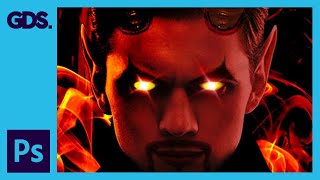
Devil Photoshop Tutorial - Layer Masking, Blending Modes & More
Transform portraits into devilish characters using Photoshop techniques like layer masking, blending modes, and adjustments. Learn to create horns, enhance eyes, and add eerie effects for a striking Halloween transformation.
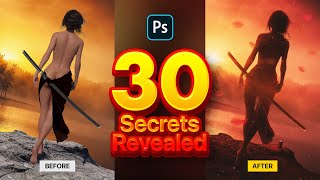
Photo Manipulation Secrets Using Stock Images in Photoshop
Master 30 Photoshop techniques for stunning samurai-inspired photo manipulations. Learn selection tools, 3D assets, color adjustments, and special effects to create captivating digital art using stock images.
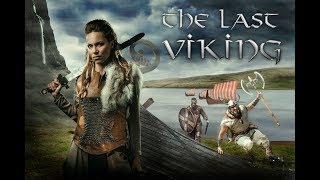
Vikings Poster with Photoshop - Combining Stock Photos to Make a Cool Composite
Create a Vikings-inspired composite using stock photos in Photoshop CC. Learn techniques for blending images, adding visual interest, and enhancing atmosphere through color toning and shadows.
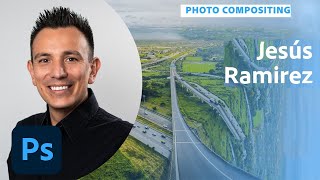
Compositing Surreal Photos in Photoshop - Part 2
Learn advanced photo compositing techniques to create surreal landscapes using Photoshop. Master masking, color matching, and perspective manipulation to bring impossible worlds to life.
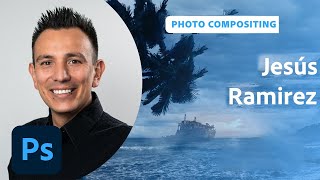
Designing Movie Posters in Photoshop - Part 1
Learn advanced Photoshop techniques for creating captivating movie posters with designer Jesús Ramirez. Master background removal, custom brush design, and seamless image integration in this interactive tutorial.
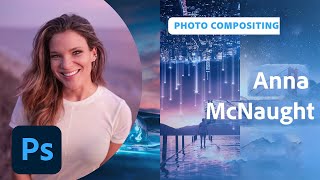
New Features in Adobe Photoshop - Workflow Enhancements and Neural Filters
Explore Photoshop's latest features with photographer Anna McNaught, including neural filters, landscape mixers, and advanced selection tools to enhance your creative workflow and photo editing capabilities.
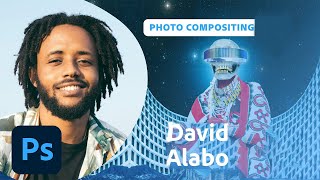
Designing an Afrofuturistic Collage in Photoshop - Part 1
Visual artist David Alabo demonstrates Afrofuturistic collage creation in Photoshop, sharing techniques for image selection, color manipulation, and composition while discussing his career and the concept of Afrofuturism.
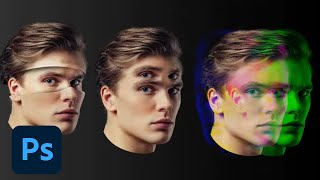
Photoshop Masterclass: Photomanipulation Ideas and Techniques
Explore surreal photo manipulations using advanced Photoshop techniques. Learn to create bizarre and fun effects beyond simple filters, unleashing limitless creative possibilities for any image.
Getting Started with Masking in Photoshop - Techniques and Tools
Learn essential Photoshop masking techniques from expert Jesús Ramirez. Discover tools like Quick Select and Object Selection, refine selections, paint hair, and use Blend If for professional-quality results.
Compositing in Adobe Photoshop - Part 2
Master advanced compositing techniques in Photoshop with Aaron Nace. Learn to cut subjects, scale elements, use filters, add color, create effects, and more for stunning digital compositions.