Creating Vignettes in Photoshop - Lesson 45
Master non-destructive vignette techniques in Photoshop to enhance image focus through selections, Smart Objects, and blur effects while learning professional post-production workflows.
Using Correction Layers and Color Adjustments in Photoshop - Lesson 44
Master essential Photoshop correction techniques for enhancing renders, including color adjustments, layer management, and efficient workflows for achieving professional-quality image improvements.

Creating Zombie Portraits with Generative AI and Photoshop
Master the art of zombie transformation using Photoshop's new Generative AI workspace and classic techniques. Create custom assets, blend textures, and add realistic undead effects for spooky character designs.
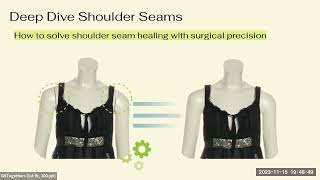
Automatic Photo Retouching with Python - AI-Powered Image Processing Pipeline
Discover how AI and Python revolutionize photo retouching at scale, automating 87% of image processing tasks while maintaining luxury presentation standards and delivering significant cost savings.

RK3588 vs N100 Mini-ITX Builds - Comparing Performance with Ubuntu 24.04
Comprehensive comparison of RK3588 and N100 mini-ITX builds running Ubuntu 24.04, featuring performance tests, power consumption analysis, and real-world application benchmarks.

The Science of All Blend Modes in Photoshop
Comprehensive guide to Photoshop's 27 blend modes, explaining the science, math, and practical applications through examples. Covers all mode groups and comparisons for informed usage.

Amazing Photoshop Actions by PiXimperfect
Discover 10 premium Photoshop actions for portrait retouching and landscape editing. Learn to customize and apply these versatile tools for professional-quality image enhancements.
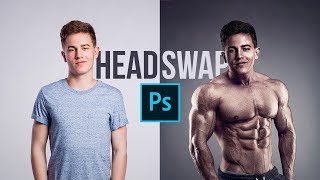
Make the Perfect Head Swap in Photoshop
Master head swapping in Photoshop with techniques for perfect placement, brightness matching, color adjustment, and lighting refinement. Learn to seamlessly blend faces onto new bodies for realistic results.
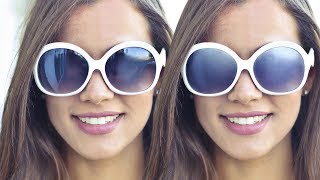
How to Remove Reflections from Sunglasses in Photoshop
Learn advanced Photoshop techniques to realistically remove reflections from sunglasses, paint over surfaces, add texture, and create clean reflections for a natural, dimensional look.
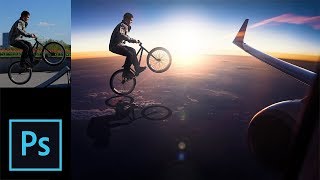
Photo Manipulation Step-by-Step Tutorial in Photoshop
Comprehensive Photoshop tutorial on photo manipulation, covering selection, background change, shadow creation, subject blending, and special effects for realistic composites.

How to Retouch Newborn Photos in Photoshop
Learn comprehensive newborn photo retouching in Photoshop: from Camera Raw adjustments to skin softening, color correction, and advanced sharpening techniques for stunning results.
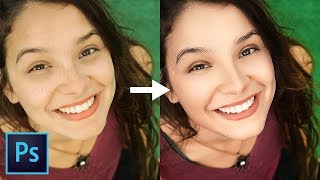
Master Dodging and Burning - Photoshop In-Depth Tutorial
Comprehensive guide to mastering dodging and burning techniques in Photoshop, from basics to advanced applications, enhancing portrait depth and dimension for stunning results.

Compositing Made Simple with Smart Objects in Photoshop
Learn to create complex composites easily using Smart Objects in Photoshop. Master adding elements, matching colors, applying filters, and modifying text for efficient photo manipulation.
Complete Guide to Clone Stamp Tool in Photoshop
Comprehensive tutorial on Photoshop's Clone Stamp Tool, covering basics to advanced techniques. Learn to remove distractions, tattoos, and facial hair while mastering blend modes and the Clone Source panel.

MidJourney AI Artworks - Affinity Photo Ultimate Beginners Guide
Comprehensive guide to enhancing MidJourney AI artworks using Affinity Photo, covering essential tools, techniques, and best practices for beginners.
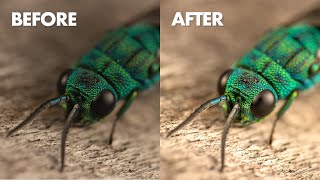
Editing Your Macro Photos
Learn macro photo editing techniques through expert demonstrations on various photographers' work, enhancing composition, color, and detail to create stunning close-up images.

Affinity Photo for Beginners - Your Complete Affinity Photo Tutorial
Comprehensive tutorial covering essential Affinity Photo skills: layers, masks, effects, brush creation, background removal, text editing, and more. Perfect for beginners seeking practical photo editing expertise.
Portrait Retouching on iPad With Affinity Photo
Master portrait retouching on iPad using Affinity Photo. Learn essential techniques for skin, hair, eyes, and color grading to achieve professional-level edits on the go.
Retouching Children's Photos Complete Workflow in Photoshop - Live Replay
Comprehensive Photoshop workflow for retouching children's photos, covering skin softening, eye enhancement, and mood creation while preserving natural innocence.
Mastering Photoshop AI Background Replacement Techniques
Master advanced background replacement techniques using Photoshop's Firefly AI tools to transform and enhance your digital images with professional precision.
Mastering Photoshop Actions with TK9 Button Clicks - Part 2
Master Photoshop automation by learning to create custom actions with TK9 button clicks, streamlining your workflow and enhancing photo editing efficiency with step-by-step guidance and downloadable resources.