
Photoshop Retouching for Beginners
Master Photoshop retouching techniques for skin, hair, and makeup. Learn frequency separation, dodging and burning, color editing, and background enhancement to perfect your photos.
Fine Art Photo Retouching and Editing in Photoshop - Tutorial Part 2
Learn advanced Photoshop techniques for fine art retouching with photographer Elena Paraskeva. Master high-end photo editing, including hair refinement, frequency separation, dodge and burn, color grading, and texture addition.

Fantasy Photo Compositing in Photoshop - Part 1
Learn advanced Photoshop techniques for fantasy photo compositing with photographer Renee Robyn. Master skin retouching, textures, lighting effects, and background creation to transform ordinary photos into magical worlds.
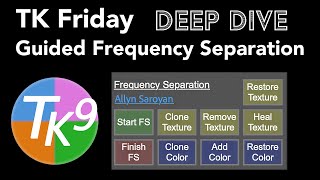
TK Friday: Guided Frequency Separation Deep Dive
Explore Guided Frequency Separation in TK9 Plugin for Photoshop. Learn advanced image editing techniques to enhance your photos with precision and control.

Erase Extreme Tattoos Effortlessly in Photoshop
Master Photoshop techniques to remove tattoos, from simple healing tools to advanced frequency separation and skin reconstruction, creating realistic results for various tattoo complexities.
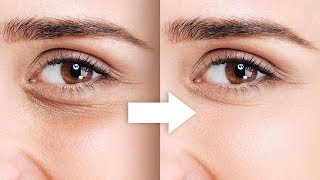
Remove Dark Circles with Frequency Separation in Photoshop
Learn to naturally remove dark circles using Frequency Separation in Photoshop. Master skin sculpting techniques for smooth, beautiful results while preserving expressions and achieving a natural look.

Dark Black Portrait Style - Affinity Photo Tutorial
Learn to create striking dark-skinned portrait art in Affinity Photo. Master composition, skin effects, background gradients, hair masking, skin retouching, and final adjustments for professional results.

How to Get Perfect Skin in Photoshop Tutorial
Learn advanced skin retouching techniques in Photoshop, including blemish removal, smoothing, dodge and burn, frequency separation, and neural filters, for natural-looking, professional results.

Neon Halo Light Effect Photoshop Tutorial
Learn to create a neon halo light effect in Photoshop, along with skin retouching, background replacement, and vignette techniques. Enhance your photo editing skills with this comprehensive tutorial.
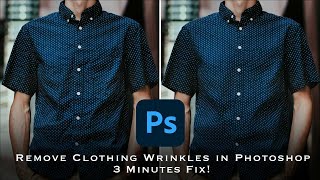
How to Remove Wrinkles from Clothes in Photoshop - Frequency Separation Tutorial
Master frequency separation in Photoshop to remove clothing wrinkles. Learn layer setup, settings, and techniques for seamless retouching. Gain in-depth understanding and practical skills for professional-looking results.
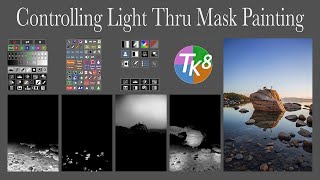
TK8 Plugin for Photoshop: Controlling Light Through Mask Painting
Learn advanced light control techniques in Photoshop using TK8 plugin, including mask painting and frequency separation. Enhance your photo editing skills with practical examples and downloadable practice image.

3 Steps to High-End Skin Retouching in Photoshop
Learn advanced skin retouching in Photoshop: blemish removal, frequency separation, skin tone correction, and lip enhancement. Master high-end techniques for flawless, natural-looking results.
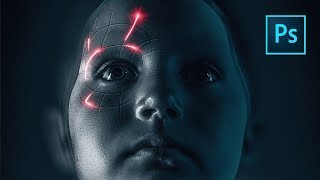
Perfect Movie Poster Tutorial
Learn advanced Photoshop techniques to recreate a movie poster, covering tools like frequency separation, gradient maps, and Camera RAW filter. Enhance your photo editing and design skills through practical application.

PHP Method of Frequency Separation in Photoshop
Learn the "PHP" method for smooth skin retouching in Photoshop using frequency separation. Master patch, healing, and brush tools to achieve natural-looking results while preserving skin texture.

Frequency Separation - Smooth Skin in Photoshop
Learn the high-end retouching technique of Frequency Separation for achieving silky smooth skin in Photoshop. This easy-to-follow guide covers setup, color detailing, retouching, and masking.

Portrait Retouching on iPad With Affinity Photo
Master portrait retouching on iPad using Affinity Photo. Learn essential techniques for skin, hair, eyes, and color grading to achieve professional-level edits on the go.