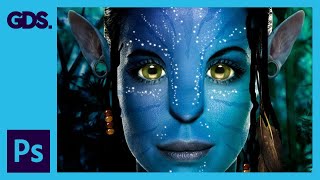
Epic Avatar Photoshop Tutorial
Learn to create stunning Avatar-style portraits using Photoshop techniques. Master skin retouching, facial features enhancement, pattern application, and special effects for eye-catching results.
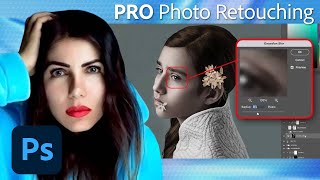
Fine Art Photo Retouching and Editing in Photoshop - Tutorial Part 2
Learn advanced Photoshop techniques for fine art retouching with photographer Elena Paraskeva. Master high-end photo editing, including hair refinement, frequency separation, dodge and burn, color grading, and texture addition.
Photo Retouching and Compositing Techniques - Part 2
Learn advanced Photoshop techniques for portrait retouching and compositing with Aaron Nace. Master color correction, blemish removal, background adjustments, and create stunning double exposure designs.
Custom Brush - Affinity Photo Tutorial
Learn to create custom, realistic brushes in Affinity Photo for digital painting, retouching, and design. Master techniques for textures, tips, and brush creation in this easy-to-follow tutorial.
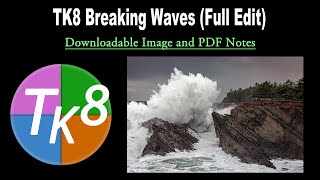
TK Friday: Breaking Waves Image Full Edit - Downloadable Resources Included
Comprehensive tutorial on editing a breaking waves image using TK8 plugin for Photoshop. Includes downloadable materials and step-by-step guidance for enhancing coastal photography.
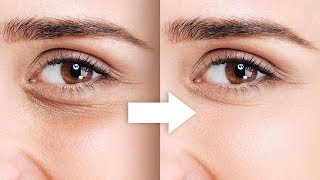
Remove Dark Circles with Frequency Separation in Photoshop
Learn to naturally remove dark circles using Frequency Separation in Photoshop. Master skin sculpting techniques for smooth, beautiful results while preserving expressions and achieving a natural look.
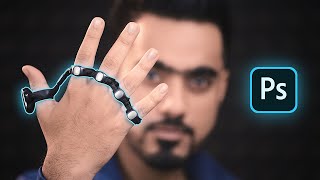
Control Photoshop with Your Hand
Explore controlling Photoshop with Tap Strap 2, a wearable device that allows finger taps to trigger complex functions and key combinations, enhancing efficiency for designers and artists.
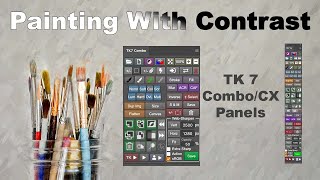
TK7 Combo/CX Panels - Painting with Contrast
Mastering contrast techniques using TK7 COMBO/CX panels for enhanced photo editing. Learn to paint contrast, clouds, and gradients for striking images.
Enhancing Images with TK7 GO Panel - Recovering Light and Saturation
Enhance images using TK7 Go Panel to recover light and saturation with luminosity and zone masks. Learn techniques for improving photo quality and visual appeal.

FaceFilter3 Tutorial - Getting Started with Image Editing and Makeovers
Learn to enhance portraits with FaceFilter3's tools for foundation, makeup, blemish removal, facial morphing, and post-effects. Master versatile features to create stunning makeovers and transformations.

Master Brush Tool in Photoshop - From Fundamentals to Advanced Techniques - Lesson 12
Comprehensive guide to mastering Photoshop's Brush Tool, covering properties, techniques, and advanced features. Includes practical tips, creative applications, and a hands-on project using watercolor brushes.
Photoshop Photo Retouching Tutorial with Skin Smoothing
Learn professional photo retouching techniques in Photoshop, including skin smoothing, blemish removal, structural alterations, virtual makeup, and color enhancement for stunning, natural-looking results.
Creating The STRAIN Photo Retouch Effect in Photoshop
Learn to create a striking photo effect inspired by "The Strain" poster using Photoshop techniques like Puppet Warp, Layer Styles, and Filters. Master advanced image manipulation for eye-catching designs.
Working with Color Using TK7 GO PANEL and TK7 COMBO/CX PANEL - Photoshop Tutorial
Enhance your photo editing skills using TK7 panels for color balance and fine art adjustments. Learn to apply finishing touches that elevate your images with expert techniques.

Setting Up Your Workspace in Photoshop CC 2020
Learn to customize Photoshop CC 2020's workspace for efficient compositing and retouching, covering interface elements, essential shortcuts, and personal setup tips.
TOPAZ MASK AI - New Update V1.2.0 First Look
Explore the latest Mask Ai update with a first-look tutorial, showcasing new features and improvements for efficient image editing and masking techniques.
Mastering Topaz Mask AI - Advanced Techniques for Photo Editing
Discover advanced techniques for Topaz Mask AI, enhancing your photo editing skills with expert guidance on masking, sky replacement, and more.
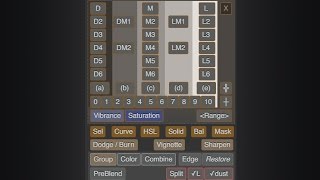
Lumenzia - Luminosity Masking Panel for Photoshop
Simplify luminosity masking in Photoshop with Lumenzia panel. Create custom masks, select zones visually, and achieve professional results effortlessly. Includes tools for vignettes and sharpening.
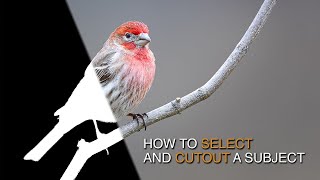
How to Select and Cut Out Subjects Using Lumenzia
Learn advanced techniques for selecting and cutting out subjects, enhancing details, and guiding viewer focus using Lumenzia's luminosity masking tools in Photoshop.
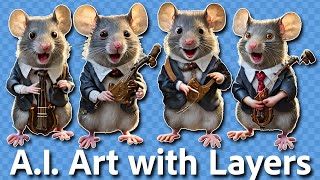
Separating AI-Generated Images into Layers Using Photoshop
Learn techniques to separate AI-generated images into editable layers in Photoshop, enhancing flexibility and control over individual elements for improved image manipulation and refinement.
How to Work With Perspective in Photoshop - Digital Art for Beginners Part 7
Learn to create stunning digital art by mastering perspective techniques in Photoshop. Set up construction lines, vanishing points, and horizon for realistic 3D objects and matte paintings.