How to Manually Sharpen Images for the Web in Photoshop - Part 2
Learn manual image resizing and sharpening techniques in Photoshop to optimize your photos for web platforms like Instagram, Facebook, and blogs, ensuring they look crisp and professional online.
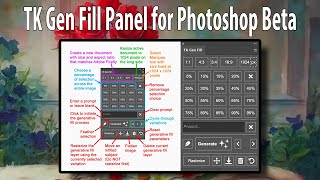
TK GEN FILL Panel for Photoshop Beta's Generative Fill
Streamline your Generative Fill workflow with the TK GEN FILL PANEL for Photoshop Beta. Transform photos into stunning art effortlessly, maximizing efficiency and creativity in photo editing.
Photoshop Beta: Turning Photos into Art with Generative Fill - Tips and Tricks
Transform photos into stunning artwork using Photoshop Beta's Generative Fill feature. Learn tips, tricks, and a time-saving action to elevate your photo editing skills.

Run Linux Desktops in Your Browser with Docker and Webtops
Learn to run Linux desktops in your browser using Docker and Webtops, enabling remote access to full desktop environments and applications like GIMP through containerization technology.

Expand Any Image in Seconds!
Learn to expand and enhance straightened photos using Photoshop Beta's Generative Fill feature. Master techniques for filling transparent areas with realistic details and improving image quality.

How to Restore and Colorize Old Photos with AI - Stable Diffusion + ControlNet Tutorial
Learn to restore and colorize old photos using AI techniques like Stable Diffusion and ControlNet. This tutorial covers photo preparation, AI settings, refinement, and final adjustments for impressive results.

Edit Portraits with Luminar AI - Sneak Peek
Explore Luminar AI's revolutionary portrait editing capabilities, featuring AI-powered tools for enhancing eyes, skin, and body. Learn how to integrate these features into your retouching workflow.
How to Apply Textures to Uneven Surfaces
Learn techniques for realistically applying textures to uneven surfaces, going beyond simple overlays and blending modes to achieve more authentic and visually appealing results.
Chromatic Aberration Tutorial
Learn to create and apply chromatic aberration effects in digital imagery, enhancing visual impact and adding stylistic flair to your designs.
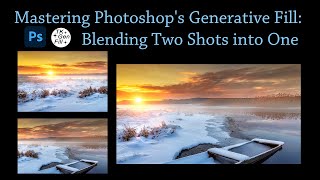
Mastering Photoshop's Generative Fill - Blending Two Shots into One
Learn to seamlessly blend two images using Photoshop's Generative Fill and TK Gen Fill Panel. Discover advanced compositing techniques to create stunning, realistic photo combinations.

SUPIR: New State-of-the-Art Open-Source Image Upscaler and Enhancer - Tutorial
Learn to use SUPIR, a cutting-edge open-source image upscaler and enhancer. Discover installation, setup, and usage on various platforms, outperforming expensive alternatives like Magnific AI or Topaz AI.

Guide to Upscaling AI Art with Topaz Gigapixel AI
Comprehensive tutorial on using Topaz Gigapixel AI for upscaling AI-generated art, covering various models, settings, and techniques to enhance image quality and resolution.
SUPIR Online - Ultimate Image Upscaler Tutorial
Comprehensive tutorial on SUPIR Online, an AI-powered image upscaler. Learn registration, parameter settings, upscaling techniques, background removal, and best practices for enhancing image quality.

Photoshop is Dead - Editing Images in CSS
Discover how to create custom photo effects using CSS blend modes, filters, and gradients, eliminating the need for Photoshop in web projects. Learn to implement dynamic, accessible graphics directly in the browser.
Create a Stunning High Key Portrait Photo in Photoshop
Learn to enhance portrait photos with texture and character, creating charming high-key images using image editing techniques like Camera Raw, dodging, burning, and final adjustments.
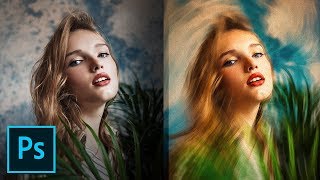
Variable Speed Feature for Incredible Painting Effect - Photoshop Tutorial
Learn to transform photos into stunning paintings using Photoshop's Blur Gallery, Path Blur, and Camera RAW. Master brush stroke simulation, color control, and texture application for realistic artistic effects.

PHP Method of Frequency Separation in Photoshop
Learn the "PHP" method for smooth skin retouching in Photoshop using frequency separation. Master patch, healing, and brush tools to achieve natural-looking results while preserving skin texture.
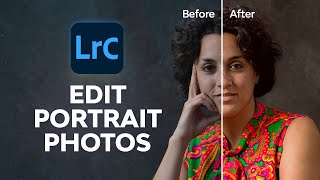
How to Edit Portrait Photos in Lightroom Classic
Master portrait photo editing in Lightroom Classic. Learn skin retouching, color grading, and professional techniques for natural and studio shots. Enhance your skills to create stunning, polished portraits.
How to Enhance Photos with a Pen Tablet - Part 2
Discover pen tablet techniques to enhance photos with artistic highlights, shadows, and gradient maps for a subtle, professional look.
How to Enhance Photos with a Pen Tablet - Part 1
Enhance photos artistically using a pen tablet with clever brush techniques for highlights, shadows, and subtle effects.

Frequency Separation - Smooth Skin in Photoshop
Learn the high-end retouching technique of Frequency Separation for achieving silky smooth skin in Photoshop. This easy-to-follow guide covers setup, color detailing, retouching, and masking.