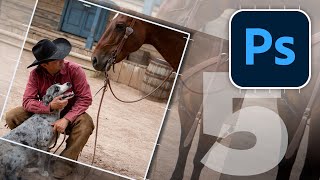
Tips to Make Your Photos Better in Photoshop
Learn five essential techniques to enhance your photos, including composition, shadow/highlight adjustment, seasoning, vignetting, and sharpening for professional-looking results.
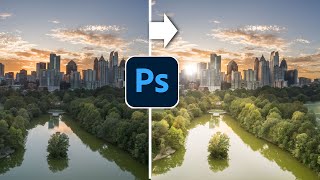
Paint with Light in Photoshop - Magically Transform a Photo
Transform flat photos into vibrant images by painting with light in Photoshop. Learn to add dynamic sunlight, highlights, and shadows for stunning visual effects.
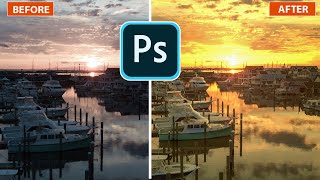
Lighting Golden Sunsets in Photoshop
Transform photos with golden hour lighting effects in Photoshop. Learn to create stunning sunset/sunrise atmospheres using lighting effects, enhancing your images with a warm, captivating glow.
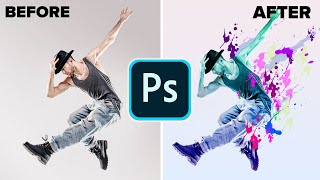
Make a Paint Splatter Effect With Custom Brushes in Photoshop
Learn to create dynamic photo art using custom splatter brushes in Photoshop. Discover techniques for making brushes, applying them, and adding gradients and color for stunning visual effects.

Editing Photos in Lightroom Like a Boss - Sliders + Order Explained in Plain English
Master Lightroom photo editing: Learn slider adjustments, optimal order, and techniques to enhance your images effectively. Understand key tools for impactful results.

Dark Black Portrait Style - Affinity Photo Tutorial
Learn to create striking dark-skinned portrait art in Affinity Photo. Master composition, skin effects, background gradients, hair masking, skin retouching, and final adjustments for professional results.

How Influencers Edit Their Photos - Affinity Photo Tutorial
Learn effective photo editing techniques for social media, including image sizing, font selection, and content strategies to boost engagement and create compelling posts across platforms.
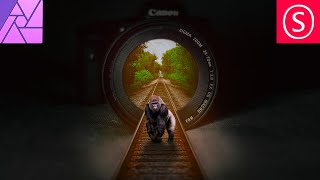
Camera Lens Train Track Photo Manipulation - Affinity Photo Beginner Tutorial
Learn to create a surreal photo manipulation of train tracks emerging from a camera lens using Affinity Photo, with step-by-step guidance on selection, blending, and visual effects.
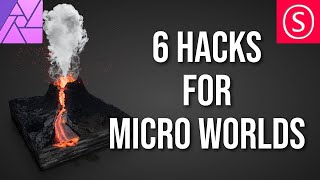
Make Better Micro Worlds - Affinity Photo Tutorial
Learn 6 techniques to enhance micro world creations in Affinity Photo, from 3D cube modeling to adding playful details, text, and perfecting lighting and contrast for stunning miniature scenes.
Lightroom Classic - Post Processing Masterclass
Comprehensive Lightroom Classic tutorial covering essential post-processing techniques, from basic adjustments to advanced editing, empowering photographers to enhance their images and express their creative vision.
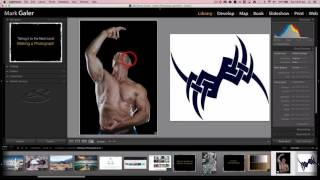
Introduction to Photoshop CC for Beginners
Learn essential Photoshop CC techniques for beginners, covering basic editing, color settings, blending modes, actions, and advanced compositing to enhance your photo editing skills.

High Impact Special Grunge Effect in Photoshop CC
Create a high-impact grunge effect in Photoshop CC using advanced techniques like smart objects, filters, and adjustments for striking visual results.
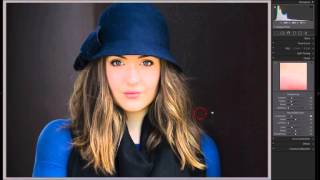
Tethered Capture Using Adobe Lightroom
Enhance your photography workflow with tethered capture techniques in Adobe Lightroom, covering custom profiles, white balance, and advanced capture methods.

Adobe Lightroom CC Course for Beginners - Photo Editing Tutorial
Comprehensive photo editing tutorial covering Lightroom Classic and CC Mobile, from importing and organizing to advanced editing techniques for enhancing light, color, and detail.

Adobe Photoshop Course for Beginners - Photo Editing Tutorial
Comprehensive Adobe Photoshop tutorial covering essential tools and techniques for beginners, from basic file creation to advanced portrait editing and animation.
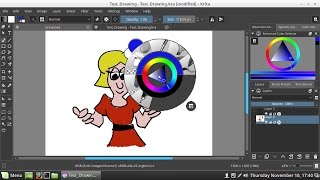
Krita Paint Program
Explore Krita's open-source painting and photo editing tools with installation guidance for Linux Mint and Windows 10. Learn essential features for digital art creation and image manipulation.

Hidden Filters for Dramatic Black & White in Photoshop
Learn advanced Photoshop techniques for creating dramatic black and white images. Master gradient and calculation methods, add film grain, recover shadows, and enhance eyes for stunning results.
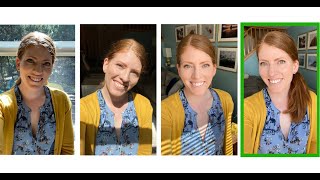
Take a New Profile Picture with an Easy Home Photo Shoot - And Just Your Phone
Learn to take professional-looking headshots at home using just your phone. Discover tips on lighting, location, posing, and editing to create high-quality profile pictures without hiring a photographer.

How to Get Perfect Skin in Photoshop Tutorial
Learn advanced skin retouching techniques in Photoshop, including blemish removal, smoothing, dodge and burn, frequency separation, and neural filters, for natural-looking, professional results.

How to Use Photoshop Camera RAW
Learn to master Adobe Camera RAW in Photoshop 2021. Edit various photo types, explore new features like Color Grading, and apply techniques applicable to Lightroom for stunning image transformations.

The Haunting of Bly Manor Fading Portrait Tutorial – Photoshop Live Q&A
Learn to create a faded portrait effect inspired by The Haunting of Bly Manor's opening title. Master compositing techniques, including patch tool, painting, and blending modes in this comprehensive Photoshop tutorial.