
The Orb Photoshop Composite Tutorial
Learn to create a sci-fi photo composite featuring a floating orb, including background replacement, sphere creation, lighting effects, atmosphere addition, and color grading techniques in Photoshop.

Neon Halo Light Effect Photoshop Tutorial
Learn to create a neon halo light effect in Photoshop, along with skin retouching, background replacement, and vignette techniques. Enhance your photo editing skills with this comprehensive tutorial.

Photoshop Generative Fill AI - Full Tutorial for Photoshop Beta
Explore Photoshop's new Generative Fill AI feature in Beta, learning installation, functionality, and applications for blank canvases, scene editing, and photo manipulation.

Creating an iPhone in Photoshop
Learn to create a realistic iPhone design in Photoshop using layers, shapes, gradients, and effects. Master essential techniques for digital product mockups and graphic design.

Photoshop for Photographers
Master essential photo editing techniques in Photoshop, from RAW adjustments to color balancing, selections, and sharpening. Learn file management and complete a start-to-finish edit in this comprehensive tutorial.
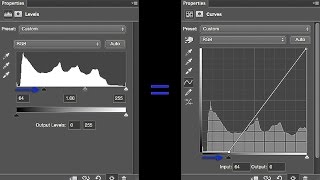
How to Use Photoshop Curves and Levels - And Why I Always Use Curves
Master Photoshop's Curves and Levels tools for enhanced photo editing. Learn to adjust contrast, tone, and white balance with precision, focusing on Curves' superior control and flexibility over Levels.
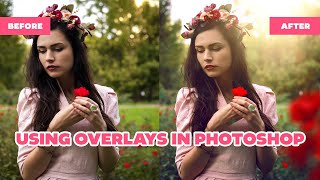
How to Use Overlays in Photoshop - Enhancing Images with Blending Modes and Effects
Learn to enhance photos using Photoshop overlays, blending modes, and color grading. Transform ordinary images into stunning visuals with easy-to-follow techniques and free tools.
Make Your Photos Pop Using Color Grading in Photoshop
Discover powerful color grading techniques in Photoshop to enhance your photos. Learn about gradient maps, blending modes, and masking to create stunning visual effects and improve image colors.
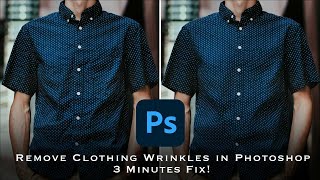
How to Remove Wrinkles from Clothes in Photoshop - Frequency Separation Tutorial
Master frequency separation in Photoshop to remove clothing wrinkles. Learn layer setup, settings, and techniques for seamless retouching. Gain in-depth understanding and practical skills for professional-looking results.
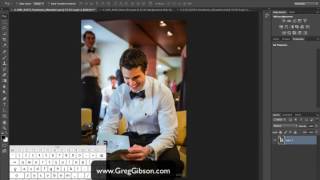
Three Essential Photoshop Tips for Efficient Retouching
Discover time-saving Photoshop techniques: Selective Color for effortless color correction, Auto Align Layers for precise alignment, and Masking Properties to streamline your retouching workflow.
Introduction to Photoshop for Beginners - Basics on How to Use Photoshop
Learn Photoshop basics: tools, layers, effects, and essential techniques for image editing. Ideal for beginners seeking to master this powerful design software.
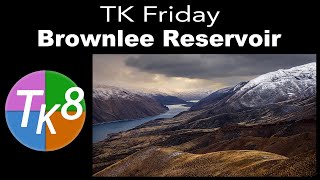
TK Friday: Full Edit of Brownlee Reservoir - Image Processing Tutorial
Comprehensive Photoshop editing tutorial using TK8 Plugin, featuring advanced techniques for color grading, masking, and contrast enhancement on a landscape image.
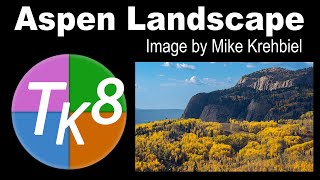
Aspen Landscape Editing Tutorial with TK8 Plugin
Comprehensive Photoshop tutorial for editing an Aspen landscape using TK8 Plugin. Learn advanced techniques like sky selection, color masking, and luminosity adjustments to enhance your landscape photography skills.
Full Edit Tutorial: Dramatic Wave Image Processing
Full edit tutorial of a dramatic wave image using TK8 plugin, covering color grading, blending modes, adjustments, and advanced techniques for enhancing contrast and details.

Full Edit of Craven Arms in Yorkshire, England - TK Friday Tutorial
Comprehensive Photoshop editing tutorial for landscape photography, featuring TK8 plugin techniques, masking, and color adjustments. Includes downloadable image and notes for hands-on practice.
Burning and Dodging with Contrast - Full Edit Tutorial
Learn advanced Photoshop techniques for enhancing images using the TK8 plugin, focusing on burning and dodging with contrast. Includes step-by-step guidance, downloadable resources, and expert tips for achieving professional-quality edits.
TK8 Depth and Detail - Enhancing Misty River Scenes in Photoshop
Learn advanced photo editing techniques using TK8 Plugin for Photoshop to enhance depth and detail in landscape images, focusing on masks, contrast adjustments, and targeted enhancements.
Understanding the Detail Extractor Filter in NIK Collection 5
Explore the Detail Extractor filter in NIK COLOR EFEX PRO to enhance local image details. Learn tips for optimal use through three practical examples.
ON1 Photo RAW 2022 - Exploring Filter Effects Part 1
Explore filter effects in ON1 Photo RAW 2022, including LUT, Glow, Luminosity Mask, Dynamic Contrast, and Blur, with practical demonstrations on various images to enhance your photo editing skills.
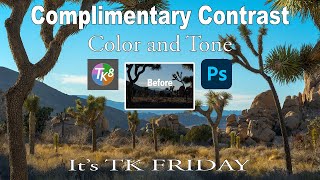
Complimentary Contrast in Color and Tone - TK Friday Tutorial
Learn to enhance photos using Lightroom and Photoshop with the TK8 plugin. Master techniques for color grading, contrast adjustment, and hand painting to create stunning images.
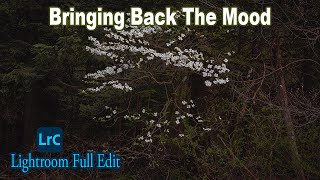
Lightroom Classic Full Edit - Bringing Back the Mood
Comprehensive Lightroom Classic tutorial for enhancing mood in photos. Covers advanced techniques like masking, local adjustments, and linear profiles to recreate original scene ambiance.