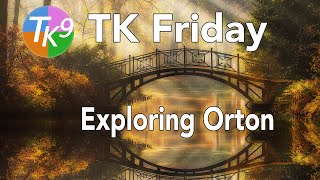
Exploring Orton Effects in TK9 - Techniques and Tips
Explore three Orton Effects in TK9 plugin for Photoshop. Learn to fine-tune these effects for the perfect dreamy look. Gain practical tips and techniques for enhancing your photo editing skills.
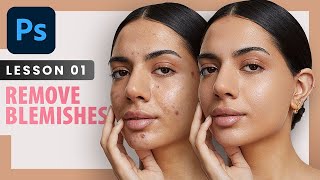
Remove Blemishes - Professional Photoshop Retouching Techniques - Lesson 1
Learn professional techniques for high-end skin retouching in Photoshop, including spot healing, healing brush, patch tool, and dodge and burn. Discover when to remove blemishes and how to achieve natural-looking results.

Advanced Photoshop Techniques
Elevate your Photoshop skills with advanced techniques for photo manipulation, visual effects, and professional artwork. Master underwater scenes, color grading, texture blending, and creative LUTs to produce stunning visuals.
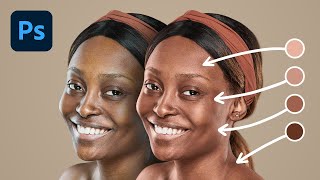
Do You Need a Plugin to Apply Pro Skin Tones - Photoshop
Comprehensive guide to creating and applying professional skin tones in Photoshop, comparing manual techniques with plugin-based methods and exploring advanced controls for optimal results.

Insane AI Features of New Luminar Neo
Discover 7 groundbreaking AI features in Luminar Neo for effortless photo editing, from AI masking to sky replacement, tested in real-world scenarios for both beginners and professionals.

A.I. Does High-End Skin Retouching with 1-Click - Photoshop Plugin Review
Explore an AI-powered Photoshop plugin for automatic high-end skin retouching. Learn its features, compare with manual techniques and other tools, and decide if it's right for your workflow.
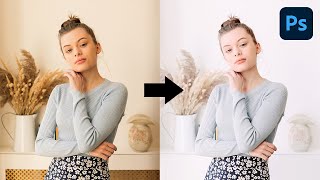
Create High-Key Effect with Simple Steps in Photoshop
Master the high-key effect in Photoshop using advanced techniques like targeted brightening, color adjustments, and unique curves to create airy, impactful images with enhanced lighting and atmosphere.

Photoshop's New Sky Replacement Update
Explore Photoshop's updated Sky Replacement feature, learn to create custom sky presets, and discover tips for better sky matching. Compare with Luminar AI and gain insights on reflections and potential improvements.
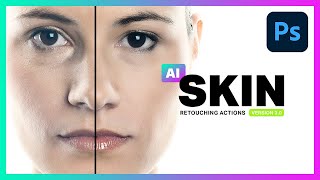
AI Skin Retouching Photoshop Actions - Is It Really AI?
Explore AI Skin Retouching Photoshop Actions: effectiveness, techniques, and the truth behind AI claims. Learn to create your own actions for portrait enhancement.

Best AI to Auto-Color Black and White Photos
Explore cutting-edge AI technology for colorizing black and white photos, with practical Photoshop techniques to enhance results and comparisons to other tools.

Erase Extreme Tattoos Effortlessly in Photoshop
Master Photoshop techniques to remove tattoos, from simple healing tools to advanced frequency separation and skin reconstruction, creating realistic results for various tattoo complexities.
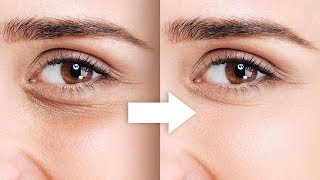
Remove Dark Circles with Frequency Separation in Photoshop
Learn to naturally remove dark circles using Frequency Separation in Photoshop. Master skin sculpting techniques for smooth, beautiful results while preserving expressions and achieving a natural look.
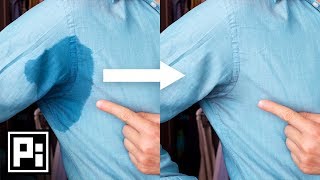
Remove Sweat Spots in Photoshop
Learn to remove sweat stains from photos using Photoshop techniques like Hue/Saturation, Curves, and Masking. Match colors and brightness for seamless edits in just 4 easy steps.
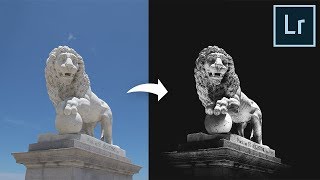
Make Flat Boring Photos Insanely Dramatic Just Using Lightroom
Transform flat, boring photos into dramatic masterpieces using Lightroom. Learn techniques for enhancing contrast, adding dimension, and directing viewer attention through black and white editing and adjustment brushes.

The Smartest Mask Generator for Photoshop
Explore Lumenzia, an advanced Photoshop tool for luminosity masking. Learn essential features, techniques for landscapes, portraits, and custom effects to enhance your photo editing skills.

Cut Out Dark Hair from Dark Background in Photoshop
Learn advanced techniques for selecting and masking dark hair on dark backgrounds in Photoshop, including manual hair painting and brush techniques for realistic, natural-looking results.

A.I. Auto-Replaces Sky with Reflection vs Photoshop
Comparison of Luminar's Sky AI 2.0 and Photoshop's Sky Replacement feature, exploring their capabilities in sky reflections, relighting, masking, and various effects for realistic sky replacements in photos.
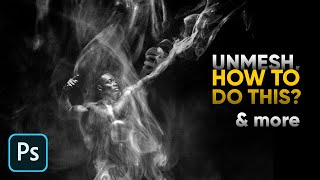
Smoke Effect - Skin Tones - 11 Photoshop Questions Answered
Expert answers to 11 Photoshop questions, covering topics like skin retouching, smoke effects, and advanced editing techniques for various creative projects.
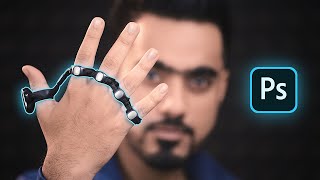
Control Photoshop with Your Hand
Explore controlling Photoshop with Tap Strap 2, a wearable device that allows finger taps to trigger complex functions and key combinations, enhancing efficiency for designers and artists.
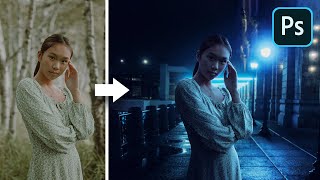
The Inverse Curve Technique for Painting Light - Photoshop Tutorial
Learn advanced Photoshop techniques for realistic lighting, including the Inverse Curve method, color grading, and expert photo manipulation to seamlessly blend subjects with backgrounds.
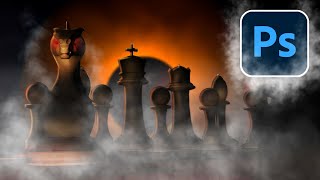
How to Make Smoke and Clouds in Photoshop
Learn to create realistic smoke and clouds in Photoshop using custom brushes. Master techniques for painting with depth, adding atmospheric effects to photos, and crafting your own brushes for unique designs.