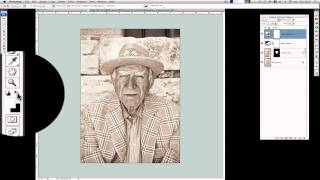
Create a Stunning High Key Portrait Photo in Photoshop
Learn to enhance portrait photos with texture and character, creating charming high-key images using image editing techniques like Camera Raw, dodging, burning, and final adjustments.
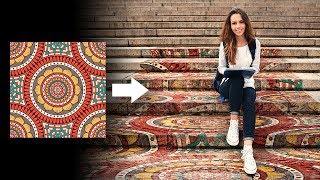
Add Graphics to Complex Perspectives in Photoshop
Master Photoshop's Vanishing Point filter to add graphics on complex surfaces. Learn advanced techniques for realistic perspective adjustments, blending modes, and texture matching.

Latest Breakthroughs in AI Image Generation Tools - Ideogram Canvas, MidJourney, and OpenAI Updates
Discover the latest breakthroughs in AI image generation tools, including Ideogram Canvas's outpainting features, MidJourney's new editor, Stable Diffusion 3.5's capabilities, and OpenAI's innovative consistency models.

Create Better Glows in After Effects
Learn advanced techniques for creating stunning, customizable glows in After Effects, offering greater flexibility and control than the built-in effect for more professional-looking results.
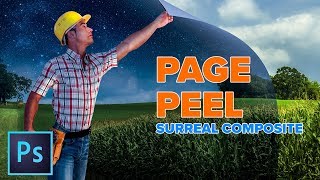
Enhanced Page Curl Photoshop Tutorial - Surreal Composite
Create a surreal composite in Photoshop: learn to combine images, transform day to night, and craft a dynamic page curl effect for a man peeling back reality.
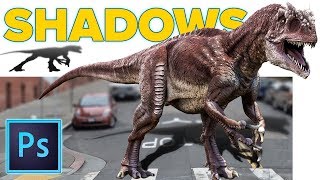
Realistic Cast Shadows in Photoshop - Composite Jurassic World Dinosaur
Learn to create realistic cast shadows in Photoshop for compositing, focusing on a Jurassic World dinosaur example. Master the four qualities of light for authentic shadow effects in image combinations.
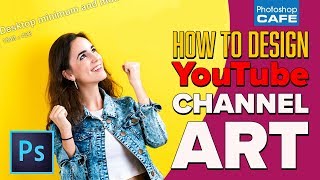
How to Make YouTube Channel Art in Photoshop - 2018
Learn to create eye-catching YouTube channel art using Photoshop. Master template usage, image selection, background filling, color choices, and typography for professional-looking headers that fit all layouts.

How to Remove Large Objects in Photoshop
Learn advanced techniques for seamlessly removing large objects from images using Content-Aware Fill, Cloning, Healing, and color correction in Photoshop. Master professional photo editing skills.
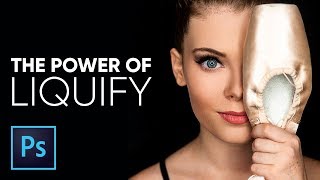
The Amazing Power of Liquify for Portrait Retouching in Photoshop
Master Photoshop's Liquify tool for portrait retouching. Learn basic and advanced techniques, including Face-Aware Liquify, through practical examples and expert tips for professional results.
The Ultimate Guide to Cinematic Effect in Photoshop
Learn to create cinematic effects in Photoshop using fading, tinting, aspect ratios, and creative elements. Master four techniques to transform your images into stunning, film-like visuals.

How to Replace Color in Photoshop CC 2017 - Adjust Color Selectively
Learn five powerful techniques for selective color adjustment in Photoshop CC 2017, from global edits to precise local changes, enhancing your ability to manipulate and replace colors effectively.
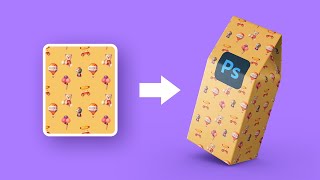
How to Create Mockups with Complex 3D Shapes - Photoshop Tutorial
Learn to create realistic mockups with complex 3D shapes in Photoshop using Perspective Warp, masking, and Smart Objects. Master techniques for wrapping patterns around objects with intricate perspectives.

Color Correction with Easy 4-Point Technique - Photoshop Tutorial
Master Photoshop's "4-Point" color correction technique for precise image enhancement. Learn to locate white, black, and gray points, plus a fourth point for automatic color fixing using Curves.

Best A.I. Image Upscaler - Top 7 Software Compared
Comprehensive comparison of 7 top AI image upscaling software, evaluating their effectiveness in converting low-resolution images to high-quality, high-resolution versions.

Blend Anything on Any Surface in Photoshop
Learn to realistically blend text, graphics, or logos onto any surface in Photoshop using Blend-If, Blend Modes, Liquify, and Displacement Maps for natural-looking results.
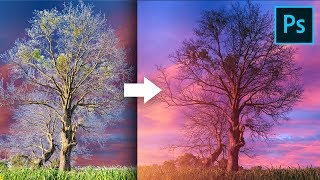
Remove Fringes Around Trees During Sky Swap - Photoshop Tutorial
Learn effective techniques to remove fringes around trees during sky replacement in Photoshop, using color matching and blending modes for seamless and professional-looking results.
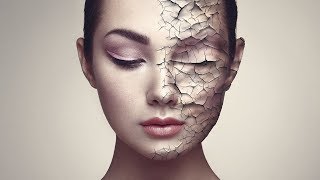
Create Realistic Cracked Skin in Photoshop
Learn to create realistic cracked skin effects using Photoshop's blend modes, Liquify tool, and smart masking techniques. Master advanced texture manipulation and adjustment layers for stunning visual results.

Battle of A.I. Bokeh - Photoshop vs. Luminar
Comparison of AI-powered bokeh effects in Photoshop and Luminar, analyzing quality, performance, and features to help photographers choose the best tool for creating shallow depth-of-field effects.
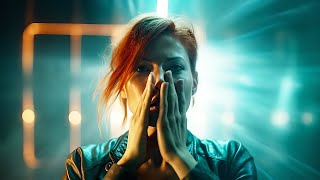
Create Masterpieces With Stable Diffusion in Photoshop
Learn to create AI-generated masterpieces using Stable Diffusion plugins in Photoshop. Explore text-to-image, outpainting, inpainting, and ControlNet techniques to enhance your digital art skills.
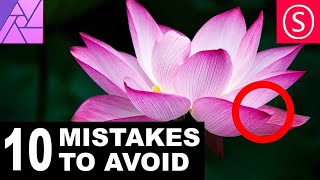
Affinity Photo - 10 Mistakes to Avoid - Photography Tutorial
Discover 10 common mistakes in Affinity Photo and learn how to avoid them, covering topics from image resolution to color adjustments, sharpening techniques, and exposure settings.
Twirl Effect - Affinity Photo Tutorial
Learn advanced techniques for creating stunning twirl effects in Affinity Photo, including secret tricks to enhance colors, smooth transitions, and achieve eye-catching results for various image types.