Adobe Photoshop 2019 - Top 5 Tools and Tutorial
Learn top 5 Photoshop tools with hands-on exercises. Master content-aware features, selection tools, layer filters, frame tool, and artboards for efficient design workflows.

How to Use Pixlr X - Easy Graphic Design
Learn to edit photos and create graphics with Pixlr X, a free online tool. Master essential features like layers, text, shapes, retouching, and background removal for stunning visual content.

Photoshop CC Tutorial - Designed for Beginners
Comprehensive introduction to Photoshop CC's essential tools and features. Learn image editing techniques, from basic adjustments to advanced manipulations, enhancing your digital design skills.
Learn Adobe Photoshop
Comprehensive guide to Adobe Photoshop basics, covering essential tools, techniques, and practical projects. Learn to create print and digital artwork through hands-on tutorials and step-by-step instructions.
Canva.com Complete Guide
Learn to create stunning designs with Canva: animated presentations, gradients, logos, Fiverr gig images, and more. Master essential techniques like background removal and text outlining.
Canva Tutorial Series
Aprende a usar Canva desde lo básico hasta la gestión avanzada de capas, edición de imágenes, animaciones y más, utilizando la versión gratuita de la aplicación web.

Beginner's Guide to PowerPoint
Comprehensive guide to creating impressive PowerPoint presentations, covering basics to advanced techniques like animations and transitions in just 30 minutes.
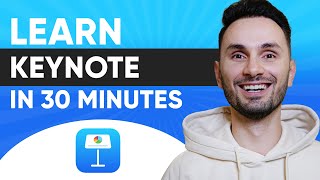
Complete Beginner's Guide to Apple Keynote
Comprehensive guide to creating stunning presentations with Apple Keynote, covering everything from basic setup to advanced features like animations, collaboration, and exporting.

Publisher 2019 for Beginners Tutorial
Learn to create professional publications with Publisher 2019. Master interface navigation, templates, images, text formatting, tables, and more. Gain skills to design posters, newsletters, brochures, and books efficiently.

InDesign Advanced Tutorial
Comprehensive tutorial covering advanced InDesign features, including nested styles, master pages, interactive elements, and data merging. Ideal for designers seeking to enhance layout skills and productivity.

InDesign Beginner Tutorial
Comprehensive tutorial covering InDesign basics to advanced techniques. Learn interface, typography, image manipulation, styles, master pages, and exporting for print and digital publishing.
PowerPoint 2016 Beginner Tutorial
Learn to create, edit, and enhance presentations using PowerPoint 2016. Master essential features like slide management, text formatting, graphics insertion, transitions, and animations for effective visual communication.
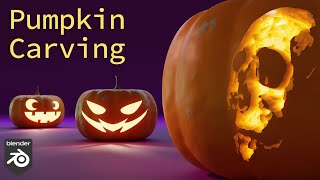
Use Any Photo to Carve a Pumpkin - Blender
Learn to carve digital pumpkins in Blender using any photo. Master modeling, materials, subsurface scattering, and three carving methods for unique Halloween designs.

Adobe Photoshop Tutorial - Basic Training for Beginners
Learn essential Photoshop tools and techniques, including layers, masks, shapes, smart objects, blending modes, pen tool, extraction, brush tool, text tool, and filters for image editing and manipulation.
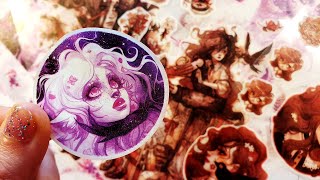
How to Scan and Edit Traditional Art for Printing - Detailed Guide
Detailed guide on scanning, editing, and preparing traditional artwork for high-quality printing, with focus on sticker production techniques.
Tools to Become a Better AI Artist
Explore AI-assisted art creation using NightCafe, learn about free credits, and discover techniques for enhancing and upscaling AI-generated images.
Down the Rabbit Hole with Smart Objects in Photoshop
Explore advanced Smart Object techniques in Photoshop, from basic usage to nested animations and Lightroom integration, enhancing your image editing skills.
Compositing in Photoshop
Explore new features in Photoshop 2021 for combining photos, including resizing, tone matching, contrast adjustment, shadow addition, color grading, and complex compositing techniques.
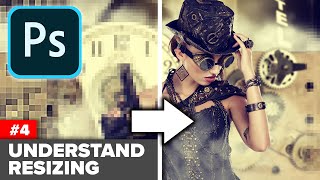
Understand Image Size in Photoshop - Magic AI Resizing
Learn image resizing techniques in Photoshop, including AI-powered options, for various purposes like print and screen. Understand interpolation, document shape changes, and file size compression.
Remove Distractions for Photos - Remove the Background from a Photo
Learn techniques to remove distractions and backgrounds from photos, enhancing image quality and focus. Master tools like Content-Aware Fill, Quick Selection, and Pen Tool for professional-level photo editing.

How to Create a Funky Retro Album Cover in Photoshop
Learn to create a funky 70s-style album cover using Photoshop, including gradient overlays, texture effects, typography, and image adjustments for a authentic retro look.