
Topaz Mask AI Tutorial - Creating Perfect Masks for Image Editing
Learn to create perfect masks for background replacement and specific image adjustments using Topaz Mask AI, enhancing your photo editing skills in Photoshop or Affinity Photo.

Topaz Studio 2 Tutorial - The Digital Frame Filter
Learn to create unique digital frames for your images using Topaz Studio 2's Digital Frame Filter. Enhance your photos for websites and social media with this detailed tutorial.
Photoshop Tutorial - Adding Creative Blur to Flower Images
Learn to enhance flower photos with ethereal blurs using Photoshop's Blur Gallery and NIK Vignette Filter, creating a dreamy and artistic effect in your images.
Luminar AI - Working with Lightroom
Seamlessly integrate Luminar AI with Lightroom for enhanced RAW image editing, combining powerful asset management with advanced AI-driven tools to elevate your photo editing workflow.
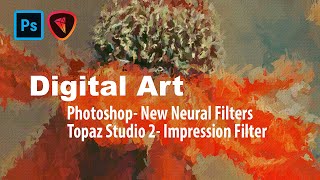
Digital Art: Photoshop Neural Filters and Topaz Studio 2 Impression Filter Tutorial
Learn to create digital art using Photoshop's new Neural Filters and Topaz Studio 2's Impression Filter. Transform photos into stunning digital paintings with step-by-step guidance on advanced editing techniques.
Image Compositing with Topaz Mask AI - Working with Different Aspect Ratios
Learn advanced image compositing techniques using Topaz Mask AI, focusing on blending images with different aspect ratios for realistic and visually striking results.
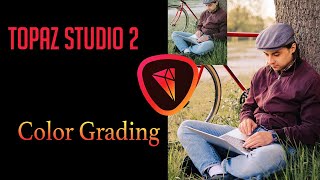
Color Grading Tutorial in Topaz Studio 2
Learn various color grading techniques to give your images a cinematic look using Topaz Studio 2's Dual Tone and Quad Tone filters, along with Photoshop and Luminar 4.

TOPAZ MASK AI: Sky Replacement Tutorial - Simplifying Complex Masking
Learn to replace skies in photos using Topaz Mask AI's new features, including Translucent Mode for fabric and semi-transparent materials. Improve your photo editing skills with this powerful and user-friendly tool.

Topaz Adjust AI - One-Click Image Makeovers Tutorial
Explore the power of one-click image enhancements with Topaz ADJUST AI through 11 diverse examples, showcasing its ability to transform photos effortlessly and effectively.

Editing Premium YouTube Thumbnail Templates in Photoshop
Learn to edit professional YouTube thumbnail templates in Photoshop. Master text editing, image insertion, background removal, and advanced techniques to create eye-catching thumbnails that boost engagement.
TK Friday: Exploring New Possibilities for Balance and Contrast in Photoshop
Explore advanced techniques for enhancing image balance and contrast using TK9 PLUGIN FOR PHOTOSHOP, including Blend If features and new Combo and CX Panel Mask calculators.
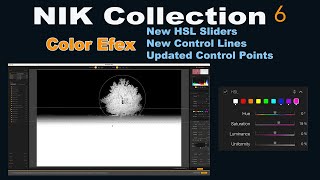
NIK Collection 6: Color Efex Updates - HSL Sliders, Control Lines, and Control Points
Explore new features in NIK COLLECTION 6's Color Efex, including HSL sliders, control lines, and control points. Learn tips to maximize these enhancements for improved photo editing.
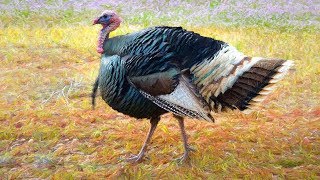
Turkey Painting Tutorial in Photoshop - Thanksgiving Special
Transform a turkey image into a painting using Photoshop and plugins. Learn techniques for creating artistic effects, enhancing details, and achieving a realistic painted look in this step-by-step tutorial.
ON1 Photo Raw 2018 - Simulating Shallow Depth of Field with Lens Blur Filter
Simulate shallow depth of field using ON1 Photo Raw 2018's Lens Blur Filter. Learn to create professional-looking photos with blurred backgrounds, even without expensive lenses.

How to Use the Photoshop Channel Mixer
Demystify Photoshop's Channel Mixer: Learn its purpose, applications, and practical usage through a step-by-step edit demonstration to enhance your photo editing workflow.
Viveza 2 Introduction - Image Editing with U-Point Technology
Discover the power of Viveza 2's u-point technology for effortless image editing. Learn to transform challenging edits into simple tasks and enhance your photo editing skills.
Introducing Photoshop - The Tools
Comprehensive introduction to Photoshop's essential tools, covering selection, editing, and creative functions for beginners and intermediate users seeking to enhance their graphic design skills.
Photoshop 101 - Part 2
Learn essential Photoshop techniques in this concise tutorial. Master key tools and features to enhance your graphic design and photo editing skills.
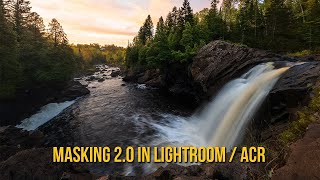
Mastering Lightroom and ACR Masking 2.0 - New Features and Techniques
Explore Adobe's Masking 2.0 update for Lightroom and ACR, learning new tools and techniques to enhance your RAW processing skills in this comprehensive tutorial.
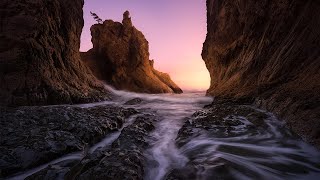
Photoshop Channel Math: Add, Subtract, and Intersect for Advanced Luminosity Masking
Learn advanced luminosity masking techniques in Photoshop, including combining masks and channels through addition, subtraction, and intersection for enhanced image detail and precision.
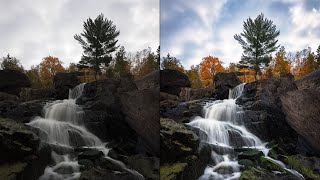
How to Get Great Fall Color with Luminosity Masks
Enhance fall photos using Photoshop and luminosity masks to restore vibrant colors and mood. Learn techniques to transform flat, muddy images into stunning autumn scenes.