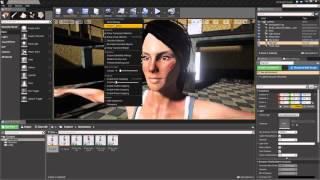
Character Creator to Unreal - Animation and Control in Unreal Engine
Learn to animate and control characters in Unreal Engine, covering blend spaces, animation blueprints, character movement, and sound integration for game development.
ZBrush Pipeline: Micro Detail Character Sculpting and Texturing - Part 3
Learn advanced ZBrush techniques for adding micro details and textures to 3D characters. Explore sculpting pores and wrinkles, generating textures in Substance Painter, and refining posed characters for final rendering.
ZBrush Pipeline: Generating Assets for Dynamic Clothing System - Part 2
Learn to create clothes and assets in ZBrush for Character Creator, with automatic skin weight application. Enhance your 3D character creation workflow and speed up the sculpting process.
ZBrush Pipeline: Generating a Prototype with Character Creator 3 - Part 1
Learn to speed up ZBrush character creation using Character Creator's morph and pose system. Create prototypes, refine in ZBrush, and utilize GoZ for seamless workflow between software.
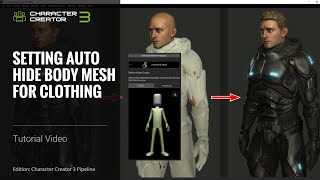
Character Creator 3 Tutorial - Setting Auto Hide Body Mesh for Clothing
Learn to optimize game characters by hiding unnecessary body parts covered by clothing, saving resources in game engines. Covers basic and advanced mesh hiding techniques in Character Creator 3.
Cartoon Animator from A-Z - Facial Mocap, Character Animation and Rendering - Day 3
Learn advanced facial animation, body movement, character interaction, and basic camerawork in Cartoon Animator 4. Master techniques like sprite switching, morphing, and facial motion capture for creating dynamic 2D animations.
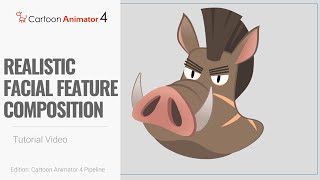
Cartoon Animator 4 - 360 Head Tutorial for Realistic Facial Feature Composition - PSD Pipeline
Learn advanced techniques for customizing multi-layered facial features in Cartoon Animator 4 using PSD import/export. Optimize character designs with realistic compositions and bone attachments for smoother animations.
Eye-popping Effects with PopcornFX - Webinar
Learn to create stunning visual effects using PopcornFX plugin for iClone 7. Master customization techniques, explore sample effects, and integrate them into your 3D animation projects for professional-looking results.

Character Creator 3 Tutorial - Fixing Visual Defects - Skin Weights
Learn advanced skin weighting techniques in Character Creator 3 to improve clothing mesh conformity, including automatic transfer, manual painting, and vertex value editing for realistic character designs.
Converting Daz Content to Reallusion Format in Character Creator 3 - Tutorial
Learn to convert Daz content to Reallusion format in Character Creator 3. Master exporting, importing, fixing textures, saving accessories, and applying converted content for seamless 3D character creation.
Creating a Stylized 3D Character with iClone 7 and Character Creator
Learn to create custom 3D characters using Character Creator and iClone 7. Master techniques for head creation, morphing, texturing, outfit customization, and quick animation and lighting.
Enhancing Scenes with PopcornFX Special Effects - Reallusion Webinar
Discover how to elevate your scenes with stunning visual effects using PopcornFX Library 40. Learn to add professional-grade nature, magic, weapons, and VFX elements quickly and easily in iClone 7.

iClone 7.2 Tutorial - Applying Magic Particle Effects
Master iClone's PopcornFX Library to create stunning magical effects. Learn to apply character auras, lightning attacks, and ambient lighting for captivating visual scenes in your 3D projects.
iClone 7.2 Tutorial - PopcornFX Super Tools Particle Mode
Explore PopcornFX Super Tools' texture emitter in iClone 7.2. Learn to modify particle mode settings for visually striking effects, including blend modes, sprite atlas, and animation sequences.

iClone 7.2 Tutorial - Creating Floating Dust and God Rays with PopcornFX Super Tools
Learn to create realistic floating dust and heavenly god rays using iClone 7.2's PopcornFX Super Tools. Master texture emitter techniques for stunning visual effects in your 3D animations.
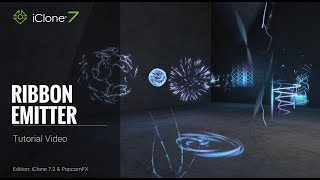
iClone 7.2 Tutorial - PopcornFX Super Tools Ribbon Emitter
Explore the Ribbon Emitter in iClone's PopcornFX, covering basic settings, circulation, appearance, and forces. Master this tool to create stunning particle effects for your 3D animations.
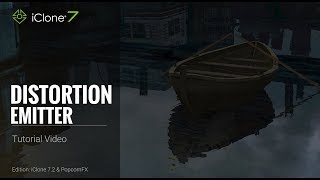
iClone 7.2 Tutorial - PopcornFX Super Tools: Distortion Emitter
Learn to create realistic water ripples, wave effects, boat wakes, and heat waves using iClone's PopcornFX Distortion Emitter. Master professional-level visual effects for enhancing your 3D animation projects.

iClone 7.2 Tutorial - Controlling Particle Appearance with Texture in PopcornFX Super Tools
Learn to customize particle effects in iClone using PopcornFX Super Tools. Master mesh sampling, color mapping, lifetime control, and texture-based emission for enhanced visual production.
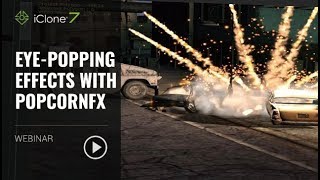
Eye-popping Effects with PopcornFX - January 23, 2018
Learn to create stunning visual effects using PopcornFX plugin for iClone 7. Master customization techniques, explore sample libraries, and integrate effects into your projects for professional-looking results.
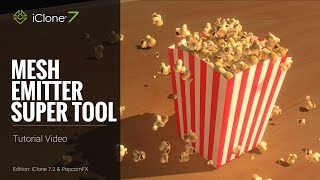
iClone 7.2 Tutorial - PopcornFX Super Tools - Mesh Emitter
Explore iClone's PopcornFX Mesh Emitter tool to enhance 3D projects with dynamic particle effects. Learn UI, mesh replacement, material settings, physics, color, rotation, and environmental forces.

iClone 7.2 Tutorial - PopcornFX Super Tools: Texture Emitter Advanced Techniques - Part 2
Explore advanced PopcornFX particle effects in iClone, including initial speed, particle life, rotation, and color changes, to enhance visual appeal in 3D projects.