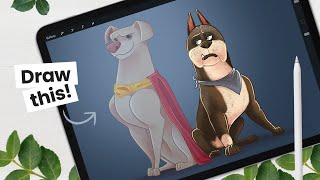
How to Draw Ace From The League of Super-Pets - Character Breakdown
Learn to draw Ace from DC's Super-Pets movie with step-by-step instructions. Master sketching, shading, and digital art techniques using Procreate on iPad Pro, applicable to various drawing tools.
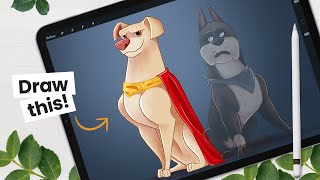
How to Draw Krypto from The League of Super-Pets - Character Breakdown
Learn to draw Krypto from DC's League of Super-Pets with step-by-step instructions. Master sketching, shading, and digital art techniques using Procreate on iPad Pro, applicable to various drawing tools.
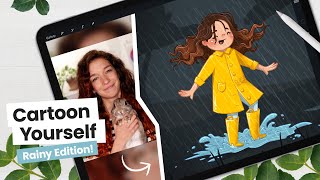
How to Cartoon Yourself, Rainy Day Edition - Intermediate Digital Art Tutorial
Learn to create a cartoon self-portrait in a rainy scene using digital art techniques. Master sketching, line art, coloring, and shading while exploring Procreate tools for an engaging illustration workflow.
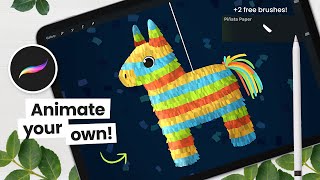
How to Draw and Animate a Piñata - Procreate Tutorial
Learn to draw and animate a piñata using Procreate on iPad. Step-by-step tutorial covers sketching, coloring with free brushes, shading, and basic animation techniques for digital artists.
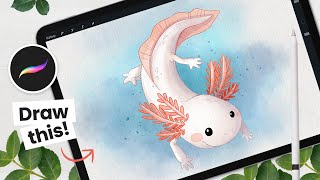
How to Draw a Watercolor Axolotl - Procreate Tutorial
Step-by-step guide to creating a charming watercolor axolotl using Procreate, covering sketching, coloring, and achieving realistic watercolor effects on digital canvas.
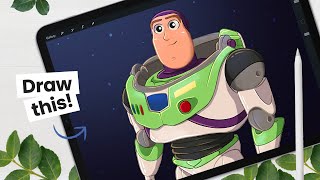
How to Draw Buzz Lightyear - Character Breakdown
Step-by-step guide to drawing Buzz Lightyear, covering character breakdown, sketching, line art, coloring, and shading techniques using Procreate on iPad Pro. Includes digital art tips and tricks.
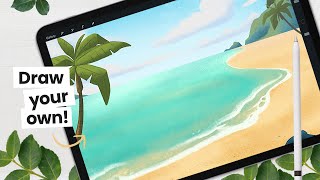
Let's Paint a Beach Background - Digital Art Tutorial
Step-by-step tutorial for creating a digital beach background, covering sketching, coloring, adding details, and enhancing the overall look. Includes tips for drawing environments and decorative elements.
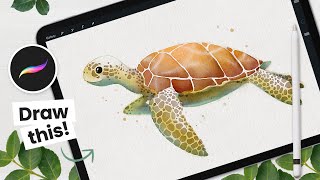
How to Draw a Watercolor Sea Turtle - Procreate Tutorial
Master digital watercolor techniques to create a stunning sea turtle illustration in Procreate, with step-by-step guidance on sketching, coloring, shading, and adding intricate details.
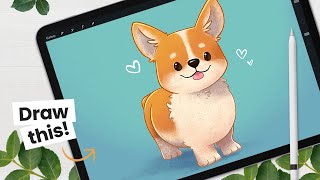
How to Draw a Corgi - Cute Illustration Tutorial
Step-by-step tutorial for drawing a cute corgi illustration in Procreate, covering sketching, line art, coloring, and shading techniques. Includes digital art workflow tips and Procreate tricks.
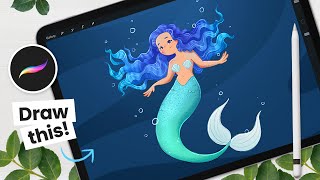
How to Draw a Mermaid - Mermay Illustration Tutorial
Learn to draw a mermaid using Procreate with step-by-step guidance on sketching, line art, coloring, and shading. Master digital art techniques like clipping masks and blending modes for stunning illustrations.
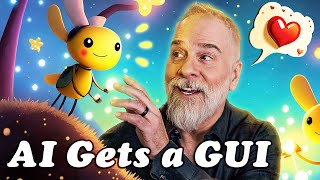
Hands On with Adobe’s New Groundbreaking AI
Explore Adobe Firefly's Text to Image module: Generate custom images, adjust lighting, composition, and style. Learn to create unique visuals with this groundbreaking AI tool for creative professionals.
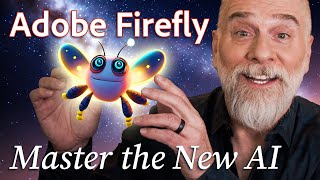
Hands On with Adobe’s New Groundbreaking AI, Part 2
Explore Adobe Firefly's prompt parameters to enhance AI-generated images. Learn about iterations, style, guidance, avoidance, and face-fixing tags for improved results in this hands-on tutorial.
Hands On with Adobe’s New Groundbreaking AI
Explore Adobe Firefly's groundbreaking AI image generator, featuring unique type effects and custom text-to-image capabilities. Learn to create vivid, one-of-a-kind designs using presets and custom prompts.
What Is Adobe Firefly and How to Use It for Web Designs
Explore Adobe Firefly's AI-powered design capabilities for web and graphic design, including text generation, image creation, and customization options. Compare its features to other AI art tools.

Cinematic Lighting in Blender
Learn cinematic lighting techniques in Blender using a single light source. Explore character placement, studio setup, and lighting mindsets to achieve professional-looking results in 3D animation.

Sound Design for 3D Artists
Fast-paced tutorial on sound design for 3D artists using free software. Learn to enhance visual work with audio, covering export, SFX libraries, whoosh sounds, reverb, and rendering tips.

The Secret to Creating a Realistic Mockup - Photoshop Tutorial
Learn advanced Photoshop techniques to create realistic bottle mockups, including warping, blending modes, and adding reflections. Master the art of wrapping designs around objects and enhancing them with professional finishes.

How to Create Shadows from Scratch in Photoshop
Learn to create realistic shadows in Photoshop using layer techniques, opacity, and blur filters. Master shadow hardness, intensity, and natural gradients for professional-looking results.
Create 3D Ice Text With Dimension and Photoshop
Learn to create realistic 3D ice text using Adobe Dimension and Photoshop. Master techniques for matching perspectives, adding materials, and enhancing the final image for a stunning visual effect.
Create Any Kind of Custom Vignette in Photoshop
Learn to create custom vignettes in Photoshop using layer masks. Master techniques for elliptical, rectangular, dark, bright, colorful, grungy, and patterned vignettes to enhance your photo editing skills.
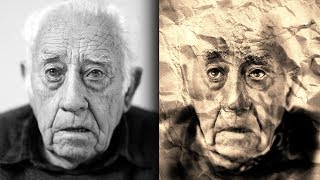
Sketch and Ink Effect Using Difference Blend Mode in Photoshop
Learn to create stunning sketch and ink effects in Photoshop using the Difference blend mode. Master techniques for adding shading, dimension, and realistic paper textures to elevate your digital artwork.