
How to Draw a Colorful Cartoon Face - Step-by-Step Tutorial
Learn to create vibrant cartoon faces in this step-by-step digital art tutorial. Master techniques for drawing head shapes, facial features, hair, and accessories using basic tools in various software.

Easy Drawing for Beginners - Step by Step Procreate Tutorial
Step-by-step guide to create a colorful landscape in Procreate. Learn basic features like shapes, layers, masks, and textures while developing digital art skills on iPad.
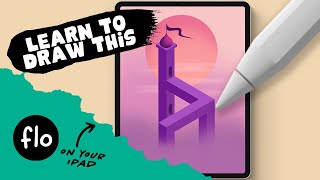
You Can Draw This Isometric Artwork in Procreate - Inspired by Monument Valley
Learn to create an isometric artwork inspired by Monument Valley using Procreate on iPad. Master techniques like symmetry, shading, and optical illusions to bring your digital illustration to life.

Anyone Can Draw This Study Desk in Procreate
Learn to draw a cute study desk in Procreate with easy-to-follow steps. Master sketching, lineart, coloring, and shading techniques while exploring various app features for digital art creation.

Procreate Drawing for Beginners - Easy Step by Step Tutorial
Step-by-step guide to create a beginner-friendly digital landscape in Procreate. Learn basic features while drawing a night sky scene with hills, moon, and stars.

Procreate Course for Beginners - Graphic Design and Illustration Tutorial
Comprehensive digital illustration tutorial covering Procreate's features, from basic tools to advanced techniques, guiding you through creating a high-quality artwork from start to finish.

Draw a Parrot in Procreate - Easy Beginner Tutorial
Step-by-step guide to drawing a vibrant parrot using Procreate. Learn digital painting techniques, brush tools, and color blending for stunning results.

How to Draw Like Animal Crossing - Tutorial - With Template - Cute Cartoon Characters
Learn to create adorable Animal Crossing-inspired characters with step-by-step guidance. Master sketching, detailing, coloring, and shading techniques to bring your cute cartoon creations to life.
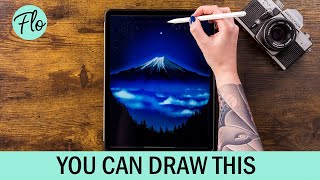
Draw Mount Fuji in Procreate
Step-by-step tutorial for drawing Mount Fuji in Procreate, covering techniques like gradients, textures, and layer blending. Learn to create a stunning digital landscape illustration.
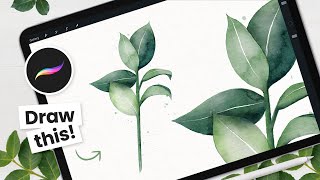
How to Paint Watercolor Leaves - Procreate Tutorial
Learn to create beautiful watercolor leaves in Procreate with step-by-step instructions. Master sketching, color selection, and achieving realistic watercolor effects using digital tools on your iPad.

How to Cartoon Yourself in Procreate - Step-by-Step Tutorial, Pro Tips & Tricks
Learn to transform photos into cartoons using Procreate. Master line art, coloring, shading, and digital art techniques. Discover pro tips for creating stunning illustrations and enhancing your digital art workflow.

How to Cartoon Yourself, Book Edition - Digital Art Tutorial
Learn to create a cartoon self-portrait in a book setting using Procreate. Master digital art techniques like line art, coloring, shading, and efficient workflows to bring your character to life.
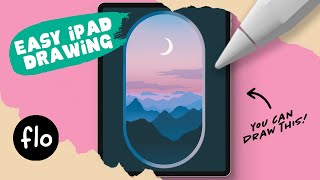
Draw This Sunset Landscape in Procreate
Step-by-step tutorial for creating a sunset landscape in Procreate, covering techniques like layering, gradients, and texturing to achieve a stunning digital artwork.
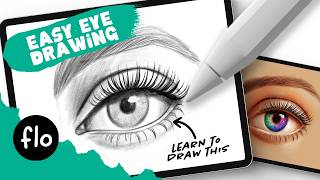
How to Draw an Eye for Beginners - Easy Drawing Tutorial
Learn to draw a realistic eye step-by-step, from basic shapes to shading, eyelashes, and coloring. Master essential techniques for creating lifelike eyes in digital art.

How to Draw a Cute Scarecrow - Easy Procreate Tutorial
Create a cute scarecrow illustration in Procreate with step-by-step guidance on colors, background, and shading techniques. Customize your design with various options for a unique fall-themed artwork.
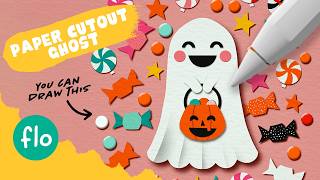
Halloween Paper Cutout Drawing Tutorial in Procreate
Master the paper cutout effect in Procreate with a Halloween-themed ghost tutorial. Learn essential techniques, from symmetry tools to shadow effects, enhancing your digital art skills and creativity.
Drawing Costumes Based on Emojis - iPad Tutorial
Dive into a creative journey to design a unique costume inspired by emojis using an iPad. Watch the step-by-step process from sketching to final touches in this engaging illustration tutorial.
ProCreate Tutorial - Type Illustrations with Maggie Enterrios
Learn to create intricate botanical illustrations using Procreate with expert Maggie Enterrios. Master digital tools, design techniques, and color theory to elevate your illustration skills.

Logo Design Critique - The Futur Game of Thrones Challenge
Expert review of Game of Thrones-inspired logo designs, featuring critiques of house sigils, design demonstrations in Procreate and Illustrator, and selection of top entries for a design challenge.
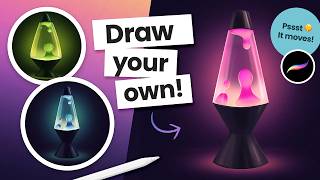
Draw and Animate a Groovy Lava Lamp in Procreate
Learn to draw and animate a looping lava lamp in Procreate with step-by-step instructions. Master digital art techniques for creating groovy, retro-inspired designs on your iPad.
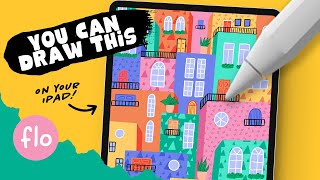
Procreate Easy Colorful Houses Drawing - Step by Step Tutorial
Learn to create stylized, colorful house illustrations in Procreate using simple tools and easy steps. Embrace imperfections and develop digital drawing skills through this beginner-friendly tutorial.