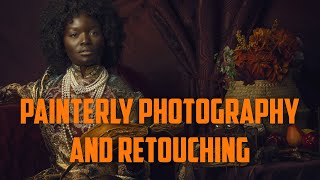
Painterly Photography and Retouching in Photoshop
Learn techniques for creating painterly photographs, from setting up photo shoots to retouching in Photoshop. Master cropping, smoothing, masking, and color correction to achieve a unique artistic style.
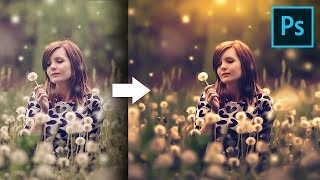
Unusual Slider to Create Painterly Effect in Photoshop
Discover a hidden slider in Adobe Camera RAW to create dreamy, painterly effects. Learn color grading, sun flares, and dodging techniques to enhance your images in Photoshop.
Photo Painting Tutorial - Photoshop, Topaz Studio 2, and Luminar 4
Transform photos into stunning paintings using Photoshop, Topaz Studio 2, and Luminar 4. Learn advanced techniques like AI enhancement, object selection, and blending multiple filters for unique artistic results.
Topaz Studio 2 Creative Toolbox - Impression, HSL Color, and Precision Detail Filters
Learn to enhance images using Topaz Studio 2 as a Photoshop plugin. Master Impression, HSL Color, and Precision Detail filters, along with layer masking techniques for stunning visual effects.
Photo to Painting Photoshop Tutorial
Transform photos into stunning paintings using Photoshop and Topaz plugins. Learn techniques to create artistic masterpieces from your images in this step-by-step tutorial.
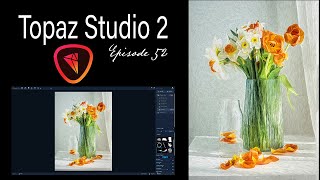
Topaz Studio 2 Creative Toolbox - Painterly Flower Effects - Episode 52
Learn to create painterly photo art using Topaz Studio 2. Master techniques for transforming images, saving custom effects, and applying them to various photos. Enhance your digital art skills with this practical tutorial.

Master the Painterly Effect and Add Wings in Photoshop
Create stunning painterly portraits with angel wings using Photoshop techniques. Master compositing, shadows, lighting, textures, and color adjustments for a dramatic, ethereal effect.
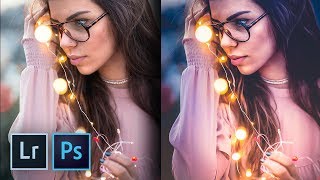
How to Create the Trendy Warm Lights Effect in Lightroom and Photoshop
Master the trendy warm lights effect in Lightroom and Photoshop. Learn color enhancement, drama addition, and dreamy image creation techniques. Discover local adjustments and achieve a painterly effect.