
Convert Raster to Vector in Illustrator
Learn to convert raster graphics to vector in Adobe Illustrator using Image Trace. Explore techniques for filled color images and sketches, understand vector advantages, and master file format considerations.

Cut Out Dark Hair from Dark Background in Photoshop
Learn advanced techniques for selecting and masking dark hair on dark backgrounds in Photoshop, including manual hair painting and brush techniques for realistic, natural-looking results.
How to Make Smoke and Clouds in Photoshop
Learn to create realistic smoke and clouds in Photoshop using custom brushes. Master techniques for painting with depth, adding atmospheric effects to photos, and crafting your own brushes for unique designs.
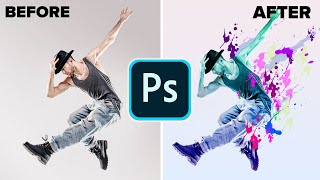
Make a Paint Splatter Effect With Custom Brushes in Photoshop
Learn to create dynamic photo art using custom splatter brushes in Photoshop. Discover techniques for making brushes, applying them, and adding gradients and color for stunning visual effects.
Take Your Photoshop Compositing Skills to the Next Level with Jesús Ramirez
Enhance Photoshop compositing skills with expert Jesús Ramirez. Learn to combine stock images realistically, master advanced techniques, and create stunning visual scenes in this comprehensive tutorial.
The Master Guide to Lettering Compositions in Procreate with Stefan Kunz
Learn three easy techniques for creating stunning lettering compositions in Procreate with expert Stefan Kunz, including using the Letter Builder tool and combining different styles.
10 Tips to Master Adobe Photoshop Brushes
Comprehensive guide to mastering Photoshop brushes, covering basics, application techniques, custom brush creation, and efficient use of brush presets for designers and illustrators.
10 Essential Design Tips for Adobe Illustrator
Elevate your Illustrator skills with essential design tips covering icon creation, 3D tools, typography enhancement, and more. Learn to craft unique visuals and improve your digital artwork.
Procreate Brushes for Beginners
Learn to create and customize Procreate brushes, from traditional styles like chalk and watercolor to unique stamp brushes. Master brush installation, creation techniques, and customization for digital art.
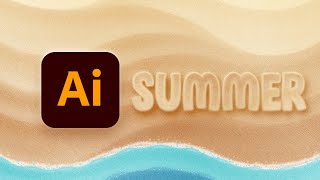
How to Make Grain & Noise Textures in Illustrator
Learn to create stunning grain and noise textures in Illustrator, including a sand text effect. Master blending techniques, dissolve gradients, and stylize text using opacity masks and the Appearance panel.
Essential Design Tips for Photoshop
Learn 10 essential Photoshop tips to enhance your workflow, including non-destructive editing, smart objects, custom brushes, and layer optimization. Improve your design skills and efficiency.
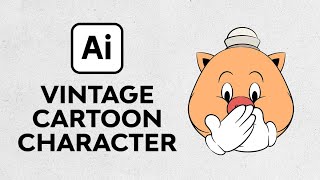
Create a Vintage Cartoon Character in Illustrator
Learn to create a charming vintage cartoon pig in Illustrator using vector techniques, warp effects, and classic glove designs. Master retro illustration skills in this step-by-step tutorial.
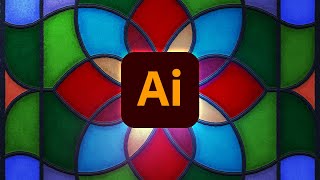
How to Create a Stained Glass Effect in Illustrator
Learn to create stunning stained glass effects in Illustrator using vector shapes, colors, and textures. Master frame creation, glass coloring, and texture application for realistic results.

Intaglio Collagraph and Monoprint Hybrid - Combining Two Printing Techniques
Learn to create unique hybrid prints combining intaglio collagraph and monoprint techniques. Discover texturing methods, plate preparation, inking processes, and printing steps for stunning artistic results.
Collagraph Created Using Intaglio Print Process - Suffolk Landscape
Explore the intaglio collagraph printing process, from plate preparation to the final reveal, with step-by-step guidance on creating a Suffolk landscape print.
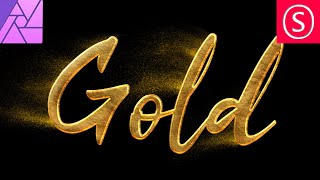
Gold Text Effect - Affinity Photo Tutorial
Learn to create stunning gold text effects in Affinity Photo, including realistic textures, 3D lighting, and gold dust animation techniques for eye-catching designs.
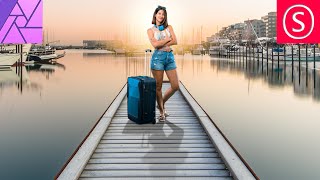
Realistic Shadow - Affinity Photo Tutorial
Master realistic shadow creation in Affinity Photo with step-by-step techniques for shaping, blurring, adjusting, and blending, enhancing your photo editing skills.
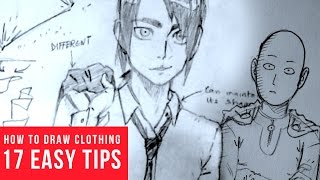
How to Draw Clothing Wrinkles & Folds - Easy Tips
Learn 17 easy tips for drawing realistic clothing wrinkles and folds in manga and comics, covering various styles and materials to enhance your artistic skills.
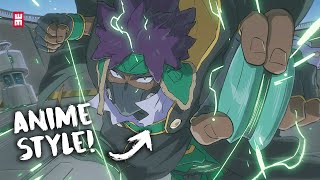
Anime Style Coloring Tutorial Explained
Learn digital anime-style coloring techniques, from sketching to final touches, with valuable tips for creating dynamic and visually appealing artwork in Photoshop or Clip Studio Paint.
How to Make Manga Explained
Comprehensive guide on manga creation, covering concept development, art techniques, tools, digital processes, and publishing strategies for aspiring manga artists.
How to Improve with Fire Digital Art Tips
Discover powerful digital art techniques to enhance your illustrations using various software. Learn layering, inking, shading, and filter tricks to make your character designs pop.