
Adobe Photoshop Elements 14 Tutorials
Learn essential photo editing techniques in Photoshop Elements 14, from importing and organizing to retouching and applying effects. Master layers, selections, and tools for enhancing your images.
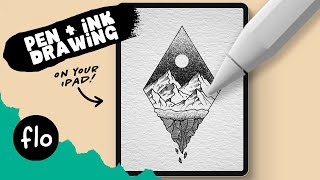
Anyone Can Draw This Pen and Ink Art Landscape in Procreate
Learn to create a beautiful pen and ink landscape in Procreate using symmetry tools, textures, and layer masks. Perfect for beginners and experienced artists alike.
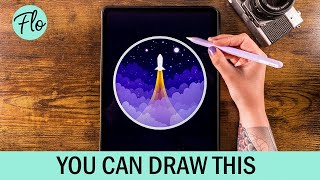
Draw a Rocket in Procreate - Digital Drawing Tutorial for Beginners
Step-by-step tutorial for beginners to draw a stylized rocket illustration in Procreate, covering techniques like symmetry tool, layer masks, and clipping masks.

Adobe Photoshop Tutorial - Basic Training for Beginners
Learn essential Photoshop tools and techniques, including layers, masks, shapes, smart objects, blending modes, pen tool, extraction, brush tool, text tool, and filters for image editing and manipulation.
How Color Affects Mood in Photos in Photoshop
Discover techniques for enhancing photo mood through color manipulation, matching colors between images, revitalizing dull photos, and removing artifacts using Photoshop tools and live demonstrations.

How to Use Photoshop Layer Masks for Beginners
Learn Photoshop layer masks fundamentals and practical tips for beginners. Master blending, painting, and adjusting masks to enhance your image editing skills.
How to Create a Space Movie Poster Using Blending Modes and Layer Masks
Learn to create a space movie poster in Photoshop with expert Colin Smith. Master blending modes, layer masks, and advanced techniques to craft stunning cosmic designs.
Scrapbooking Techniques - How to Create Realistic Effects by Adding Textures to Photos
Learn to enhance photos with realistic textures using overlays, blending modes, and adjustment layers. Master techniques for adding water droplets, bokeh effects, and manipulating light for stunning scrapbook designs.
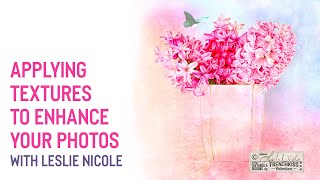
Applying Textures to Enhance Your Photography with Leslie Nicole
Learn to enhance your photography with textures using Leslie Nicole's expert techniques in Photoshop and Lightroom. Discover versatile methods for creating unique images through texture application and editing.
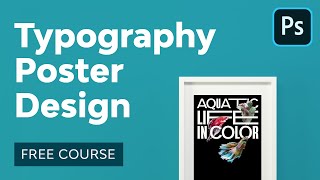
Typography Poster Design in Adobe Photoshop
Master typography poster design in Photoshop: from creative process to print-ready files. Learn composition, layer masks, and typography tools while creating visually powerful designs for print and web.
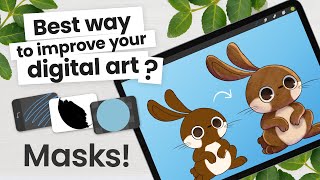
How to Use Clipping Mask, Alpha Lock, and Layer Mask - Procreate Tutorial
Comprehensive tutorial on using layers and masks in Procreate, covering Alpha Lock, Clipping Mask, and Layer Mask techniques. Includes step-by-step instructions and a practical illustration example.
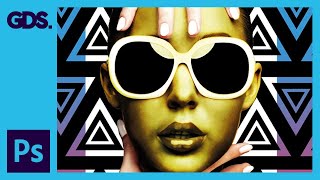
Layer Structure and Housekeeping in Adobe Photoshop
Learn efficient layer management and organization techniques in Photoshop to enhance workflow and create complex concept artwork. Discover practical tips for structuring layers, using adjustment layers, and grouping elements effectively.
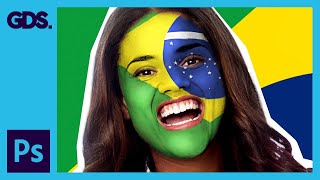
Paint Your National Flag Face - Adobe Photoshop
Learn to paint your national flag on your face using Adobe Photoshop. Master layer masks, smudging, and highlighting techniques to create a realistic and patriotic effect for social media sharing.

How to Design Awesome Text Effects - Photoshop Tutorial
Learn to create stunning text effects in Photoshop using brushes and tool presets. Master techniques for layer masks, scatter effects, and color fills to elevate your design skills.
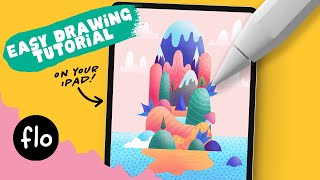
Easy Colorful Island Drawing - Step by Step Procreate Tutorial
Learn to create a vibrant island landscape in Procreate with simple tools and easy steps. Master basic shapes, clipping masks, symmetry tools, and texturing techniques for a cheerful digital illustration.
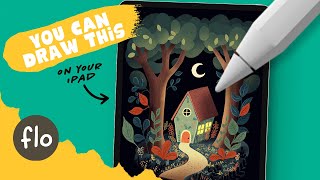
Easy Storybook Landscape Drawing - Step by Step Procreate Tutorial
Learn to create a charming storybook landscape illustration in Procreate with step-by-step guidance on drawing houses, trees, foliage, and adding textures and details for a magical, whimsical scene.
Photoshop Masterclass: Photomanipulation Ideas and Techniques
Explore surreal photo manipulations using advanced Photoshop techniques. Learn to create bizarre and fun effects beyond simple filters, unleashing limitless creative possibilities for any image.

Amazing Photoshop Masking Secrets, Tips, and Tricks
Discover 10 advanced Photoshop masking techniques to enhance your image editing skills, including AI-powered background removal, custom brush creation, and efficient layer mask shortcuts.
How to Change Wall Color in Photoshop - Pro Technique
Learn two pro techniques for changing wall colors in Photoshop, including a simple method and an advanced approach for precise control over image colors and adjustments.
Advanced Hair Masking in Photoshop - Mask Hair from Busy Backgrounds
Master advanced hair masking techniques in Photoshop, from basic layer masks to creating custom hair brushes. Learn to extract hair from busy backgrounds and recreate realistic strands for professional-quality results.
Three Masking Tricks and Composite Critique
Discover advanced masking techniques and gain valuable insights through composite critiques in this interactive Photoshop livestream.