
How to Cut Out Images in Photoshop
Learn essential techniques for precise image cutouts in Photoshop, including handling complex edges, fine details, and challenging backgrounds. Save time and improve your workflow for animation projects.
How to Create an Anime Explosion in After Effects
Learn to create dynamic anime-style explosions in After Effects using advanced techniques. Master layering, color correction, and animation to achieve hand-drawn looks without traditional drawing skills.

Getting Started with Pyro Fire Simulation
Explore Cinema 4D's new Pyro fire simulation system. Learn to create, customize, and render realistic and stylized fire and smoke effects using various tools and techniques.
Animating the iPhone 14's Dynamic Island in After Effects - An Animation Workshop
Learn to recreate iPhone 14's Dynamic Island animation in After Effects. Master fundamental principles, shape morphing, graph editing, and advanced techniques for fluid, professional-quality motion graphics.

Cinema 4D 2023's Cloth System Got a Massive Upgrade - How to Get Started with Cloth
Explore Cinema 4D 2023's upgraded Cloth system with hands-on tutorials. Learn essential techniques for creating stunning cloth simulations, from basic setup to advanced effects and fluid-like results.
Cinema 4D Tutorial - Fast Accurate Dynamic Chains
Learn to create realistic breaking chains in Cinema 4D using dynamic objects. Master compound shapes, dynamic tags, tracer objects, and advanced techniques for lifelike 3D animations.
Cinema 4D Tutorial - Break Chains Dynamically
Learn to create realistic breaking chains in Cinema 4D using dynamics objects. Master techniques for modeling, rigging, and animating chain links with precision and efficiency.
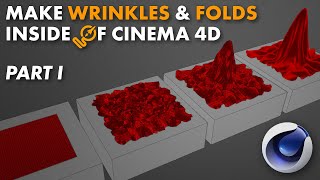
Creating and Controlling Wrinkles in Cinema 4D Tutorial
Learn to create realistic cloth wrinkles in Cinema 4D using softbodies. Master friction, growing cloth, and efficient A/B testing for precise simulations. Includes troubleshooting and optimization tips.
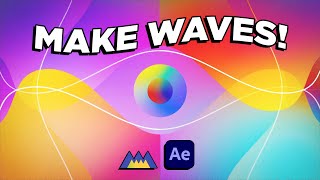
Use Shape Layers and Easing to Create a Complex Wave Animation - Intro to Animation and After Effects
Learn to create complex wave animations in After Effects using shape layers, tiling, keyframe easing, and blending modes. Master techniques for dynamic, visually striking motion graphics without complicated processes.

Intro to Interactive Animation in Rive - UI Animation Tool
Explore UI animation with Rive: Learn Figma design, Rive's features, and interactive animation techniques. Gain skills for creating engaging web and app experiences as a motion designer.
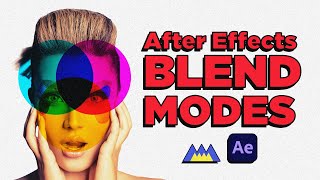
Create an Eye Reveal Animation Using Blend Modes, Shape Layers and Parenting
Learn to create an eye reveal animation using blend modes, shape layers, and parenting in After Effects. Master techniques for crafting unique visuals and fluid motion in this hands-on tutorial.
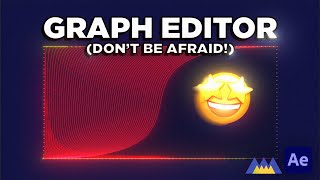
Graph Editor - Perfect Ball Bounce - Animation in After Effects
Master the graph editor in After Effects to create realistic ball bounce animations. Learn timing, spacing, and advanced techniques for smooth, professional-looking motion graphics.

Realistic Car Explosion in After Effects Tutorial
Learn to create a realistic car explosion in After Effects using 3D animation techniques and depth-enhancing methods. Master VFX skills to produce cinematic explosions for your video projects.

Doctor Strange Shield Effect in After Effects Tutorial
Learn to create the iconic Doctor Strange shield effect in After Effects without plugins. Master advanced VFX techniques and enhance your video editing skills with this step-by-step tutorial.
Arrow Intro in Cinema 4D and After Effects - Part 2
Learn advanced Cinema 4D and After Effects techniques to create the Arrow intro, focusing on metal parts, text, reflections, and animation. Enhance your VFX skills with this detailed tutorial.
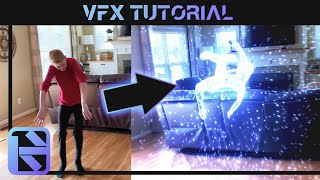
Disintegrate People With VFX - Blender + After Effects VFX Tutorial
Learn to create stunning disintegration visual effects using Blender 3D and After Effects, covering rigging, tracking, simulation, particle systems, and advanced compositing techniques.
Green Screen Full VFX Workflow Using Element3D and After Effects
Learn to create a full VFX workflow using Element3D and After Effects, including green screen compositing, 3D scene building, lighting, camera animation, and color grading for impressive visual effects.
Element 3D Pro Tips & Tricks
Discover 10 pro tips and tricks for Element 3D in After Effects to enhance your 3D workflow, improve efficiency, and create stunning visual effects in this comprehensive tutorial.
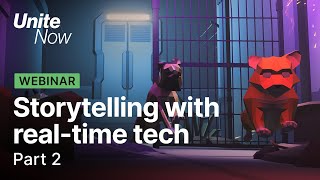
Empowering Storytellers - Part 2: Computer Generated Anime, Film, & Movies - Unite Now 2020
Explore Unity's production tools for speeding up animation and VFX rendering, covering collaboration, timeline, characters, cameras, post-processing, and more in this comprehensive tutorial.
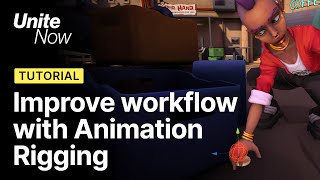
Improve Your Animation Workflow With Animation Rigging - Unite Now
Learn to enhance animation workflows using Unity's Animation Rigging package. Explore character setup, runtime rigging, and animation authoring techniques for improved flexibility and efficiency in your projects.
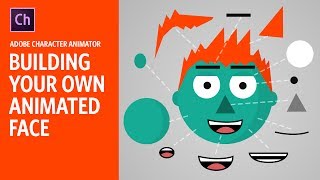
Building Your Own Animated Face - Adobe Character Animator Tutorial
Learn to create an animated face using Adobe Character Animator. This beginner-friendly tutorial covers basic tools and techniques, guiding you through the process of building a functional puppet for your animations.