
FilmoraPro Tutorial - Designed for Beginners
Learn FilmoraPro's interface, import media, edit video/audio, add effects, and export projects. Master essential tools for creating professional-quality videos with this user-friendly editing software.
CSS Animation Tutorial
Learn to create dynamic web elements using CSS transforms, transitions, keyframes, and advanced animation techniques for engaging user interfaces.

Premiere Pro Full Course Tutorial
Comprehensive video editing tutorial covering Premiere Pro's interface, importing, editing techniques, effects, audio, text, and exporting. Ideal for beginners and intermediate users seeking to master digital video creation.
Framer Motion for React Tutorial
Learn to create dynamic animations in React using Framer Motion, covering setup, variants, keyframes, route transitions, SVG animations, and draggable elements for enhanced user interfaces.
Lightworks Tutorial - Designed for Beginners
Comprehensive tutorial on Lightworks 14, covering project creation, editing, effects, text, transitions, audio adjustments, and exporting for beginners to create professional videos.
DaVinci Resolve - Complete Tutorial for Beginners
Comprehensive guide to DaVinci Resolve's video editing features, covering project setup, importing, cutting, audio editing, text addition, transitions, color grading, and exporting for beginners.

Learn After Effects - Beginners Tutorial
Master After Effects 2022 in 60 minutes: Learn VFX and motion graphics through a fun, project-based approach. Create stunning visuals and take your videos to the next level with expert guidance.

CSS3 Animation & Transitions Crash Course
Learn to create dynamic web elements using CSS3 animations and transitions. Explore keyframes, experiment with techniques, and build an animated landing page in this beginner-friendly tutorial.
Making the Most of the 12 Basic Principles of Animation for Motion Graphics
Transform simple animations into captivating visuals using the 12 principles of animation. Learn techniques to enhance motion graphics, from keyframing to spatial interpolation, with practical examples and expert tips.
How to Do Character Turnaround in After Effects - Workflow Part 1
Learn to create character turnarounds in After Effects with step-by-step guidance on shapes, keyframes, controllers, and expressions for efficient 2D animation workflows.
The Nuts and Bolts of Blender's Animation System
Explore Blender's animation fundamentals, including transforms, keyframes, interpolation, actions, and key editors. Gain essential knowledge for mastering the NLA editor in future lessons.
How to Make Things Move in Photoshop - Motion Graphics Basics
Learn to create animations and motion graphics in Photoshop, from setting keyframes to adding motion blur. Master techniques for animating icons and exporting as GIFs or videos.
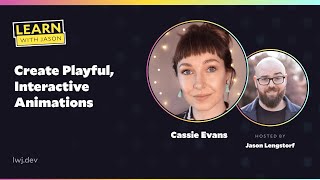
Create Playful, Interactive Animations
Learn to create engaging, interactive animations using Greensock. Explore techniques like scroll triggers, timelines, and hit tests to enhance user experience and add playful elements to web projects.
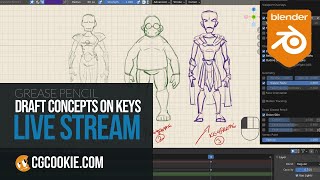
Using Keyframes for Concept Work in Blender
Learn to organize concept sketches efficiently using Blender's grease pencil and keyframes. Discover techniques for fast workflow, tracking concept changes, and quick rendering of separate pages.

The Two Ways to Animate in Photoshop - Timeline Tutorial
Explore frame and video animation techniques in Photoshop, covering traditional 2D methods and modern timeline-based approaches for creating dynamic visual content.

Procreate Dreams Animation for Beginners - Easy Step-by-Step Tutorial
Step-by-step guide to create fun animations in Procreate Dreams. Learn key features like keyframes, recording, and flipbook to bring illustrations to life on your iPad.
Framer Motion - React Animation Library Crash Course
Learn to create stunning animations in React using Framer Motion, covering setup, props, transitions, events, drag functionality, variants, keyframes, and the useAnimate hook.

Animated Glitch Text Effect With CSS Only
Create an animated glitch text effect using CSS, exploring text-shadows, keyframes, and clip-path. Learn to implement accessibility features for users who prefer reduced motion.
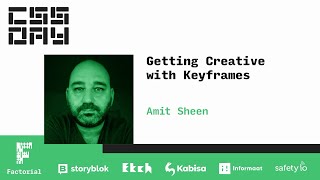
Getting Creative with Keyframes - CSS Animation Synchronization Techniques
Explore advanced CSS animation techniques for synchronizing multiple objects with complex keyframes, durations, and timing functions. Learn practical strategies for creating intricate, coordinated animations.
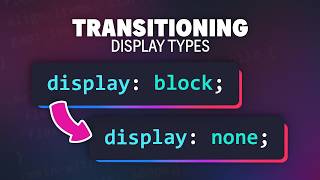
Transitioning To and From Display: None in CSS
Learn to smoothly animate elements between visible and hidden states using CSS transitions and the new @starting-style rule, with tips on browser support and best practices.
If Your CSS Is Happy and You Know It - Clap Your Hands
Explore advanced CSS techniques and best practices for creating efficient, maintainable stylesheets in modern web development.