
Toon Boom Harmony Tutorial for Beginners - How To Make a Cartoon
Learn to create cartoons using Toon Boom Harmony, covering navigation, drawing tools, animation techniques, sound import, and video export. Perfect for beginners looking to start their animation journey.
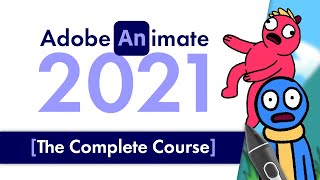
Intro to Adobe Animate 2021 - Beginners Complete Tutorial
Comprehensive guide to Adobe Animate 2021, covering basics to advanced techniques. Learn frame-by-frame animation, tweening, color theory, rigging, sound integration, camera work, and exporting for various platforms.
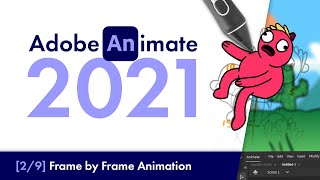
Adobe Animate 2021 - Frame by Frame Animation - Beginners Tutorial
Comprehensive tutorial on frame-by-frame animation in Adobe Animate 2021, covering character body, head, limbs, and facial animation techniques for beginners.
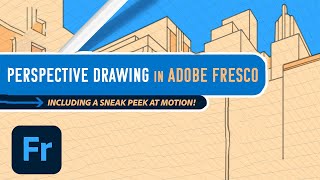
Adobe Fresco: Perspective Drawing and Motion Features Tutorial
Explore new Fresco features: guided perspective drawing and motion. Learn to create dynamic illustrations using grids, frames, timelines, and path animations for enhanced digital art.
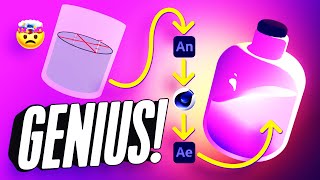
How to Add 2D Frame-by-Frame Animation to Your 3D Renders
Learn to combine 2D frame-by-frame animation with 3D renders using Adobe Animate, Cinema 4D, and After Effects to create a mesmerizing looping animation of a magical bottle.
Cartoon Animator 4: 360 Head Animation Tutorial - Face Key Editor Enhancements
Learn to create detailed 2D character animations using Cartoon Animator 4's Face Key Editor. Explore UI enhancements and frame-by-frame animation techniques for expressive facial movements and 360-degree head turns.
Create Awesome-Looking Character Animation with the 12 Principles
Learn to create captivating character animations using the 12 principles of animation in Cartoon Animator 4. Master techniques to bring characters to life, avoid robotic movements, and elevate your animation skills.
Procreate Dreams Tutorial - Beginners' Quick-Start Guide
Comprehensive guide to Procreate Dreams: Learn frame-by-frame animation, mixed media techniques, and essential features for creating stunning animated projects on iPad.
Procreate Dreams Animation Tutorial - Frame-by-Frame Ogre Animation with Aaron Blaise
Learn frame-by-frame animation in Procreate Dreams with Disney animator Aaron Blaise. Watch as he creates an ogre animation, demonstrating key features and techniques for realistic movement.
Old School Animation Tutorial
Learn classic animation techniques to create charming, nostalgic visuals with a retro feel. Master the art of hand-drawn animation and bring your ideas to life.
Adobe Animate 2021 - Shape Morphing - Beginners Tutorial
Learn shape morphing techniques in Adobe Animate 2021, including frame-by-frame animation and shape tweening with shape hints, to create smooth transitions between different shapes.
How to Animate in Photoshop
Learn frame-by-frame animation techniques in Photoshop using AnimDessin2 plugin. Create fluid wave animations, add ripples, and master onion skinning for seamless motion.

Photoshop Animation Basics
Learn to create looping GIFs using Photoshop's animation tools. Install AnimDessin extension, set up workspace, and master frame-by-frame animation techniques for engaging visual content.
How to Animate a Complete Scene - Adobe Animate Tutorial
Learn to animate a complete scene in Adobe Animate, covering frame-by-frame techniques, tweening, and working with graphics. Master essential skills to create engaging animations and bring your ideas to life.
Photoshop Animation Eases
Master frame-by-frame animation easing techniques in Photoshop to create smooth, realistic movements and bring your animations to life with professional-quality motion and timing.

After Effects для начинающих | Мини-курс из 7 уроков
After Effects — профессиональная программа для создания анимации, моушн-дизайна (motion design) и визуальных эффектов (vfx). С помощью данной программы дизайнеры анимируют персонажей, создают анимированные логотипы и, титры, заставки, а также редактируют различные сцены для кино и клипов. AE выполня

Покадровая анимация спецэффектов в Adobe Animate
Покадровая анимация спецэффектов в Adobe Animate

Cinema 4D R26 - Морфинг частиц (Redshift render)
Урок по Морфингу частиц в Cinema 4D R26 (Redshift render)! https://cloudlessons.ru/v/237 - курс по Cinema 4D для начинающих https://cloudlessons.ru/v/390 - курс по Cinema 4D для продвинутых 00:00 - введение 00:50 - как работает Морфинг в c4d? (2 варианта) 12:00 - создание финальной сцены 15:00 - ан