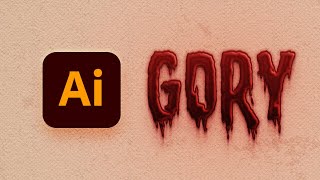
How to Create a Dripping Blood Text Effect in Adobe Illustrator
Learn to create a spooky dripping blood text effect in Adobe Illustrator using fonts, the Appearance panel, and textures. Perfect for horror-themed designs and Halloween projects.
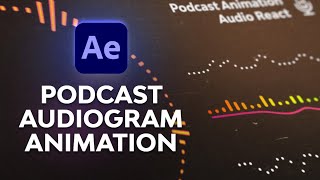
How to Animate a Podcast Audiogram - After Effects Audio React Tutorial
Create animated podcast audiograms in After Effects using spectrum visualizers, waveforms, and camera angles. Learn to customize animations and frame compositions for visually appealing results.
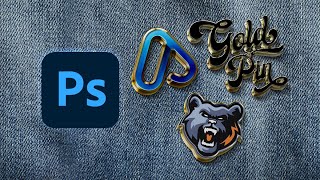
How to Make an Enamel Pin Mockup
Learn to create realistic enamel pin mockups in Photoshop using smart objects, layer styles, and drop shadows. Master techniques for glossy 3D effects and professional-looking designs.

How to Make a Moroccan Pattern in Illustrator
Learn to create and apply intricate Moroccan patterns in Adobe Illustrator, from constructing the base structure to coloring and saving as a reusable swatch for various design projects.
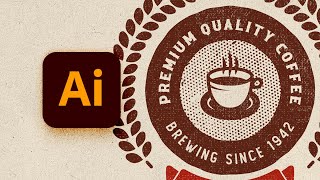
How to Design a Vintage Circular Logo in Illustrator
Learn to create a vintage circular logo in Illustrator using vector shapes, pattern brushes, textures, and text. Master techniques for designing retro-style graphics with professional results.
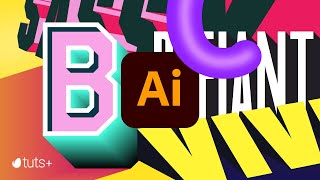
Mastering 3D Text in Adobe Illustrator
Learn to create striking 3D typography in Adobe Illustrator with eight different text effects. Gain skills to design bold, engaging visuals that stand out in your graphic design projects.
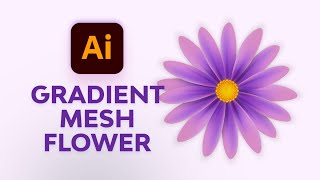
Create Simple Flowers With Gradient Mesh in Adobe Illustrator
Learn to create beautiful, realistic flowers using Adobe Illustrator's Gradient Mesh tool. Master petal formation, shading techniques, and leaf creation for stunning floral designs.
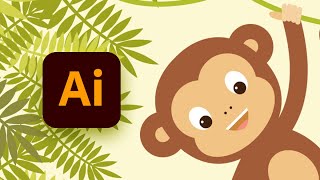
How to Create a Hanging Monkey Illustration in Adobe Illustrator
Learn to create a charming hanging monkey illustration using basic shapes and tools in Adobe Illustrator. Master warp effects, Pathfinder panel, and essential tools to bring your design to life.
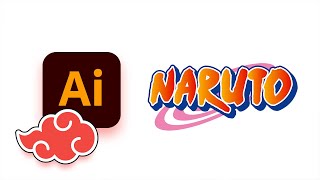
How to Create the Naruto Logo in Adobe Illustrator
Learn to create iconic Naruto logos and symbols in Adobe Illustrator, including the original logo, Shippuden logo, Konohagakure headband, and Akatsuki cloud using shapes, strokes, and effects.

UI Design for Beginners
Learn UI design fundamentals using Adobe XD or Figma. Create wireframes, choose colors, and master essential techniques like spacing, alignment, and visual hierarchy for effective app interfaces.

Generative Fill Magic: Creating an Invisible Person Effect in Photoshop
Learn to create an invisible person effect using Photoshop's Generative Fill, selection tools, and painting techniques. Explore advanced features like the pen tool and patterns.

Spin Anything in Photoshop with This Simple Hack
Learn a simple technique to create realistic spinning effects for any object in Photoshop, enhancing your photo manipulation skills and adding dynamic motion to your designs.
The Perfect Trio: Camera Raw Filter's Lens Blur, Photoshop and Generative Fill
Enhance photos using Camera Raw's Lens Blur, Photoshop, and Gen Fill. Learn to combine these tools for improved image quality, realistic blur effects, and seamless object removal.
Hand-Drawn Animation for Beginners - Procreate and After Effects Tutorial
Learn hand-drawn animation in Procreate, from character design to key poses and animation. Master exporting to After Effects for enhanced visuals and texturing in this comprehensive tutorial.
Character Creator and Substance Painter Bridge - Exporting and Texturing Characters
Learn to export characters from Character Creator to Substance Painter, texture across body UDIMs, and import back to CC. Covers UDIM explanation, baking, smart materials, and facial animation fixes.
How to Use the 3D Camera in After Effects - Motion Design Tutorial
Master After Effects' 3D camera for dynamic motion graphics. Learn setup, animation, and advanced techniques to create immersive visuals with depth and perspective. Ideal for beginners and experienced users alike.

Adobe Express Video Editing Tutorial - From Basics to Advanced Techniques
Step-by-step guide to create stunning videos using Adobe Express: learn essential editing techniques, add creative elements, work with templates, and export your projects.
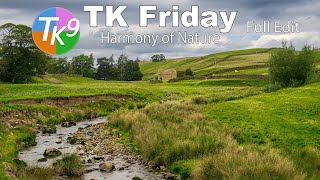
TK Friday - Full Edit of "Harmony of Nature"
Comprehensive Photoshop editing tutorial using TK9 plugin, demonstrating advanced techniques for enhancing nature photography with step-by-step guidance.

Creating a Split Water Effect in Photoshop - Book Cover Design Tutorial
Learn to create a stunning split water effect in Photoshop, perfect for book covers. Master techniques for blending above and below water elements, and create a reusable smart object template for future projects.

The Ultimate Guide to Photoshop Adjustment Presets
Unlock the power of Photoshop 2024's updated Adjustment Presets. Learn to create custom presets, understand limitations, and craft unique looks like Autumn, Urban Blue, and Schindler's List.
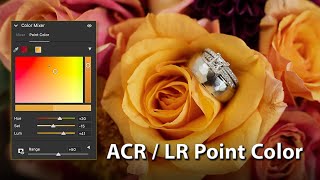
How to Use the New Point Color Tool in Adobe Camera Raw
Explore Adobe Camera Raw's new Point Color tool for precise color targeting with adjustable hue, saturation, and luminosity tolerances, enhancing photo editing capabilities.