
Replacing Headshot Backgrounds with AI Background Replacement - Generative Fill Photoshop Beta
Learn to replace headshot backgrounds using Photoshop Beta's AI Generative Fill tool. Explore this powerful feature for quick and easy background swaps in portrait photography.

How to Use Photoshop's AI - Generative Fill
Learn to transform designs quickly using Photoshop's new AI-powered Generative Fill tool. Discover how to create intricate details, replace elements, and enhance your creative workflow effortlessly.
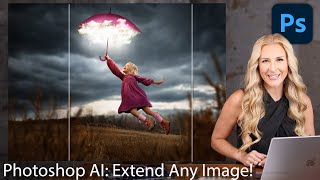
How to Extend Background in Photoshop Using Generative Fill and Outcropping
Learn to extend backgrounds in Photoshop using AI-powered Generative Fill and Outcropping. Master inpainting, object removal, and backdrop extension techniques to enhance your image editing skills.
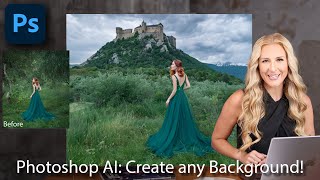
How to Change Any Background in Photoshop Using New AI Generative Fill
Discover Photoshop's revolutionary AI-powered Generative Fill feature for effortless background changes, object removal, and image extension. Learn to enhance your editing workflow with cutting-edge AI technology.
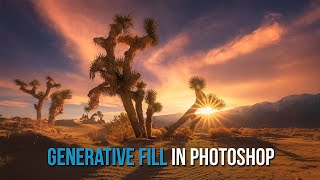
Photoshop's Amazing New AI Generative Fill
Explore Photoshop's revolutionary Generative Fill feature for adding, removing, or altering content with AI. Learn practical tips and techniques to enhance your photo editing workflow.
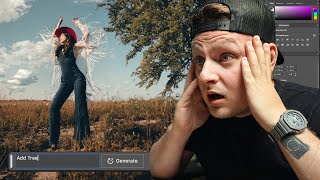
AI Generative Fill on Portraits - Adobe Photoshop Beta
Explore Adobe Photoshop Beta's AI Generative Fill feature for portraits, showcasing its capabilities and potential impact on photo editing workflows.

Generative Fill in Photoshop - Your Ultimate Guide to This Game-Changing AI Tool
Explore Photoshop's revolutionary Generative Fill tool for seamless object removal, image extension, and realistic background generation. Master AI-powered design techniques to transform your creative workflow.
Adobe Firefly and Topaz Studio 2 - Floral Painterly Image
Transform floral images into painterly creations using Adobe Firefly and Topaz Studio 2. Learn techniques to enhance and stylize your photos for unique, artistic results.
Embrace the Future - Discover Photoshop Beta's Groundbreaking Generative Fill Feature
Explore PHOTOSHOP Beta's revolutionary Generative Fill feature, a mind-blowing AI-powered tool that transforms image editing with unprecedented ease and creativity.
Photoshop Beta Generative Fill - Working With Midjourney Images
Explore PHOTOSHOP Beta's GENERATIVE Fill to enhance Midjourney images. Learn resolution maximization, creative augmentation, and techniques applicable to photographs for improved visual storytelling.

Adobe Generative Fill AI Tool in Photoshop Beta - A Game-Changer
Explore Adobe's new Generative Fill AI tool in Photoshop Beta. Learn to remove objects, generate new elements, create backgrounds, and extend images using AI-powered features.

Designing a 3D NFT Card Using Adobe XD
Explore 3D Transforms in Adobe XD to design and animate an NFT-style card with an infinity mirror effect. Learn techniques for creating depth, applying masks, and adding visual elements to enhance your digital artwork.
Creating an iPhone in Photoshop
Learn to create a realistic iPhone design in Photoshop using layers, shapes, gradients, and effects. Master essential techniques for digital product mockups and graphic design.

Photoshop for Photographers
Master essential photo editing techniques in Photoshop, from RAW adjustments to color balancing, selections, and sharpening. Learn file management and complete a start-to-finish edit in this comprehensive tutorial.

Photoshop Generative Fill - Epic Uses, Superfast
Discover 20 innovative uses of Photoshop's Generative Fill, from expanding images and removing distractions to creating impossible scenarios, in this comprehensive guide to AI-powered photo editing.
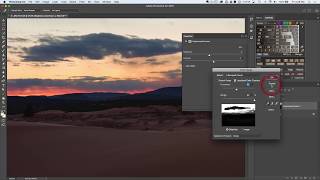
Photoshop Selections 101
Comprehensive guide to Photoshop selection tools, covering basic to advanced techniques for creating precise selections and masks to enhance your photo editing skills.

Create Beautiful Metal Buildings in Photoshop
Learn advanced Photoshop techniques to clean and enhance metal surfaces in architectural photos. Master Surface Blur, masking, and noise restoration for stunning results in cityscape imagery.
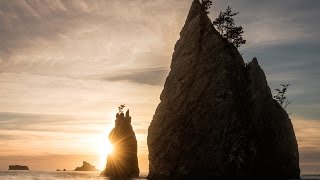
Refine Mask Tool for Beautiful Trees When Blending Exposures
Master Photoshop's Refine Mask tool for seamless blending of exposures, focusing on trees and skylines. Learn edge detection, adjustment techniques, and output options for stunning results.
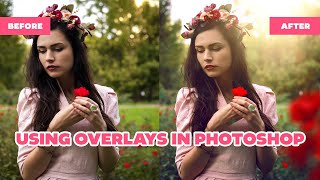
How to Use Overlays in Photoshop - Enhancing Images with Blending Modes and Effects
Learn to enhance photos using Photoshop overlays, blending modes, and color grading. Transform ordinary images into stunning visuals with easy-to-follow techniques and free tools.
Make Your Photos Pop Using Color Grading in Photoshop
Discover powerful color grading techniques in Photoshop to enhance your photos. Learn about gradient maps, blending modes, and masking to create stunning visual effects and improve image colors.
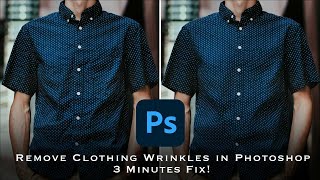
How to Remove Wrinkles from Clothes in Photoshop - Frequency Separation Tutorial
Master frequency separation in Photoshop to remove clothing wrinkles. Learn layer setup, settings, and techniques for seamless retouching. Gain in-depth understanding and practical skills for professional-looking results.