Ricoh Theta Z1 HDR with Photomatix and Exposure Blending - Upload on Facebook and Oculus as a 360° Photo
Learn advanced HDR techniques for Ricoh Theta Z1, including Photomatix editing, exposure blending, and uploading 360° photos to Facebook and Oculus. Enhance your virtual tour creation skills.
3D Lightfield - Create SBS or Light Field Video from VR180 or 360 - LEIA Lume Pad Review & Tutorial
Learn to create 3D SBS and lightfield videos from VR180/360 content. Explore the LEIA Lume Pad, master 3D conversion workflows, and discover tools for immersive content creation.
Photoshop's Color Balance is a Scam
Uncover the truth about Photoshop's Color Balance tool, its mechanisms, and optimal usage. Learn alternative techniques for precise color adjustments in your digital images.
Reasons to Never Use Levels in Photoshop
Discover why Curves outperforms Levels in Photoshop, offering superior control over brightness, contrast, and color manipulation for more efficient and versatile image editing.
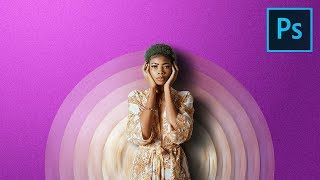
Make Your Portraits Stand Out with Abstract Designs - Photoshop Tutorial
Learn to create eye-catching abstract portrait designs using Photoshop's Blur Filters and Masking techniques. Discover how to craft twisted circular backdrops and align them into elegant discs for unique composites.
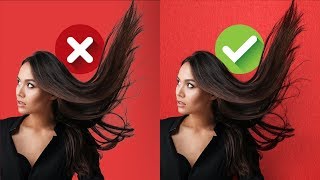
Blend Modes for Realistic Hair Masking in Photoshop
Master realistic hair masking in Photoshop using blend modes. Remove edge fringe, match hair with new backgrounds, and create textures with gradients and filters for professional-looking results.
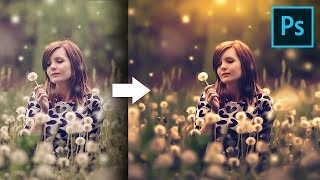
Unusual Slider to Create Painterly Effect in Photoshop
Discover a hidden slider in Adobe Camera RAW to create dreamy, painterly effects. Learn color grading, sun flares, and dodging techniques to enhance your images in Photoshop.

Colorize Black and White with Realism in Photoshop
Learn realistic techniques for colorizing black and white images in Photoshop, focusing on natural skin tones using color palettes, Hue/Saturation adjustments, and Blend-If for seamless application.
Protopie Beginner's Tutorial - Prototyping on Steroids
Learn advanced prototyping with Protopie to create interactive UI designs. Transform static Figma/Adobe XD designs into dynamic prototypes with drag-and-drop functionality and complex interactions.
Designing a Logo for Another YouTuber - Adobe Illustrator CC 2020
Learn to design a professional logo with multiple variations in Adobe Illustrator CC 2020. Explore identity design techniques and gain practical insights into the creative process.

Designing a New Landing Page in XD
Explore the process of designing an engaging landing page for DesignCourse.com, focusing on unique elements and animation potential in Adobe XD.
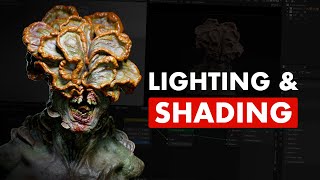
Shading & Lighting a Character - Blender and Substance 3D Painter Workflow
Learn advanced techniques for shading and lighting 3D characters in Blender and Substance 3D Painter. Master three-point lighting, Cycles shading, depth of field, and essential workflow tips for creating realistic character portraits.
Working with Artboards in Photoshop and Illustrator
Learn to use artboards in Photoshop and Illustrator for efficient multi-frame design. Enhance animations by creating and managing multiple canvases within a single document, streamlining your workflow for motion graphics projects.
Using Symbols in Adobe Animate
Explore symbol types in Adobe Animate for efficient animation workflows. Learn to create reusable assets, loop animations, and build character rigs to streamline your production process.

Creatively Using Text Animators in After Effects
Learn creative techniques for using After Effects text animators to create unique animations, including tapered strokes, path arrows, abstract dot patterns, and 3D extruded rotating designs.
Build a Render-Bot in After Effects
Learn to automate After Effects by creating templates and building a render-bot using Dataclay's Templater plugin. Save time on repetitive tasks and streamline your motion design workflow.
Adobe Illustrator Tips for Motion Designers
Learn essential Adobe Illustrator techniques for motion design, including blending, path perfection, layering, and creating depth. Enhance your workflow and bring illustrations to life in After Effects.
Working With Cameras in After Effects
Comprehensive guide to using cameras in After Effects, covering camera types, settings, and techniques for creating dynamic 3D scenes and realistic camera movements.
Creating Multi-Screen Projects in After Effects
Learn techniques for animating multi-screen video displays in After Effects, including project setup, client deliverables, and handling different screen resolutions and shapes for seamless content across multiple displays.
Making Giants - The Vines
Learn advanced Cinema 4D techniques for creating animated vines using splines, sweep NURBS, and X-Particles. Master low-poly modeling, tapering, and complex particle systems for realistic plant growth effects.
Making Giants - The Details
Learn advanced Cinema 4D techniques to enhance 3D scenes with realistic details, improved lighting, and strategic object placement for better visual storytelling and viewer engagement.