Working With Shapes Lesson - Design Basics Episode 7
Learn to create and manipulate geometric and organic shapes in Adobe Illustrator, including using the Pathfinder Tool for combining and subtracting shapes to enhance your design skills.
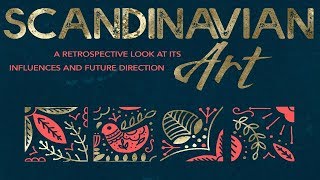
How to Create a Scandinavian Art Poster in Photoshop
Learn to create a Scandinavian art poster in Photoshop using textures, patterns, and elements from various collections. Apply the design to a realistic mockup for a professional finish.

How to Create a Funky Retro Album Cover in Photoshop
Learn to create a funky 70s-style album cover using Photoshop, including gradient overlays, texture effects, typography, and image adjustments for a authentic retro look.
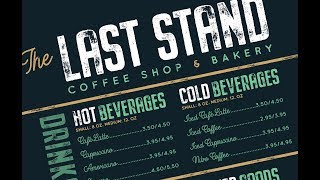
How to Create a Coffee Shop & Bakery Menu Design in Photoshop
Learn to design an eye-catching coffee shop and bakery menu in Photoshop. Master typography, layout, and color techniques to create a professional and appealing menu design for your business.
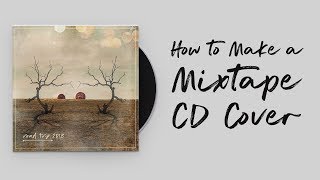
How to Make a Mixtape CD Cover - Photoshop Tutorial
Learn to create a road trip-themed mixtape CD cover using Photoshop techniques like image reflection, blending, layering, and texturing. Master essential tools and design elements in this practical tutorial.
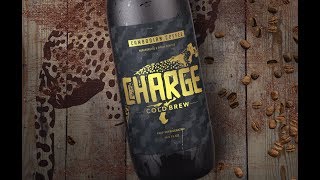
How to Design the Packaging for a Cold Brew in Photoshop
Learn to design eye-catching cold brew packaging in Photoshop using textures, illustrations, and mockups. Master techniques for creating professional labels and presenting your designs effectively.

Photoshop and Illustrator Tutorial - How to Create Logo and Branding for a Hawaiian Surf Club
Learn to design a professional Hawaiian surf club logo in Illustrator and apply it to a business card mockup in Photoshop. Master essential techniques for creating impactful branding and realistic mockups.

How to Create a Wedding Invitation Design in Photoshop
Learn to create an elegant watercolor wedding invitation in Photoshop, from designing the invite to building a themed mockup scene. Master techniques for adding floral elements, typography, and decorative details.

Photoshop and Illustrator Tutorial - How to Create a Coffee Shop Product Packaging
Learn to design a coffee shop logo and apply it to product packaging using Illustrator and Photoshop techniques. Create custom branding and mockups to express your business's unique identity.

How to Create an Album Cover in Photoshop
Learn to create a futuristic space-themed album cover using Photoshop, incorporating elements from various artists and applying the design to a vinyl mockup for a professional finish.

How to Create an Art Class Flyer Design in Photoshop
Learn to design an eye-catching art class flyer in Photoshop using textures, patterns, fonts, and brushes. Master techniques like clipping masks, blending modes, and layer effects to create a professional-looking promotional material.

How to Design a Healthy Cookbook Cover
Learn to create an eye-catching healthy cookbook cover using Photoshop, incorporating illustrations and typography techniques for a professional, appealing design.

How to Design a Hip-Hop Flyer Design in Photoshop
Learn to create an edgy hip-hop flyer in Photoshop using fonts, stock photos, and brushes. Master techniques like smart objects, adjustment layers, blending modes, and layer styles for a modern album promotion design.

Photoshop and Illustrator Tutorial - How to Create a Raw Food Bar Branding Mockup
Learn to create a raw food bar branding mockup using Photoshop and Illustrator. Master logo design, packaging, and scene building with various design elements in this step-by-step tutorial.

How to Design a Vintage Treasure Map - Photoshop Tutorial
Learn to create a vintage treasure map using Photoshop textures, blend modes, masks, and layering techniques. Enhance your design skills and bring old-world charm to your digital creations.
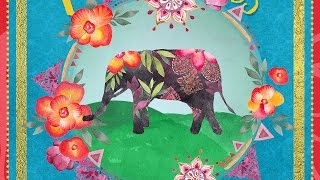
How to Design a Cover for a Children's Book in Photoshop
Learn to design a vibrant children's book cover using Photoshop. Master textures, patterns, masking, and coloring techniques while exploring essential Photoshop tools for creating eye-catching designs.
7 Design Techniques for Photoshop and Affinity Photo
Master seven essential design techniques that seamlessly work across both Photoshop and Affinity Photo, from perspective tools and auto-enhancement to smart objects and color modification.
Adobe Photoshop CC 2019 Khmer
រៀនបច្ចេកទេសនិងមុខងារសំខាន់ៗនៃ Adobe Photoshop CC 2019 ដើម្បីកែច្នៃរូបភាពនិងបង្កើតការរចនាប្រកបដោយវិជ្ជាជីវៈ។
Photoshop Tutorials
មេរៀនកែសម្រួលរូបភាពជាមួយ Adobe Photoshop CS5 និង CS6 ជាភាសាខ្មែរ។ រៀនពីមូលដ្ឋានដល់កម្រិតខ្ពស់ រួមទាំងបច្ចេកទេសកែលម្អរូបថត បង្កើតរចនាប័ទ្ម និងរៀបចំឯកសារផ្សេងៗ។

Learn Complete Photoshop Classes In Telugu
తెలుగులో ఫోటోషాప్ నేర్చుకోండి: ఫోటో ఎడిటింగ్, టూల్స్, లేయర్స్, ఫిల్టర్స్ మరియు ఇమేజ్ అడ్జస్ట్మెంట్స్ గురించి పూర్తి అవగాహన పొందండి. ప్రాక్టికల్ ఉదాహరణలతో ఫోటోషాప్ నైపుణ్యాలను మెరుగుపరచుకోండి.
Complete Photoshop Tutorial for Beginners in Hindi-Urdu
व्यापक फोटोशॉप ट्यूटोरियल जो शुरुआती लोगों को इंटरफेस, टूल्स और तकनीकों से परिचित कराता है। सीखें फोटो एडिटिंग, डिजाइनिंग और ग्राफिक्स बनाना।