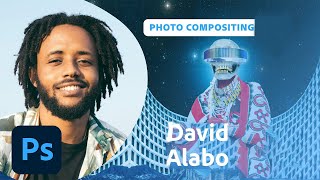
Designing an Afrofuturistic Collage in Photoshop - Part 1
Visual artist David Alabo demonstrates Afrofuturistic collage creation in Photoshop, sharing techniques for image selection, color manipulation, and composition while discussing his career and the concept of Afrofuturism.
Adobe Express for Beginners - Adobe Creative Cloud
Learn to create stunning designs with Adobe Express. Explore templates, customize layouts, add text and images, and publish your work effortlessly. Perfect for beginners seeking to enhance their visual content.
Color Grading Techniques in Adobe Lightroom
Master color grading in Adobe Lightroom with expert techniques for creating signature styles and trendy aesthetics. Learn professional editing tools, AI masks, and subtle color adjustments to elevate your photo editing skills.
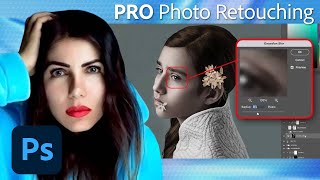
Fine Art Photo Retouching and Editing in Photoshop - Tutorial Part 2
Learn advanced Photoshop techniques for fine art retouching with photographer Elena Paraskeva. Master high-end photo editing, including hair refinement, frequency separation, dodge and burn, color grading, and texture addition.
Editorial and Fantasy Photo Editing with Bella Kotak - Part 2
Explore advanced photo editing techniques with Bella Kotak, focusing on compositing, retouching, and color toning for editorial fantasy pieces using Adobe tools.
Photoshop Masterclass: Photomanipulation Ideas and Techniques
Explore surreal photo manipulations using advanced Photoshop techniques. Learn to create bizarre and fun effects beyond simple filters, unleashing limitless creative possibilities for any image.
Fantasy Photo Compositing in Photoshop - Part 1
Learn advanced Photoshop techniques for fantasy photo compositing with photographer Renee Robyn. Master skin retouching, textures, lighting effects, and background creation to transform ordinary photos into magical worlds.
Designing Star Wars Themed Propaganda Posters in Photoshop - Part 1
Learn to design Star Wars-inspired propaganda posters in Photoshop with Brady from Texturelabs. Master techniques for image prep, color, shadow, typography, and texturing to create stunning vintage-style designs.
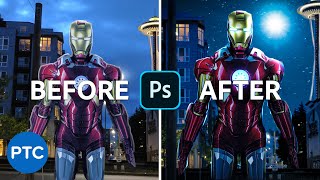
Editing Your Photos - Photoshop Compositing
Learn advanced Photoshop compositing techniques to create an Iron-Man image, including perspective correction, color adjustments, masking, and sky replacement in this comprehensive tutorial.

Recreate The Flash Running Lightning in Photoshop - Copycat
Learn to recreate The Flash's running lightning effect using Photoshop and After Effects. Master background removal, blurring techniques, and three methods for creating and compositing realistic lightning.
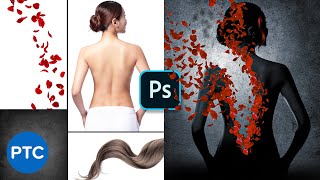
Recreate the "Perfume" Poster in Photoshop - Copycat
Learn advanced Photoshop techniques to recreate the "Perfume" movie poster, including masking, adjustment layers, and compositing. Perfect for enhancing photo manipulation skills.

Create a Beautiful Color Grade in Photoshop Using Selective Color
Learn to create stunning color grades in Photoshop using Selective Color. Master cool blue and warm orange effects, skin tone preservation, background darkening, and solar flare creation for enhanced photo aesthetics.
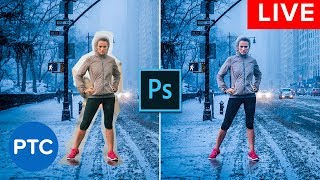
Photoshop Compositing Secrets - Blend Images Together Like a Pro - Live Presentation
Learn advanced Photoshop compositing techniques, including perspective matching, masking, color matching, blending modes, and creating cohesive images. Master the art of seamlessly blending multiple photos together.
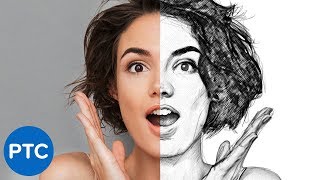
Easy Steps to Create a Realistic Line Drawing From a Photo in Photoshop
Learn to transform photos into realistic pencil drawings using Photoshop. Master techniques like smart objects, filters, and blending modes to create stunning line art effects in just 5 easy steps.
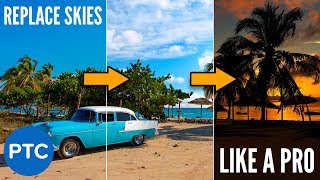
How to Replace the Sky in Any Photo in Photoshop Like a Pro
Learn to replace skies in photos using Photoshop. Master masking, color matching, and perspective adjustment techniques for seamless and professional-looking sky replacements in any image.

Amazing Photoshop Tips, Tricks, and Hacks
Discover 19 advanced Photoshop techniques to enhance your editing skills, from color selection and blending modes to nondestructive masking and custom templates.
Lightroom CC for Beginners - Lightroom CC 2018 Tutorials
Comprehensive tutorial on Lightroom CC, covering importing, interface, editing tools, and exporting. Learn to enhance photos using various panels and features for optimal results.

Blending Modes Explained - Complete Guide to Photoshop Blend Modes
Comprehensive guide to Photoshop blend modes, covering history, application, categories, and effects. Includes practical examples and keyboard shortcuts for efficient workflow.

High-Level Photoshop Tricks for Magical Composites
Aprenda técnicas avançadas de composição no Photoshop: criação de rim lights, máscaras com pincéis personalizados e ajuste de brilho para criar imagens mágicas e profissionais.
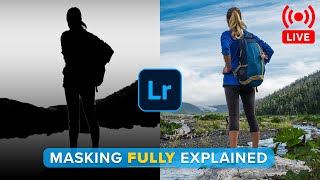
Lightroom Masks Explained
Discover advanced Lightroom masking techniques for enhancing your photos. Learn about linear gradients, local adjustments, AI-powered selections, and color range tools to elevate your editing skills.
Hidden Lightroom Tricks You Probably Don't Know
Discover hidden Lightroom tricks to enhance your photo editing skills. Learn advanced techniques for local storage, healing, masking, sharpening, and color grading in this comprehensive tutorial.