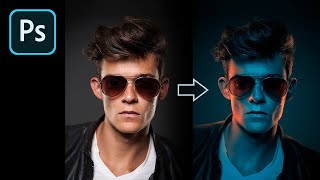
How to Fake Color-Gel Lighting in Photoshop
Learn to simulate multi-colored lighting in Photoshop using Gradient Maps. Master controlling brightness and color of light sources, creating dramatic highlights, and adding shine for stunning photo effects.
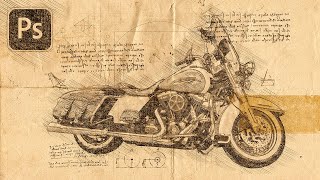
Turn Your Photo to a Sketch by Da Vinci - Photoshop Action Review
Transform photos into Da Vinci-style sketches using a Photoshop action. Learn installation, customization, and troubleshooting techniques to achieve Renaissance-inspired artwork from your images.
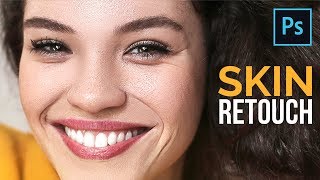
The Most Important Skin Retouching Trick in Photoshop
Learn a powerful Photoshop technique for skin retouching, including fixing discoloration, removing imperfections, and sculpting skin without affecting texture. Ideal for portrait photographers and retouchers.
Lighting Photos in Adobe Camera Raw - Photoshop 2020
Enhance photos with lighting effects in Adobe Camera Raw. Learn to transform day to night, add dramatic illumination, and create eye-catching visual impact using Photoshop or Lightroom.
Image Processing Magic - Improving Photos in 3 Clicks + Textured Overlays
Discover quick photo enhancement techniques, learn to combine Lightroom and Photoshop for lighting control, and explore creative texture overlays to add personality to your images.
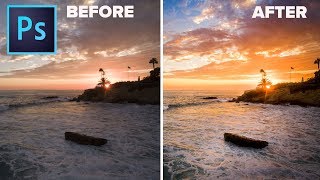
What You Should Do in Photoshop to Make Your Photos Look Better
Discover a proven 4-step process to enhance your photos: composition, luminosity, color, and finishing touches. Learn time-saving techniques for stunning results in photo editing.

Vikings Poster with Photoshop - Combining Stock Photos to Make a Cool Composite
Create a Vikings-inspired composite using stock photos in Photoshop CC. Learn techniques for blending images, adding visual interest, and enhancing atmosphere through color toning and shadows.
How to Use 3D Rendered Objects in Compositing
Learn to seamlessly integrate 3D rendered objects into composites using Daz Studio and Photoshop. Master techniques for model setup, rendering, masking, retouching, and creating realistic shadows and lighting effects.
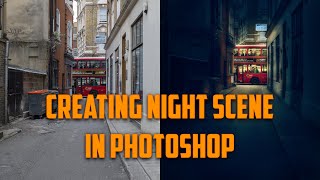
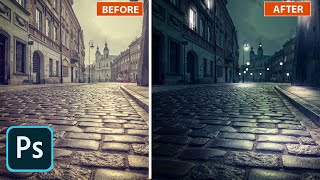
Changing Photos from Day to Night - Making a Dark City Street in Adobe Photoshop CC
Learn to transform daytime street photos into captivating nighttime scenes using Adobe Photoshop CC. Master techniques for adding focal points, adjusting lighting, and creating atmospheric effects to enhance urban photography.
Retouching Photos and GIFs for Social Media - Part 1
Learn photo and GIF retouching techniques for social media with Weekend Creative. Master Lightroom and Photoshop editing, create cohesive looks, and gain insights on running a creative business.
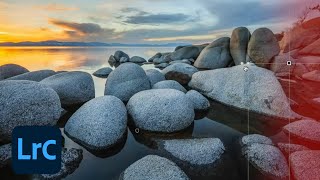
Earth Day 2022 Landscape Photography and Editing Tips with Francisco Siller
Comprehensive landscape photography tutorial covering shooting techniques, HDR editing in Lightroom, and advanced Photoshop enhancements. Learn composition, exposure, masking, and post-processing from Adobe expert Francisco Siller.

Photography Masterclass: Syncing Across Desktop, Cloud, and Mobile in Lightroom
Explore Lightroom syncing across desktop, cloud, and mobile platforms. Learn to manage photo collections, troubleshoot sync issues, and optimize workflow in this comprehensive masterclass.
Compositing Surreal Photos in Photoshop - Part 2
Learn advanced photo compositing techniques to create surreal landscapes using Photoshop. Master masking, color matching, and perspective manipulation to bring impossible worlds to life.
Cinematic Photo Editing in Lightroom Classic and Photoshop - Part 1
Learn cinematic photo editing techniques in Lightroom and Photoshop with photographer Idara Ekpoh. Master color grading, dodging and burning, selective adjustments, and creative effects to elevate your images.
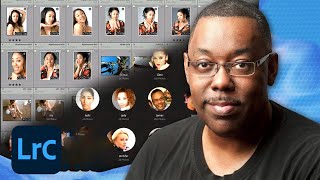
Organizing and Finding Your Photos Fast - Adobe Lightroom Photography Masterclass
Master efficient photo organization and retrieval in Adobe Lightroom with expert Terry White. Learn metadata, keywords, collections, facial recognition, and advanced search techniques for seamless image management.
Quick Photo Editing in Lightroom - Part 1
Master Lightroom editing techniques with expert Aaron Nace. Learn to use presets, adjustment brushes, and advanced tools for efficient photo enhancement. Ideal for photographers seeking to elevate their editing skills.
Designing Movie Posters in Photoshop - Part 1
Learn advanced Photoshop techniques for creating captivating movie posters with designer Jesús Ramirez. Master background removal, custom brush design, and seamless image integration in this interactive tutorial.
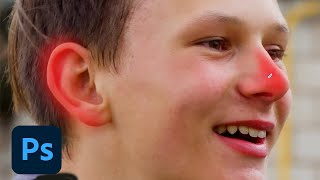
Photoshop Daily Creative Challenge - Photo Polishing
Learn photo polishing techniques using content-aware tools and adjustment layers in Photoshop. Master spot healing, smart objects, camera raw settings, masking, and more to enhance your images.
Photography Masterclass - New Features in Lightroom and Lightroom Classic - Fall 2021
Explore new Lightroom features: advanced masking tools, auto upright, metadata customization, and mobile enhancements. Enhance your photo editing skills with expert guidance.
New Features in Adobe Photoshop - Workflow Enhancements and Neural Filters
Explore Photoshop's latest features with photographer Anna McNaught, including neural filters, landscape mixers, and advanced selection tools to enhance your creative workflow and photo editing capabilities.

Photo Restoration Techniques for Photographers - Photography Masterclass
Learn advanced photo restoration techniques, from healing and masking to colorizing and retouching heavily damaged images, in this comprehensive masterclass by Terry White.