Luminar 4 Tutorial - Creative Edits - Episode 8
Explore creative photo editing techniques using Luminar 4's advanced tools and features for stunning, artistic results.

Topaz Sharpen AI - Major Update V2.0.2 Review: Batch Processing and Masking
Explore the latest Topaz Sharpen AI update, featuring new batch processing and masking capabilities for enhanced photo editing efficiency and precision.
Luminar 4 Tutorial - Creative Edits - Episode 7
Learn creative editing techniques in Luminar 4, including glow filters, layer masks, and textures, to enhance your photos and achieve unique, professional-looking results.
Luminar 4 Tutorial - Creative Edits and Topaz Mask AI - Episode 6
Learn advanced creative editing techniques in Luminar 4, including a bonus tutorial on Topaz Mask AI. Enhance your photo editing skills with professional tools and achieve stunning results.
TOPAZ STUDIO 2 - Layer Masking 101: Spot and Grad Masks
Learn essential layer masking techniques in Topaz Studio 2, including spot and gradient masks, to enhance your photo editing skills and create stunning visual effects.
Topaz Studio 2 - Layer Masking 101: Color Range Masks - Episode 2
Learn to create precise color range masks in Topaz Studio 2 for enhanced photo editing, with visual aids and practical examples to reinforce your understanding.
Luminar 4 Tutorial - Creative Edits - Episode 3
Explore creative photo editing techniques in Luminar 4, focusing on enhancing images with unique effects and transformations for stunning visual results.

Topaz Studio 2 Tutorial - Getting Creative with Filters and Masking
Explore creative photo editing techniques using Topaz Studio 2, including diffusion, precision filtering, masking, and color adjustments for stunning visual transformations.
Luminar 4 Tutorial - Hi-Key Black and White Portrait
Learn to create stunning hi-key black and white portraits using Luminar 4. Master techniques for achieving dramatic, high-contrast images that captivate viewers and elevate your photography skills.
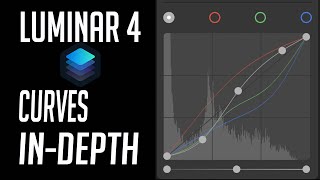
Luminar 4 Tutorial - Mastering the Curves Tool
Master the Curves Tool in Luminar 4 for precise control over image contrast, color, and tone. Learn advanced techniques to enhance your photo editing skills.
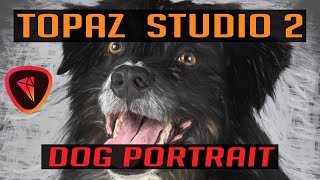
Topaz Studio 2 - Creating Digital Pet Portraits with Impression Filter
Transform pet photos into stunning digital paintings with Topaz Studio 2's Impression Filter. Learn techniques to enhance and artistically render your furry friend's portrait for a unique, gallery-worthy result.
Luminar 4 Tutorial - Creative Color Effects for Images
Explore creative color effects in Luminar 4 to enhance your images. Learn techniques for adding vibrant and unique color adjustments to transform your photography.
Luminar 4 Tutorial: Adjusting Luminosity Values for Enhanced Contrast
Discover innovative techniques for enhancing image luminosity and contrast using Luminar 4's color and black & white conversion tools, without affecting color balance.
Topaz Studio 2 Tutorial - Working with Textures
Discover the power of textures in Topaz Studio 2. Learn to enhance images using texture overlays, blend modes, and layer masking for artistic expression and creative photo editing.
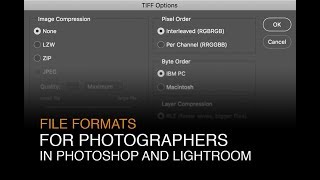
File Formats for Photographers in Lightroom and Photoshop
Learn optimal file formats, bit-depths, and color spaces for Lightroom and Photoshop. Discover essential settings to enhance your digital photography workflow and image quality.
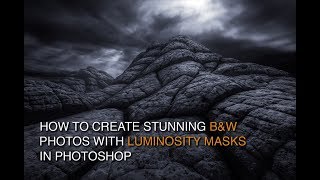
How to Edit Black and White Images with Luminosity Masks
Master black and white image editing with luminosity masks in Photoshop. Learn dodging, burning, contrast enhancement, and toning techniques to create stunning, mood-rich photographs.
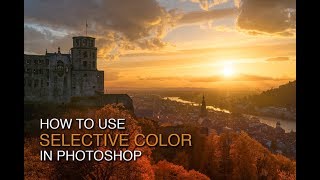
How to Enhance Color with Selective Color in Photoshop
Learn to transform green trees into vibrant autumn hues using Photoshop's Selective Color tool. Master CMYK color theory, luminosity masks, and vignettes for stunning photo enhancements.

Creating Epic Seascapes in Photoshop - Blending Waves Tutorial
Learn to blend multiple wave exposures in Photoshop to create stunning seascape images. Master techniques for aligning, manually adjusting, and combining exposures for epic ocean photography.
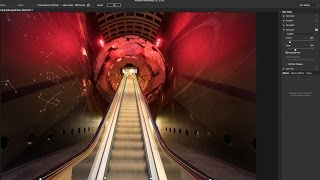
Using Path Blur Filter in Photoshop to Create Dynamic Photos
Learn to create dynamic motion effects in photos using Photoshop's Path Blur filter. Master techniques for realistic movement, exposure blending, and artifact removal to enhance your visual storytelling.
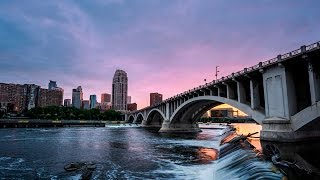
Restoring Sunset Colors with Luminosity Masks in Photoshop
Enhance dull sunset photos using luminosity masks in Photoshop. Learn techniques to add vibrant colors, control intensity, and create natural-looking results for stunning sky transformations.
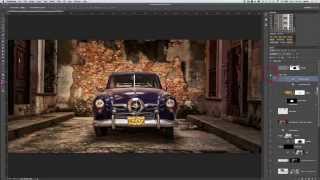
Photoshopping an Old Car in Havana with Luminosity Masks
Learn advanced photo editing techniques to transform an old car image in Havana using luminosity masks, Nik software, and textures. Enhance details, add contrast, and create a nostalgic atmosphere in your photography.