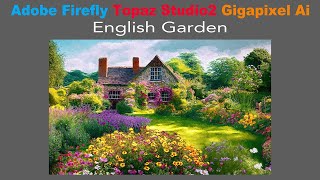
Creating a Painterly Image with Adobe Firefly, Topaz Studio 2, and Topaz Gigapixel AI
Transform AI-generated English Garden photo into a painterly masterpiece using Topaz Studio 2, then upscale with Gigapixel AI for a unique artistic result that transcends typical digital art.
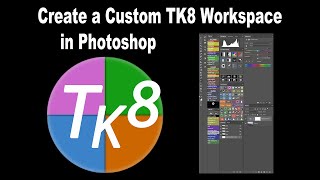
Creating a Custom TK8 Photoshop Workspace and Backup - TK Friday Tutorial
Learn to create, save, and backup a custom TK8 workspace in Photoshop. Optimize your editing workflow with practical tips for efficient photo processing using the TK8 plugin.

Lightroom Classic Update - New Features in Version 12.3
Explore exciting new features in Lightroom Classic 12.3 update, including enhanced editing tools and workflow improvements for photographers.

Photoshop Beta - Discover the New Remove Tool
Explore Photoshop Beta's new Remove Tool, offering advanced object removal capabilities. Learn tips and tricks for optimal results in this hands-on tutorial.
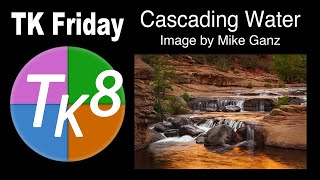
Full Edit Tutorial: Cascading Water Image Using TK8 Plugin for Photoshop
Learn advanced photo editing techniques using Photoshop and TK8 plugin. Enhance a cascading water image with step-by-step guidance, downloadable resources, and expert tips for stunning results.
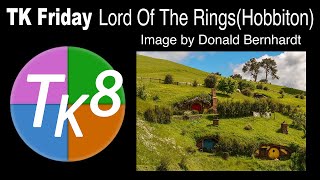
Full Edit Tutorial: Hobbiton Image Using TK8 Plugin for Photoshop
Comprehensive tutorial on editing a Hobbiton image using TK8 plugin for Photoshop, with step-by-step guidance and downloadable resources for hands-on practice.
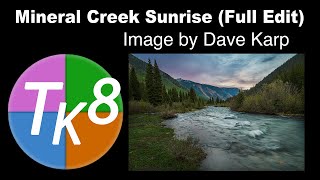
TK Friday: Mineral Creek Sunrise Full Edit - Part 2
Comprehensive tutorial on advanced photo editing techniques using TK8 plugin for Photoshop, featuring a step-by-step guide to enhance a sunrise landscape image with downloadable resources.
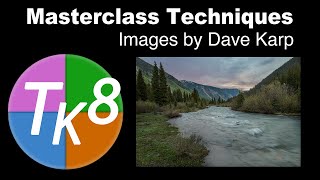
TK Friday - Luminosity Mask Master Class Techniques
Enhance photo editing skills using luminosity masks and advanced techniques to sculpt light, adjust exposure, and bring out textures in landscape and nature photography.
Discover the Magic of Lightroom Classic's Object Selection Tool
Explore Lightroom Classic's Object Selection Tool for precise photo editing. Learn to create accurate selections and leverage advanced masking capabilities to enhance your images.
Flower Photography: Editing with Topaz and Photoshop
Learn advanced flower photo editing techniques using Lightroom, Photoshop, and Topaz AI tools to enhance details, reduce noise, and create stunning images.
TOPAZ STUDIO 2 - Creative Tool Box - Episode 5
Explore creative textures and impressions in Topaz Studio 2 to enhance your photos. Learn techniques for adding unique visual elements and artistic effects to your images.
TOPAZ Mask AI Photoshop Workflow
Learn to enhance photos using Topaz Mask AI in Photoshop. Discover a powerful workflow and secret weapon for creating stunning image edits efficiently.
Topaz Studio 2 - Getting Creative with Texture Filter
Explore creative texture effects in Topaz Studio 2 with expert guidance, enhancing your photo editing skills and unleashing artistic potential.
Creative Masking: Topaz Mask AI and Photoshop
Learn advanced creative masking techniques combining Topaz Mask AI and Photoshop for stunning photo edits and manipulations. Enhance your image editing skills with professional tools and methods.
TOPAZ STUDIO 2 - Deep Dive into Texture Filter
Explore the Texture Filter in Topaz Studio 2 to enhance your photos with creative textures and effects, improving your digital editing skills and artistic expression.
TOPAZ MASK AI - New Update V1.2.0 First Look
Explore the latest Mask Ai update with a first-look tutorial, showcasing new features and improvements for efficient image editing and masking techniques.
Topaz Studio 2: Creative Tool Box - Episode 4
Explore the Creative Tool Box in Topaz Studio 2, enhancing your photo editing skills with advanced techniques and tools for stunning visual results.
Photoshop and Topaz Labs Full Edit Tutorial
Comprehensive tutorial on enhancing photos using Photoshop and Topaz Labs plugins, covering noise reduction, sharpening, and advanced editing techniques for stunning results.
Mastering Topaz Mask AI - Advanced Techniques for Photo Editing
Discover advanced techniques for Topaz Mask AI, enhancing your photo editing skills with expert guidance on masking, sky replacement, and more.
Lightroom, Photoshop, and Topaz Labs Workflow Tutorial
Learn efficient photo editing workflow using Lightroom, Photoshop, and Topaz Labs tools for noise reduction, sharpening, and masking to enhance your images.
TOPAZ STUDIO 2 - Creative Toolbox Tutorial - Episode 2
Explore creative tools in Topaz Studio 2, including Sharpen AI, Impression Filter, and Precision Contrast. Learn techniques for enhancing photos with layer masks and detailing.