
What Is the Best Image Format? - Basics for Beginners
Explore various image formats, their characteristics, and ideal use cases to determine the most suitable format for different scenarios.
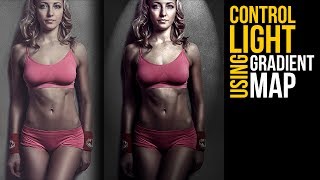
Control of Light in Photoshop Using Gradient Maps
Master light manipulation in Photoshop using Gradient Maps. Learn to control brightness levels, remove hotspots, adjust harshness, and add dramatic effects for enhanced depth and dimension in your images.
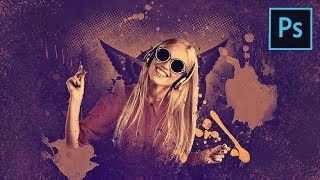
How to Create a Fun Wallpaper Style Composite in Photoshop
Create a fun poster-style composite using gradient maps, custom brushes, and halftone effects in Photoshop. Learn to blend elements seamlessly and add eye-catching splash and scatter effects.
Updates to PiX Compositing You Asked For
Explore 15+ updates to PiXimperfect Compositing Panel for Photoshop, including faster color matching, improved alignment, and new features like PiX Grain. Enhance your compositing skills with real-world examples.

This A.I. Generates Images from Text
Explore DALL-E, an AI that generates images from text. Learn its capabilities in object modification, perspective changes, 3D styling, and applications in fashion design and bizarre combinations.
Image Signal Processing Drivers and Upstream Merging Techniques
Explore Image Signal Processing drivers, their integration into upstream systems, and best practices for merging, presented by Helen Koike from Collabora.

From the Camera Sensor to the User - The Journey of a Video Frame
Explore the journey of video frames from camera sensors to users, covering digital and analog protocols, image processing, and Linux support for various devices.
Chromatic Aberration Tutorial
Learn to create and apply chromatic aberration effects in digital imagery, enhancing visual impact and adding stylistic flair to your designs.
Vector Graphics Rendering on the GPU in Rust with Lyon
Explore GPU-based vector graphics rendering with Lyon, a Rust tool for games and applications. Learn about tessellation, challenges, and future developments in 2D graphics.
How to Prep Photoshop Files for After Effects
Learn essential techniques for preparing Photoshop files for After Effects animation, including file structure, layer management, and preserving editability, to streamline your workflow and enhance your motion design projects.
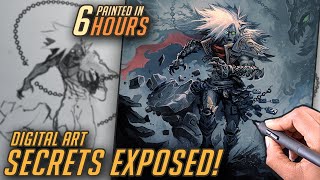
Time Saving Layer Effects - Doomed Raziel Layer Breakdown
Efficient layer effects in digital painting: breakdown of Doomed Raziel artwork, revealing time-saving techniques and Photoshop tricks for faster, more effective digital art creation.
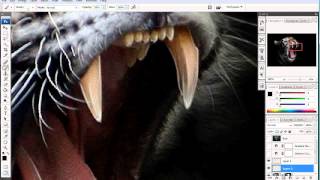
How to Enhance Photos with a Pen Tablet - Part 2
Discover pen tablet techniques to enhance photos with artistic highlights, shadows, and gradient maps for a subtle, professional look.
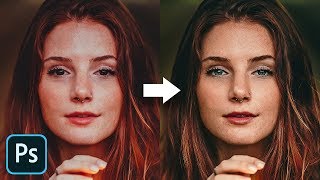
The Master Guide to Reconstructing Skin Tones - Photoshop Tutorial
Advanced Photoshop techniques for reconstructing skin tones, including color matching, curves adjustment, gradient maps, and retouching eyes. Learn to create realistic skin from scratch.
Creating Spooky Halloween Animations in Photoshop - Tutorial
Master spooky photo manipulation techniques in Photoshop by transforming daytime scenes into haunting nightscapes with animated elements, gradient maps, and eerie lighting effects.

Master the Pen Tool in 30 Minutes - Photoshop In-Depth Tutorial
Comprehensive tutorial on mastering Photoshop's Pen Tool, covering basics to advanced techniques for creating precise shapes, paths, and selections.
Технология Использования Съемок Реального Времени (РТК) - Часть I
Изучите технологию съемок реального времени (РТК) и ее применение в современном производстве видеоконтента.
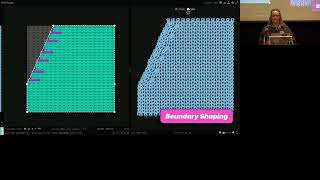
What's in a Cable? Abstracting Knitting Design Elements with Blended Raster/Vector Primitives
Explore innovative techniques for abstracting knitting cable designs through combined raster and vector approaches in computational pattern creation.