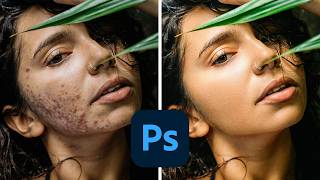
How to Smooth Skin in Photoshop
Learn professional skin smoothing techniques in Photoshop, including manual blemish removal and time-saving actions for efficient editing across various portrait styles.
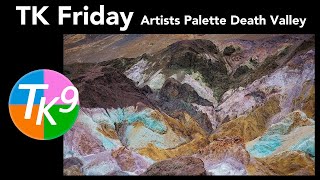
TK Friday: Full Edit of Artists Palette, Death Valley
Comprehensive tutorial on editing a Death Valley landscape photo using TK9 plugin for Photoshop, with step-by-step guidance and downloadable resources for hands-on practice.

Kinds of Kindness Movie Poster Photoshop Tutorial
Learn to recreate the "Kinds of Kindness" movie poster in Photoshop, mastering selection techniques, color grading, text manipulation, and adding film grain for a professional cinematic look.

Create Soft Dreamy Portraits - 5-Step Formula in Photoshop
Transform portraits into soft, dreamy masterpieces using a 5-step Photoshop formula. Learn to enhance warmth, softness, and depth through Camera Raw and Masking techniques for stunning results.
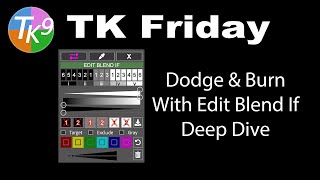
Dodging and Burning with Edit Blend If - Deep Dive
Mastering advanced dodging and burning techniques using TK9 Edit Blend If Panel. Enhance your photo editing skills with in-depth exploration of powerful tools for precise image adjustments.
How to Use Neural Filters in Photoshop CC - Advanced AI Editing
Explore AI-enhanced editing with Neural Filters in Photoshop CC. Learn to refine portraits, adjust expressions, and create stunning effects using advanced AI techniques for transforming your photos.
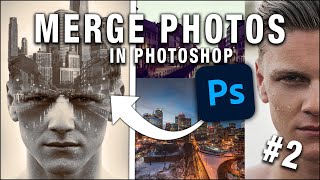
How to Merge Photos in Photoshop
Learn various techniques to merge photos in Photoshop, including blend modes, layer masks, adjustment layers, and gradient maps. Enhance your photo editing skills with practical examples and downloadable images.
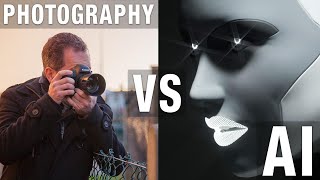
Photography vs AI - Impacts and Benefits for Photographers
Explore the impact of AI on photography, discussing potential benefits and challenges for professionals in light of recent AI-generated image controversies.
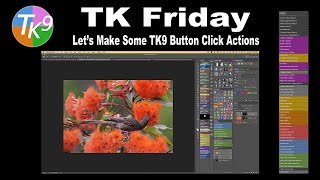
Mastering Photoshop Actions with TK9 Version 3 Button Clicks
Unlock Photoshop Actions' power with TK9 Version 3 Button Clicks. Learn to create efficient actions, enhancing your workflow and editing process. Download free actions to jumpstart your Photoshop journey.
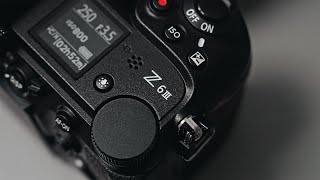
First Impressions with the Nikon Z6III - Studio Shoot
Hands-on studio shoot with the Nikon Z6III, showcasing its performance and features in a professional photography setting. Includes model shots and behind-the-scenes insights.
How to Avoid Color Conversion Issues in Photoshop
Learn to avoid color conversion issues in Photoshop, preserving photo quality. Discover techniques for proper color space management and RGB conversion to maintain image integrity.

The Layers Palette in Photoshop 2024
Explore Photoshop's layers palette: types, stack functionality, and interactions. Master this essential tool for efficient image editing and compositing.
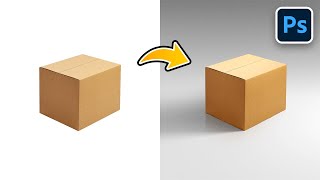
Creating Realistic Shadows in Photoshop
Master realistic shadow creation in Photoshop using simple techniques. Learn to craft seamless shadows, add reflections, and enhance lighting effects for professional-looking compositions.

The Last Stargazers - With Emily Levesque
Explore the evolving world of professional astronomy, from remote observatories to cutting-edge technology, and the shift from human to robotic stargazers in this captivating journey through space science.

Bite Marks - Unleashing the Power Within Forensic Odontology
Explore the forensic power of bite marks in criminal investigations, including digital advancements and expert analysis techniques for reliable evidence in legal proceedings.

Challenges in Fingerprint Analysis by INAFIS
Explore challenges in fingerprint analysis using INAFIS, including accuracy rates, digital imaging techniques, and database comparison methods for establishing individual identities.
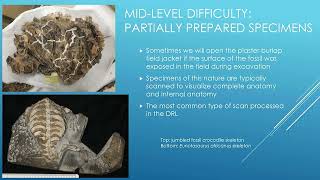
Revealing Ancient Secrets in the Digital Research Lab - CT Imaging for Fossil Analysis
Explore CT imaging in paleontology: visualize fossils, uncover hidden features, and create 3D models. Learn about data collection, animations, and 3D printing in fossil research.
Scientists in Action - Imaging the Ancient World
Explore cutting-edge paleontology techniques using microCT scanners and digital imaging to reveal hidden details in fossils and ancient specimens at the Denver Museum of Nature & Science.
Game Programming - Buffered Image and Rasters - Episode 7
Learn to create buffered images and manipulate rasters for game development in Java, enhancing your skills in graphics programming and game design.
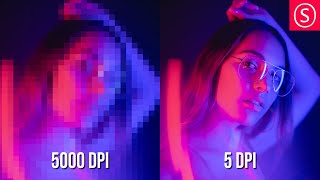
How to Understand DPI and PPI Correctly - Easy Beginners Tutorial - Worst Myths Cleared Up
Clear up common misconceptions about DPI and PPI in digital imaging. Learn how resolution, pixel size, and print quality relate, and get practical tips for setting optimal DPI/PPI for various uses.
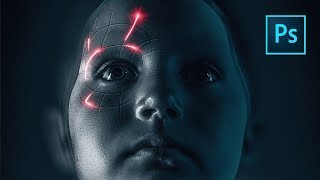
Perfect Movie Poster Tutorial
Learn advanced Photoshop techniques to recreate a movie poster, covering tools like frequency separation, gradient maps, and Camera RAW filter. Enhance your photo editing and design skills through practical application.