
How to Use Gradient Maps and Curves in Photoshop
Learn to recreate the Mauritanian movie poster using Photoshop tools like gradients, guide layouts, shapes, blending modes, masks, and channel mixer. Enhance your design skills with practical application.

How to Create a Grunge Background in Photoshop
Learn to recreate the 007 No Time to Die movie poster in Photoshop. Master compositing, selection, masking, gradient maps, grunge effects, titling, and color grading techniques in this comprehensive tutorial.

Ascension Photoshop Composite Tutorial
Learn to create a stunning astronaut in space composite using Photoshop. Master gradient maps, advanced brushes, blending modes, and color grading techniques in this hands-on tutorial.

Shaft Movie Poster Photoshop Tutorial
Learn to recreate the "Shaft" movie poster in Photoshop, covering vector masks, shapes, gradient maps, and textures. Enhance your design skills with this step-by-step tutorial.
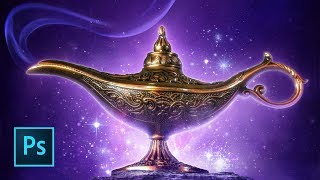
Aladdin Movie Poster Tutorial
Learn to recreate the iconic Aladdin teaser poster using Photoshop techniques like guide layouts, painting, masking, warping, blending modes, and customizing brushes. Master essential skills for stunning movie poster design.
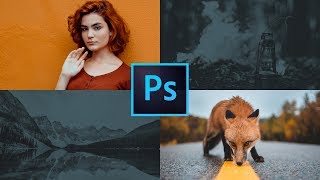
How to Use the Frames Tool in Photoshop
Learn to create reusable homepage design templates using Photoshop's frames tool. Master guide layouts, new type features, gradient maps, threshold, and levels for efficient web design workflows.
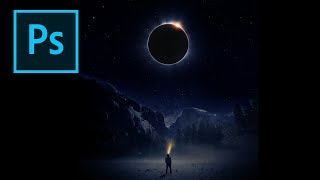
Creating an Eclipse Composite in Photoshop
Learn to create a stunning eclipse composite using Photoshop techniques like noise gradient, Gaussian blur, and color correction for realistic flares and hotspots.
Make Your Photos Pop Using Color Grading in Photoshop
Discover powerful color grading techniques in Photoshop to enhance your photos. Learn about gradient maps, blending modes, and masking to create stunning visual effects and improve image colors.

Blend If in Photoshop - Masking, Effects, and Retouching Techniques - Lesson 8
Unlock Photoshop's "Blend If" feature to create stunning effects, from adding shine to masking and retouching. Learn real-world applications for enhancing your digital art and photo editing skills.

Exploring New Photogrammetry Apps for 3D Modeling
Explore cutting-edge photogrammetry apps and their capabilities in 3D modeling. Learn about innovative tools for creating realistic digital assets from photographs.

Photoshop for Beginners - How to Save & Export
Master Photoshop's save and export options, including file formats like JPEG, PNG, PSD, and TIFF. Learn when to use each option and simplify your workflow with this comprehensive guide to file management.
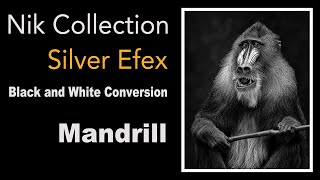
NIK Silver Efex Black and White Conversion Tutorial - Mandrill Image
Learn to convert a Mandrill image to stunning black and white using NIK SILVER EFEX from NIK COLLECTION 6. Discover powerful techniques for enhancing contrast, texture, and mood in monochrome photography.

Turn Anything to Gold - Hunger Games Songbirds and Snakes Poster Tutorial
Learn to create a stunning gold effect in Photoshop and recreate The Hunger Games character poster. Master healing tools, fabric graphics, liquify, and curve adjustments in this hands-on tutorial.
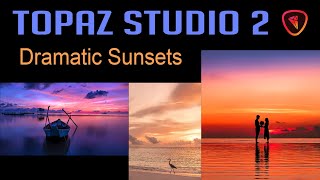
TOPAZ STUDIO 2: Creating Dramatic Sunsets
Learn to create stunning dramatic sunset images using Topaz Studio 2. Master techniques for enhancing colors, adjusting contrast, and adding atmospheric effects to transform ordinary sunset photos into captivating works of art.
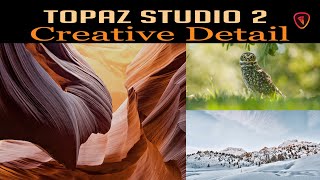
Creative Detail in Topaz Studio 2 - Precision Detail Filter Tutorial
Learn to enhance image detail using Topaz Studio 2's Precision Detail filter. Discover techniques to draw viewer attention, build depth, and creatively improve your photos in this practical tutorial.
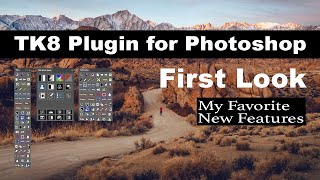
TK8 Plugin for Photoshop - First Look and Favorite New Features
Explore the latest features of TK8 Plugin for Photoshop, including color grading, luminosity masks, and color sketching techniques for enhanced photo editing.
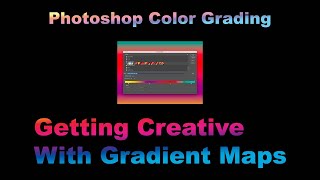
Photoshop Color Grading: Getting Creative with Gradient Maps
Explore creative color grading techniques using gradient maps in Photoshop. Learn to enhance and transform your images with unique color effects and mood-setting adjustments.
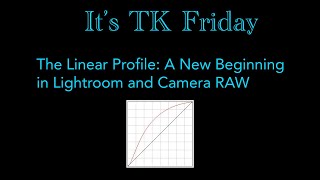
The LINEAR PROFILE - A New Beginning in Lightroom and Camera RAW
Discover the power of Linear Profiles in Lightroom and Camera RAW. Learn installation, usage, and benefits for enhancing your photo editing workflow and achieving superior results.

Topaz Studio 2 Tutorial - Motion Blur Filter
Learn to create dynamic motion effects in photos using Topaz Studio 2's Motion Blur Filter. Discover techniques to enhance images with realistic movement and artistic blur.
DXO PhotoLab 4 - Exploring the HSL Color Wheel and Hue Picker Tool
Explore DXO PhotoLab 4's HSL Color Wheel and Hue Picker for precise color adjustments in photo editing. Learn to enhance images with powerful, accurate color control tools.
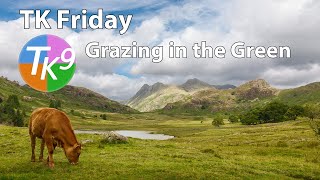
Full Edit Tutorial: Grazing in the Green - TK Friday
Comprehensive Photoshop editing tutorial using TK9 plugin, demonstrating advanced techniques on a landscape image. Includes downloadable resources for hands-on practice.