Getting Started with Masking in Photoshop - Techniques and Tools
Learn essential Photoshop masking techniques from expert Jesús Ramirez. Discover tools like Quick Select and Object Selection, refine selections, paint hair, and use Blend If for professional-quality results.
Photo Editing Techniques in Adobe Lightroom and Photoshop - Live Demonstration
Learn photo editing techniques with Adobe expert Terry White as he enhances user-submitted images live using Lightroom and Photoshop, demonstrating professional tips to elevate your photography skills.

Colorize Black and White with Realism in Photoshop
Learn realistic techniques for colorizing black and white images in Photoshop, focusing on natural skin tones using color palettes, Hue/Saturation adjustments, and Blend-If for seamless application.
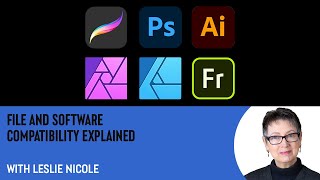
File and Software Compatibility Explained with Leslie Nicole
Comprehensive guide to file formats and software compatibility in graphic design, covering major extensions, compression types, and limitations across various design applications.
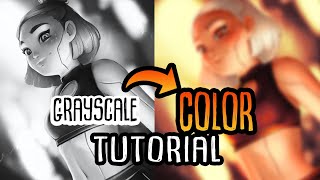
How to Use Gradient Maps and Layer Masks to Color
Learn to enhance digital art using gradient maps and layer masks in Clip Studio Paint. Discover techniques for color correction, painting, and polishing your artwork with professional tips and tricks.
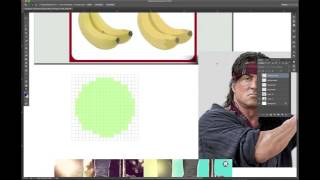
Graphic Design - Intro to Photoshop Part 1
Learn essential Photoshop tools and techniques for graphic design, including layers, pen tool, and vector vs. raster graphics. Gain practical skills for digital design workflows and file management.
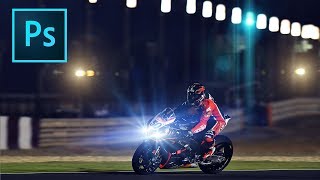
How to Add Lens Flares in Photoshop
Learn to enhance photos with realistic lens flares in Photoshop, adding depth and atmosphere to your images. Master techniques for creating stunning visual effects in digital photography.
Full Edit of Sarus Cranes Image - TK Friday
Step-by-step tutorial on advanced photo editing techniques for enhancing wildlife photography, focusing on Sarus Cranes image using TK8 plugin and various software tools.
TK Friday: Breaking Waves Image Full Edit - Downloadable Resources Included
Comprehensive tutorial on editing a breaking waves image using TK8 plugin for Photoshop. Includes downloadable materials and step-by-step guidance for enhancing coastal photography.
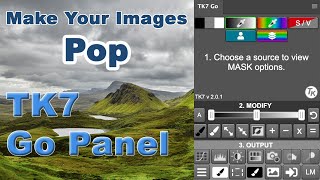
TK7 Go Panel - Enhancing Images with Luminosity Masking
Enhance image impact using TK7 Go Panel's luminosity masking techniques. Learn quick steps to add visual pop and depth to your photographs.

Luma-Chroma Color Spaces: The Unsung Heroes of Imaging
Explore luma-chroma color spaces: their origins, purposes, and impact on imaging technologies over 60 years. Discover how these unsung heroes shape our visual experiences across various media.
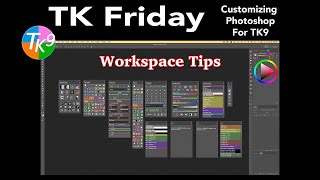
Customizing Photoshop for TK9 Plugin - Workspace Tips
Optimize Photoshop workspace for TK9 plugin with expert tips. Learn efficient setup, customization, and workflow enhancements to maximize your photo editing experience.

Introduction to Camera Raw in Photoshop - Lesson 11
Comprehensive guide to Camera Raw in Photoshop, covering essential tools, techniques, and best practices for processing photos. Learn to enhance images with professional-grade editing capabilities.

Create Easy Drag and Drop Mockup in Photoshop
Master easy drag & drop mockup creation in Photoshop. Learn to design realistic templates for t-shirts, mugs, and more using smart objects, blend modes, advanced masking, and layer styles.
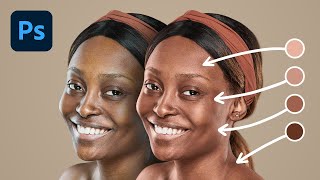
Do You Need a Plugin to Apply Pro Skin Tones - Photoshop
Comprehensive guide to creating and applying professional skin tones in Photoshop, comparing manual techniques with plugin-based methods and exploring advanced controls for optimal results.
An Introduction to Resolution and Color Modes With Leslie Nicole
Explore image resolution and color modes with Leslie Nicole, covering DPI vs PPI, file types, and color profiles for effective graphic design fundamentals.
Photographic Futures - Technological Developments in Digital Imaging
Explore technological advancements in photography, from film to digital, and their impact on image-making. Gain insights into sensor technology, mirrorless cameras, and modern imaging techniques.
How to Make Business Cards in Adobe Photoshop
Learn to design impactful business cards in Photoshop. Create three stunning styles: minimalist, photographic, and artistic. Master techniques for unique, print-ready designs that make a lasting impression.

How to Creatively Use the Difference Blending Mode in Photoshop
Explore creative uses of Photoshop's Difference blending mode to recreate the Scream VI poster, incorporating tri-tone color schemes, gradient maps, and efficient group management for striking graphic effects.

How to Use Overlays, Textures and Presets in Photoshop
Aprenda técnicas avançadas de edição em Photoshop: sobreposições, texturas e predefinições para aprimorar suas imagens com efeitos profissionais de iluminação, cor e profundidade.

How to Create a Damaged Bitmap Effect in Photoshop
Learn to recreate the damaged bitmap effect from the Mile 22 poster using Photoshop techniques like mosaic effects, blending modes, gradient maps, masks, grunge textures, and typography.