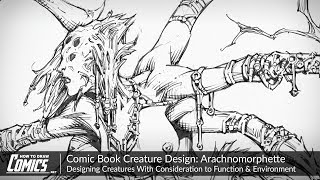
Comic Book Creature Design - Arachnomorphette - Design Creatures With Function & Environment in Mind
Learn to design a fierce comic book creature, focusing on function, environment, and aesthetics. Explore techniques for creating convincing characters through visual storytelling and structural considerations.
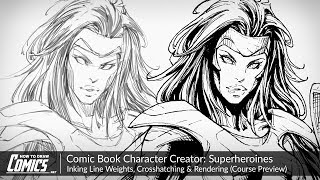
Comic Book Character Creator: Superheroines - Inking Line Weights, Crosshatching & Rendering
Learn advanced inking techniques for female comic book characters, including line weight variation, crosshatching, and rendering textures using Manga Studio's G-Pen tool.
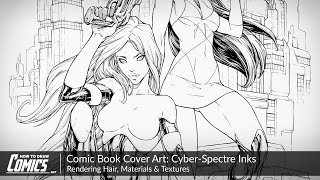
Comic Book Cover Art - Cyber-Spectre Inks - Rendering Hair, Materials and Textures
Learn advanced shading techniques to create depth, texture, and tonal variation in comic art. Master crosshatching and balancing light and dark values for enhanced contrast and readability in your illustrations.
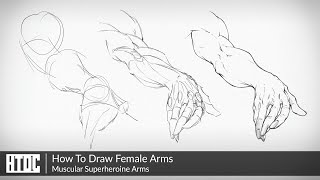
How to Draw Female Arms - Muscular Superheroine Arms
Learn to draw muscular yet feminine superhero arms, balancing strength and beauty. Master foundational shapes, muscle structure, and strategic detailing for powerful female characters in comics.

How to Draw Goku
Learn to draw Goku from Dragon Ball Z, from initial pose to final inks. Master comic art techniques like dynamic line work, costume design, and form-based rendering to create professional-quality illustrations.
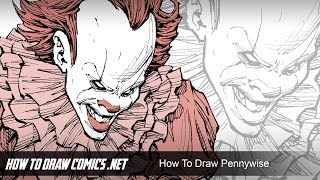
How to Draw Pennywise - From Stephen King's "IT"
Learn to pencil and ink Pennywise from Stephen King's IT in this comic art tutorial. Explore drafting, facial features, costuming, inking techniques, and line weighting while developing your artistic style in Manga Studio.
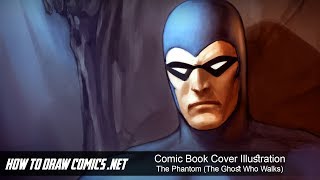
Comic Book Cover Illustration - The Phantom - The Ghost Who Walks
Digital painting tutorial for comic book cover illustration, focusing on The Phantom. Covers sketching, coloring, lighting, and detailing in Photoshop. Includes creative insights and tips for aspiring comic artists.
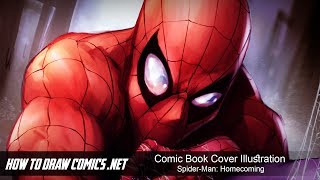
Comic Book Cover Illustration - Spider-Man: Homecoming
Learn digital painting techniques for creating a Spider-Man comic book cover illustration in Photoshop, from foundational sketching to color adjustments and special effects.
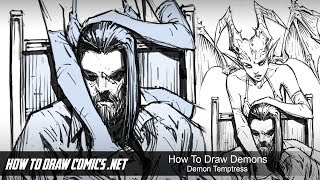
How to Draw - Demons - Demon Temptress
Learn to create a detailed comic book scene with multiple characters, focusing on anatomy, shading, and clothing. Discover techniques for drawing seductive demon temptresses and balancing elements in a long shot illustration.

Color Wheel Magic - Transforming Images with Photoshop and Color Theory
Learn to transform images using color theory and Photoshop. Master color wheel concepts, harmonies, and adjustment tools to enhance visual appeal and create stunning designs.

Add Graphics or Patterns to Clothes Photoshop Tutorial
Learn to add graphics and patterns to clothing using Photoshop's puppet warp, transform warp, and liquify tools. Master techniques for preparing images, creating templates, and molding designs onto garments.

How to Use Custom Brushes in Photoshop
Learn to create stunning composites using custom silhouette brushes in Photoshop. Master blending, color grading, and atmospheric effects to transform photos into grand-scale artistic scenes.

How to Create a Halftone Effect in Photoshop
Learn to recreate The American movie poster using Photoshop tools like gradients, guides, clipping paths, halftone patterns, curves, blending modes, masks, and filters. Master professional design techniques in this comprehensive tutorial.

How to Use Gradient Maps and Curves in Photoshop
Learn to recreate the Mauritanian movie poster using Photoshop tools like gradients, guide layouts, shapes, blending modes, masks, and channel mixer. Enhance your design skills with practical application.

The Haunting of Bly Manor Fading Portrait Tutorial – Photoshop Live Q&A
Learn to create a faded portrait effect inspired by The Haunting of Bly Manor's opening title. Master compositing techniques, including patch tool, painting, and blending modes in this comprehensive Photoshop tutorial.

Every Photoshop Shortcut You Need to Know for Mac and PC
Comprehensive guide to essential Photoshop shortcuts for Mac and PC, covering over 100 commands across various functions to significantly enhance workflow efficiency and productivity.

Ascension Photoshop Composite Tutorial
Learn to create a stunning astronaut in space composite using Photoshop. Master gradient maps, advanced brushes, blending modes, and color grading techniques in this hands-on tutorial.
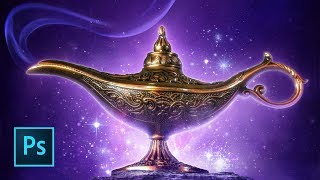
Aladdin Movie Poster Tutorial
Learn to recreate the iconic Aladdin teaser poster using Photoshop techniques like guide layouts, painting, masking, warping, blending modes, and customizing brushes. Master essential skills for stunning movie poster design.
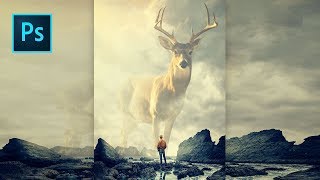
Majestic Spirit Animal Photoshop Tutorial
Learn to create a majestic spirit animal composite in Photoshop using advanced techniques like guide layouts, quick selections, layer blending, and color grading. Perfect for enhancing compositing skills.
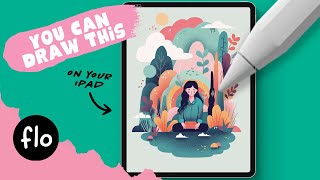
Vector Style Illustration in Procreate - Step by Step Tutorial
Step-by-step guide to creating stylized vector illustrations in Procreate, covering essential techniques from basic shapes to character drawing and texturing.
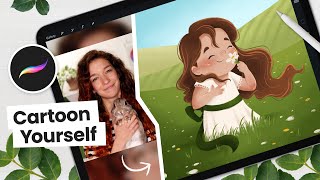
How to Cartoon Yourself, Flower Field Edition - Digital Art Tutorial
Learn to create a cartoon self-portrait in a flower field using Procreate. Master digital art techniques from sketching to shading, with step-by-step guidance for a unique, personalized illustration.