Captivate Advanced Tutorial
Master Adobe Captivate's advanced features to create engaging, interactive e-learning content. Learn object styles, animations, audio integration, quizzing, and customization techniques for professional course development.

How to Use OBS Studio - Complete Tutorial for Beginners
Comprehensive guide to OBS Studio for beginners, covering setup, settings, scenes, effects, and live streaming techniques. Learn to create professional-looking streams with this powerful, free software.
DaVinci Resolve - Complete Tutorial for Beginners
Comprehensive guide to DaVinci Resolve's video editing features, covering project setup, importing, cutting, audio editing, text addition, transitions, color grading, and exporting for beginners.

Beginner's Guide to PowerPoint
Comprehensive guide to creating impressive PowerPoint presentations, covering basics to advanced techniques like animations and transitions in just 30 minutes.
Complete Beginner's Guide to Apple Keynote
Comprehensive guide to creating stunning presentations with Apple Keynote, covering everything from basic setup to advanced features like animations, collaboration, and exporting.
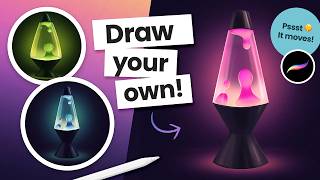
Draw and Animate a Groovy Lava Lamp in Procreate
Learn to draw and animate a looping lava lamp in Procreate with step-by-step instructions. Master digital art techniques for creating groovy, retro-inspired designs on your iPad.
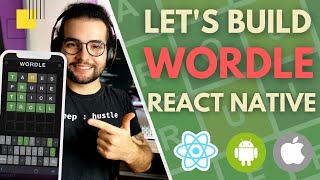
Let's Build WORDLE With React Native - Tutorial for Beginners
Comprehensive React Native tutorial for building WORDLE game, covering state management, storage, animations, and production preparation. Perfect for beginners and experienced developers.

Learn After Effects - Beginners Tutorial
Master After Effects 2022 in 60 minutes: Learn VFX and motion graphics through a fun, project-based approach. Create stunning visuals and take your videos to the next level with expert guidance.
PowerPoint Animation Tutorial - Best Game Engine
Learn to create an interactive platform game in PowerPoint, including animated characters, game maps, collectible coins, and information boxes. Master advanced animation techniques for engaging presentations.
WIX Tutorial for Beginners - Parallax Scroll
Learn to create a stunning parallax scrolling website with Wix, covering layout design, multimedia integration, text formatting, effects, navigation, and animations in this comprehensive beginner-friendly tutorial.

PowerPoint Slide Design from Beginner to Expert in One Video
Master PowerPoint slide design techniques, from basic to advanced, covering layout, infographics, and animations. Transform your presentations with expert tips and creative strategies.
Things PowerPoint Beginners Want to Know How to Do
Master essential PowerPoint skills: text, shapes, images, backgrounds, animations, transitions, alignment, music, icon insertion, and chart creation for impactful presentations.

PowerPoint 2021 Advanced Tutorial
Enhance your PowerPoint skills with advanced techniques in slide mastering, SmartArt design, custom animations, collaboration tools, and presentation recording for impactful, professional slideshows.
PowerPoint 2021 Beginner Tutorial
Comprehensive tutorial covering PowerPoint 2021 essentials, from interface basics to advanced features like slide masters, templates, and collaborative tools. Ideal for beginners seeking to enhance presentation skills.
Premiere Pro Expert Tutorial
Comprehensive tutorial covering advanced Premiere Pro techniques, including masking, keyframing, color correction, effects, text animation, and green screen, to enhance your video editing skills.
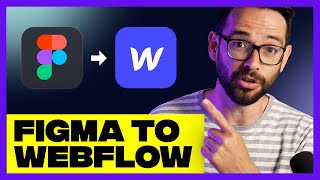
Figma to Webflow - Complete Website Tutorial
Learn to transform Figma designs into fully functional Webflow websites. Master layout, navigation, animations, and responsive design techniques in this comprehensive tutorial.

Recreating Stripe's Text Effect
Recreate Stripe's eye-catching text effect with CSS. Learn gradient animations, positioning techniques, and custom properties to enhance readability and visual appeal.
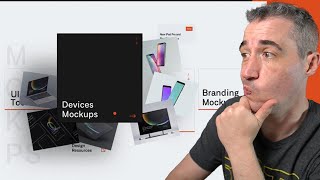
Creating an Interactive Dribbble Card Design
Learn to create an interactive Dribbble card design using HTML, Sass, and CSS animations. Master grid layouts, hover effects, and cross-browser compatibility in this hands-on tutorial.
Cloning Google Font's Light-Dark Mode Toggle
Learn to clone Google Font's light/dark mode toggle with CSS animations, custom properties, and accessibility features in this step-by-step tutorial by Kevin Powell.
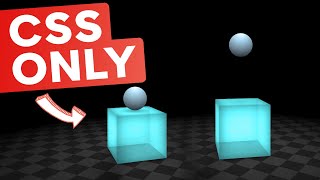
3D CSS - Lighting, Animations, and More
Learn advanced 3D CSS techniques including lighting, animations, and perspective. Create interactive scenes with bouncing balls, rotating cubes, and dynamic shadows for engaging web designs.
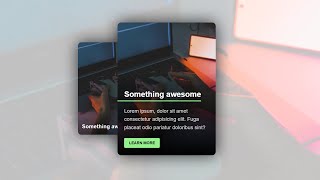
CSS Card With Hover Animation and Mobile Fallback
Learn to create an animated CSS card with hover effects and mobile compatibility, covering HTML structure, CSS styling, animations, accessibility, and performance optimization.