Headshot Head Generation for iClone Projects
Explore AI-powered 3D character generation with Headshot plug-in for Character Creator. Learn auto and pro modes, troubleshooting techniques, and basic facial animation tools for quick, realistic digital humans.
The Best Way to Animate Head Turns in 2D Animation
Learn techniques for smooth 2D head turn animations using Cartoon Animator 4. Covers 360 Head Creator, Facial Animation Setup, and professional workflows for consistent mass and shape in character animation.
Using ActorCore and Python Plug-ins to Speed Up Your Workflow
Enhance 3D animation workflow using ActorCore's motion library and iClone's Python API plugins. Learn to combine pre-made assets with custom scripts for efficient, high-quality scene creation.
Advanced Animation Techniques with Cartoon Animator 4
Explore advanced 2D animation techniques in Cartoon Animator 4, including transition curves, stretch bones, object interaction, and facial animation refinement for creating dynamic and expressive character movements.
Creating Character Models from Concept Art - Part 1
Learn to create game character models from concept art using Character Creator, ZBrush, and GoZ. Master body proportions, facial features, and sculpting techniques for realistic 3D characters.
The Powerful Facial System for LipSync, Smart Hair, and ARKit Facial Mocap in iClone 7.9
Explore iClone 7.9's advanced facial animation features, including enhanced lip sync, ARKit mocap, and improved hair system for creating customized characters with realistic facial expressions.
Multipass Recording with Face Puppet and Mastering Face Key
Learn advanced facial animation techniques using Face Puppet and Face Key in iClone 7. Master multipass recording, ARKit profiles, and timeline editing for creating realistic and expressive character animations.
Create Awesome-Looking Character Animation with the 12 Principles
Learn to apply Disney's 12 animation principles using Cartoon Animator 4, transforming your character animations from robotic to lifelike. Master techniques for creating fluid, expressive movements in your 2D animations.
Headshot Head Generation for iClone Projects
Learn to generate and animate 3D digital humans from a single photo using Headshot, an AI-powered Character Creator plug-in. Explore Auto and Pro modes, troubleshooting techniques, and basic facial animation tools in iClone.
Recreating a 3D Scene with Animation in Cartoon Animator
Learn to recreate 3D scenes in Cartoon Animator 4, using Motion Link, 3D Motion Converter, and 2D motion tools. Explore 3D character motions, camera movements, and scene assembly in a 2D environment.
Enhanced Camera Operation and Python Plug-ins for iClone
Learn to enhance iClone 7 camera operations using Python plug-ins. Explore hand gesture puppeteering, smooth camera follow, auto-focus, and dolly zoom techniques for improved 3D animation workflows.
Facial and Puppet Animation with 360 Head Tools and Puppet Actors in Cartoon Animator 4
Learn to create and animate unique 2D characters using Cartoon Animator 4's 360 Head Tools and Puppet Actor toolkit. Master facial mocap and Leap Motion controller for expressive animations.
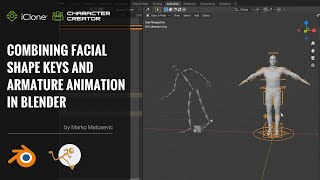
Combining Facial Shape Keys and Armature Animation in Blender with Auto-Rig Pro - Part 4
Learn to combine facial shape keys and armature animation in Blender using Auto-Rig Pro. This tutorial covers exporting, importing, rigging with Auto-Rig Pro, merging armatures, and applying motions for efficient character animation.

Character Creator to Blender Pipeline with Auto-Rig Pro - Part 1
Learn to export characters from Character Creator to Blender, set up materials, and rig with Auto-Rig Pro. Reduce animation production time significantly with expert tips and techniques.
Animate Your Story in No Time - Youtuber Animation - Part 3
Learn to create custom YouTube characters using Cartoon Animator 4. Master character customization, prop animation, live voice lip-sync, and blog-style animation techniques for a unique YouTube personality.
Animate Your Story in No Time: Comic Character Dialogue - Part 2
Learn to animate comic characters with dialogue, props, and dynamic movements using Cartoon Animator 4. Master facial expressions, lip-sync, body animation, and camera techniques for creating engaging animated stories.
Animate Your Story in No Time - Creating a Product Commercial with Cartoon Animator 4 - Part 1
Learn to create a 30-second animated commercial using Cartoon Animator 4. Discover easy character creation, preset animations, dynamic titles, and scene transitions without advanced animation skills.
Advanced Animation Techniques with Cartoon Animator 4
Learn advanced 2D animation techniques using Cartoon Animator 4. Master transition curves, stretch bones, object interaction, and facial animation to create dynamic, professional-quality character movements.
Facial Motion Capture Tips and Techniques for iClone 7
Learn facial motion capture techniques for iClone 7, including setup, capturing, editing, and reusing animations. Explore combining mocap with traditional lip-sync methods for character monologues.
Introduction to SSS Shader in iClone 7.8 and Character Creator 3.3
Learn to enhance character visuals using Sub-surface Scattering (SSS) Shader in iClone 7.8 & CC 3.3. Explore light settings, texture adjustments, and shader conversion for more realistic skin rendering.
FaceIt Tutorial - Body Rigs + FaceIt Mocap - Blender
Comprehensive tutorial on integrating FaceIt with body rigs in Blender, covering setup, expressions, mocap, and compatibility with various character creation tools. Ideal for 3D animators and riggers.