
A Comic Page from A to Z with Krita
Comprehensive guide to creating a comic page using Krita, covering preproduction, drawing, inking, coloring, and post-production techniques. Includes tips on using Inkscape for text and speech bubbles.

How to Animate in Clip Studio Paint - Tutorial for Beginners
Learn animation basics in Clip Studio Paint: setup, drawing frames, onion skinning, tweening, camera work, lip-syncing, and coloring. Perfect for beginners looking to create their first animated sequences.

How to Animate in Photoshop CS6 & CC - Tutorial for Beginners
Learn to create animated GIFs and frame-by-frame animations in Photoshop CS6 & CC. Covers basics, advanced techniques, and practical tips for beginners to enhance their digital art skills.
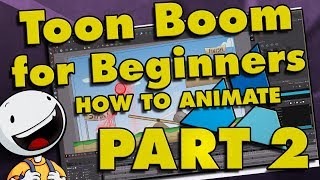
Toon Boom Harmony Tutorial for Beginners - How to Make a Cartoon
Learn essential Toon Boom Harmony techniques: drawing tools, color palettes, lip-syncing, object manipulation, animation adjustments, gradients, brushes, importing, deformers, camera animation, and 3D scene setup.
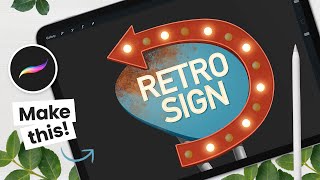
How to Draw a Retro Sign - Procreate Animation Tutorial
Step-by-step tutorial for creating and animating a retro sign in Procreate, covering sketching, coloring techniques, texturing, and animation. Includes free resources and tool recommendations.
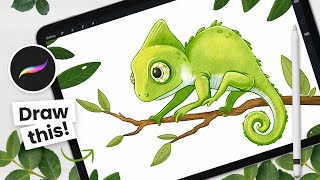
How to Draw a Color-Changing Chameleon - Procreate Animation Tutorial
Learn to draw and animate a color-changing cartoon chameleon using Procreate on iPad. Step-by-step instructions cover sketching, outlining, coloring, shading, and animation techniques for digital artists.
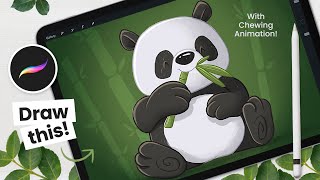
How to Draw and Animate a Panda - Procreate Tutorial
Step-by-step tutorial for drawing and animating a cute chewing panda using Procreate on iPad. Covers sketching, painting, shading, and basic animation techniques for digital artists.
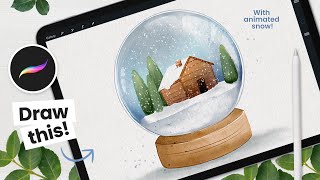
How to Draw a Watercolor Snow Globe - Procreate Tutorial
Learn to create and animate a watercolor snow globe in Procreate with step-by-step instructions. Master sketching, painting, detailing, and basic animation techniques for stunning digital art on your iPad.
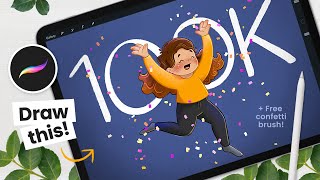
How to Draw a Celebrating Character and Confetti Animation - Procreate Tutorial
Learn to draw and animate a celebrating cartoon character with confetti in Procreate. Step-by-step tutorial covers sketching, coloring, shading, and creating a festive animation on iPad.
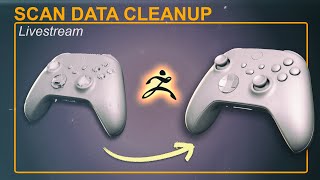
Cleaning Up Scan Data in ZBrush - Brushes, Booleans, ZRemesher, History Project
Learn advanced ZBrush techniques for cleaning and refining 3D scan data, including brushes, booleans, and ZRemesher. Explore character rigging in Character Creator and posing workflows between software.
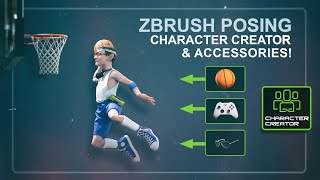
Posing a Custom ZBrush Character in Character Creator With Custom and Library Accessories
Learn to pose custom ZBrush characters in Character Creator, including adding accessories. Master techniques like polycount management, dynamic subdivisions, texture transfer, and using AccuRig for seamless integration.
Ecamm Video Graphics Workshop With Bradley Teaches
Learn to create professional video graphics with Bradley Vinson. Master lower thirds, overlays, animations, and more for content creation. Weekly live sessions include reviews, Q&A, and expert design tips.

Remote Live Production: What It Takes for Success
Explore remote live production with expert insights on benefits, challenges, and success strategies. Learn practical tips, best practices, and innovative techniques for engaging virtual events.
Structuring and Storyboarding Your Next Show - Showrunner Secrets
Learn effective video production techniques, from storyboarding to creating a run of show. Discover templates and tips for structuring compelling content, enhancing your live events and video creation skills.
Remote Live Video Production - Client Onboarding Best Practices
Learn best practices for client onboarding in remote live video production, covering discovery calls, pre-production, production, post-production, and creative strategies to ensure successful live events.
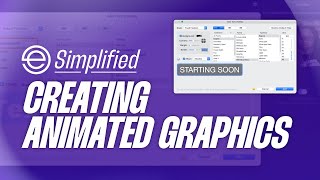
How to Create Animated Graphics in Ecamm Live - Ecamm Simplified
Learn to create professional animated graphics in Ecamm Live using text overlays. Master brand colors, lower thirds, scrolling tickers, and end screens to enhance your live streams and videos without additional software.

Graphics & Animations for Live Video - Ecamm Challenge Day 2
Learn to create professional graphics, overlays, and animations for live video using Ecamm Live. Master essential techniques to enhance your broadcasts with visually appealing elements.
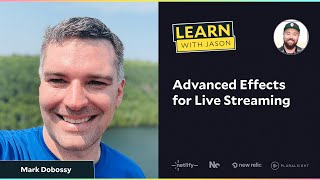
Custom Shaders to Modify Live OBS Video
Learn to create custom OBS shaders and animations for livestreams. Explore pixel-space effects, rainbow explosions, and "hacker mode" to enhance your streaming experience with expert Mark Dobossy.
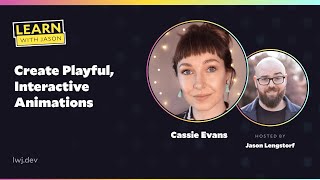
Create Playful, Interactive Animations
Learn to create engaging, interactive animations using Greensock. Explore techniques like scroll triggers, timelines, and hit tests to enhance user experience and add playful elements to web projects.
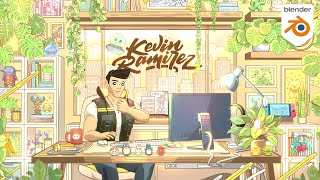
Creating My Dream Office in Blender 3D
Learn to create a stylized 3D dream office using Blender and Grease Pencil. Master modeling, shading, rigging, and animation techniques while exploring unique features for an engaging personal branding project.

Animate Insane Effects and Visualizers Easy With After Effects
Learn to create stunning visual effects and animations in After Effects, including character animation from Midjourney images, swaying visualizers, and looping effects for music videos.