
Top 5 AI Video Editing Tools Recommended for 2024
Discover top AI video editing tools for faster, easier content creation. Explore Descript, CapCut, AutoCut, Opus Clip, and Runway ML to revolutionize your video production workflow and enhance quality.

Hollywood-Style Red Riding Hood Poster Design in Photoshop
Create a striking movie poster composite inspired by Red Riding Hood, mastering essential Photoshop skills for blending, selections, and atmospheric effects to achieve a cinematic Hollywood-style design.
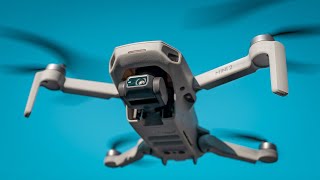
DJI Mini 2 - Beginners Guide
Learn to fly and capture cinematic footage with the DJI Mini 2 drone. Master essential techniques, avoid common mistakes, and enhance your aerial videography skills.

Creating Stock Footage - Masterclass
Learn to create and sell profitable stock footage: shoot, edit, and upload content that meets market demand and generates passive income.

Transition Tutorials for Your Videos
Learn to create epic footage with in-camera transitions, gimbal moves, cinematic sequences, speed ramps, B-roll techniques, and YouTube intro effects to elevate your video creation skills.
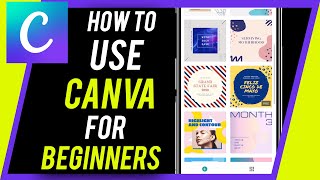
Canva
Learn to create stunning designs, logos, videos, and social media content with Canva's user-friendly tools. Master essential features and unlock your creative potential.
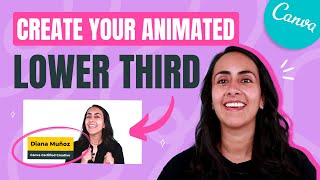
Canva for Youtube
Mejora tus videos de YouTube y haz crecer tu canal con Canva: aprende a crear miniaturas llamativas, intros animadas y secuencias de títulos con tutoriales fáciles y rápidos.
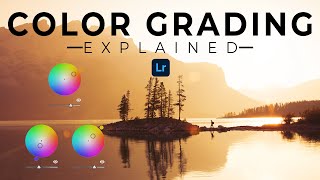
Lightroom Tutorials
Comprehensive Lightroom tutorials covering advanced editing techniques, color grading, organization, and workflow optimization for photographers of all skill levels.
Lightroom CC Tutorials
Comprehensive tutorials covering Lightroom CC features, editing techniques, and workflow optimization for photographers of all levels.
Video Marketing Basics
Learn effective video marketing strategies, from planning to performance analysis. Explore various video types and creation techniques to engage audiences and boost brand awareness.

How to Edit Videos with Filmora 11 - Beginners Class
Comprehensive tutorial on Filmora 11 video editing, covering importing, trimming, effects, transitions, audio adjustments, and exporting for beginners creating YouTube content.

How to Use Shotcut - Video Editor with No Watermark
Learn to edit videos with Shotcut, a free software without watermarks. Master importing media, timeline editing, transitions, filters, audio manipulation, and exporting your finished project.

How to Use Camtasia - Tips and Tricks - Beginner's Guide 2021
Learn Camtasia 2021 for beginners: screen recording, editing, effects, and exporting. Master essential features to create professional instructional videos for YouTube or teaching.

IMovie for Beginners - Detailed Tutorial
Comprehensive tutorial on using iMovie: importing media, editing clips, adding transitions, titles, and effects, adjusting audio, and exporting finished videos on Mac.

How to Use Filmora X - Beginner's Video Editing Guide
Comprehensive guide to Filmora X video editing, covering importing, timeline editing, audio manipulation, transitions, effects, and exporting for beginners.

Hitfilm Express Tutorial - Designed for Beginners
Learn to use HitFilm Express 12, a powerful free video editor. This comprehensive tutorial covers project setup, media management, editing techniques, effects, transitions, and exporting for beginners.

VSDC Video Editor Tutorial 2018
Comprehensive tutorial on VSDC Video Editor, covering essential features like importing, trimming, effects, and exporting for beginners seeking a free video editing solution.

DaVinci Resolve 15 Tutorial - Designed for Beginners
Learn professional video editing with DaVinci Resolve 15: project setup, media import, timeline editing, transitions, text insertion, and exporting. Master essential tools and techniques for creating polished videos.

OpenShot Video Editor Tutorial - Designed for Beginners
Comprehensive guide to OpenShot video editor, covering essential features from importing media to exporting projects. Perfect for beginners seeking to master free video editing software.
Lightworks Tutorial - Designed for Beginners
Comprehensive tutorial on Lightworks 14, covering project creation, editing, effects, text, transitions, audio adjustments, and exporting for beginners to create professional videos.

DaVinci Resolve Tutorial - Designed for Beginners
Comprehensive guide to DaVinci Resolve 14: Learn project setup, media import, editing techniques, transitions, text insertion, special effects, and exporting for professional video creation.