CapCut for PC & Mac - Complete CapCut Video Editing Tutorial
Comprehensive guide to CapCut video editing on desktop: learn interface, importing, editing, effects, audio, color adjustment, captions, and exporting for creating professional-quality videos.

CapCut Video Editing Tutorial - Complete Guide
Comprehensive guide to video editing with CapCut app. Learn essential techniques from project creation to exporting, including effects, transitions, audio adjustment, and color grading.

CapCut Crash Course - A Beginner's Guide to Mastering the Desktop Video Editor
Learn to edit videos like a pro with CapCut's free desktop editor. From setup to exporting, master cutting, trimming, adding audio, text, transitions, and effects in this beginner-friendly guide.

Top 5 AI Video Editing Tools Recommended for 2024
Discover top AI video editing tools for faster, easier content creation. Explore Descript, CapCut, AutoCut, Opus Clip, and Runway ML to revolutionize your video production workflow and enhance quality.

CapCut Video Editing Tutorial - Complete Guide for Beginners (2023)
Comprehensive guide to video editing with CapCut app on mobile devices. Learn essential techniques from project creation to exporting, including effects, transitions, audio editing, and color adjustments.
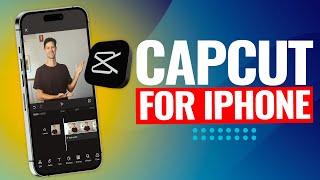
CapCut Video Editing Tutorial for iPhone - From Project Creation to Export
Step-by-step guide to mastering CapCut for iPhone: Learn to import, trim, add effects, transitions, text, music, and more. Unlock professional-quality video editing skills with this comprehensive tutorial.

CapCut for PC and Mac - Complete Video Editing Tutorial 2024
Comprehensive guide to CapCut video editing on PC & Mac, covering interface, importing, editing techniques, effects, audio, color grading, and exporting for creating professional-quality videos.

Best Free Video Editing Software for PC - Clipchamp, CapCut, and DaVinci Resolve
Discover three powerful free video editing solutions - from beginner-friendly Clipchamp to professional-grade DaVinci Resolve, with detailed comparisons and practical guidance for choosing the right tool.

Top 12 CapCut Video Editing Tips and Tricks for Beginners
Master essential CapCut video editing techniques, from AI-powered enhancements and audio improvements to professional transitions and performance optimization, all designed to streamline your editing workflow.
10 Essential CapCut Video Editing Tips and Techniques
Master 10 essential CapCut editing techniques, from placing text behind subjects to creating AI news reporters, optimizing performance, and enhancing your video production workflow with professional effects and time-saving features.

CapCut Video Editing Tutorial for Beginners - From Basics to YouTube Upload
Master video editing fundamentals with CapCut through hands-on guidance, from importing clips to creating polished YouTube content. Learn essential techniques for trimming, cutting, and exporting professional-looking videos.

CapCut Video Editing Tutorial for Beginners - 2024
Master video editing fundamentals with CapCut through hands-on instruction covering interface navigation, basic editing techniques, audio enhancement, visual effects, and professional export settings.