
DaVinci Resolve Color Grading for Beginners
Comprehensive guide to DaVinci Resolve's color grading tools, covering layout, workflow, scopes, and advanced techniques for achieving professional-quality results in your video projects.

Davinci Resolve 18 Walkthrough - Beginner
This is the Ultimate Resolve 18 Crash Course! This course is designed for those that have used an editing app before, but want to make the jump over to Resolve, or are curious to see what it's all about.

How to Use DaVinci Resolve 17 - Designed for Beginners
Learn to create professional videos with DaVinci Resolve 17, covering project setup, media import, editing techniques, audio adjustment, transitions, titles, and exporting in this comprehensive beginner's guide.

DaVinci Resolve 16 Tutorial - Designed for Beginners
Learn to create professional videos with DaVinci Resolve 16. Master importing, editing, effects, transitions, and exporting in this comprehensive beginner-friendly tutorial for the powerful free video editor.

DaVinci Resolve 18
Learn advanced video editing techniques in DaVinci Resolve 18, including effects, color grading, stabilization, and text animation. Master professional-level tools to enhance your video production skills.
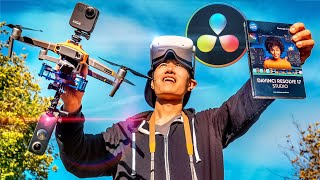
How to Film and Edit 360° Video - DaVinci Resolve VR Editing In-Depth Tutorial
Comprehensive guide on filming and editing 360° drone videos using DaVinci Resolve, covering equipment setup, shooting techniques, and post-production workflows for creating immersive aerial experiences.

DaVinci Resolve 15 Tutorial - Designed for Beginners
Learn professional video editing with DaVinci Resolve 15: project setup, media import, timeline editing, transitions, text insertion, and exporting. Master essential tools and techniques for creating polished videos.

DaVinci Resolve Tutorial - Designed for Beginners
Comprehensive guide to DaVinci Resolve 14: Learn project setup, media import, editing techniques, transitions, text insertion, special effects, and exporting for professional video creation.

DaVinci Resolve - Complete Tutorial for Beginners
Comprehensive guide to video editing with DaVinci Resolve, covering project setup, importing, cutting, effects, audio adjustment, color grading, and exporting for beginners.
DaVinci Resolve - Complete Tutorial for Beginners
Comprehensive guide to DaVinci Resolve's video editing features, covering project setup, importing, cutting, audio editing, text addition, transitions, color grading, and exporting for beginners.
Beginner's Guide to Video Editing in DaVinci Resolve 16
Learn essential video editing skills in DaVinci Resolve 16, covering importing, trimming, audio editing, effects, transitions, and exporting. Master the basics to create professional-quality content in just 30 minutes.
DaVinci Resolve 18 for Beginners - 2023 Guide - Everything You Need to Know to Get Started
Comprehensive guide to DaVinci Resolve 18 for beginners, covering project setup, interface navigation, editing techniques, audio management, and exporting, with practical tips for efficient video editing.
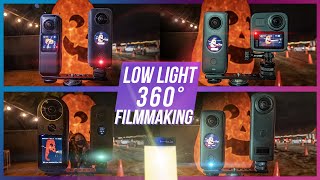
Low Light 360° Filmmaking- Insta360 ONE X2 Review + Denoise Workflow in Premiere & DaVinci Resolve
Explore low light 360° filmmaking techniques, camera comparisons, noise reduction workflows, and lighting tips for creating high-quality VR content in challenging conditions.
Transform Your Video Editing Skills with the Ultimate DaVinci Resolve Guide for Beginners
Comprehensive guide for beginners to master DaVinci Resolve's free version. Learn essential editing techniques, from basic navigation to advanced features, for creating professional-quality videos.
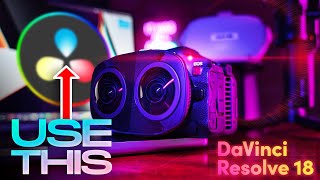
Edit Canon R5C and R5 VR180 with DaVinci Resolve 18 - 3D 8K 60fps RAW LT Clog3 Workflow
Learn to edit, color, and publish 8K 60fps VR180 footage from Canon R5C using DaVinci Resolve 18. Master RAW workflow, 3D calibration, and stereo conversion with free plugins and sample files for an optimized VR180 production pipeline.
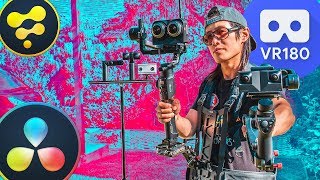
Create the Best VR180 for VR Headsets Using DaVinci Resolve Fusion - Complete Guide
Comprehensive guide to creating professional VR180 videos using DaVinci Resolve and Fusion, covering filming, editing, 3D graphics, and publishing for VR headsets and platforms.
Edit 360° Video with DaVinci Resolve - Tripod Removal, PanoMap, Spherical Stabilizer
Learn advanced 360° video editing techniques in DaVinci Resolve, including tripod removal, PanoMap usage, and spherical stabilization. Master immersive video post-production for stunning results.
DaVinci Resolve - Reframe Qoocam 8K, Insta360 One R & GoPro Max
Learn to reframe 360 videos professionally in DaVinci Resolve. Master stitching, storytelling, color grading, and exporting for various 360 cameras. Gain skills for cinematic results without paid software.
Insta360 GO 2 in 4K - Topaz Video Enhance AI vs Resolve 17 Super Scale for 360° Video Upscaling
Learn to upscale Insta360 GO 2 footage to 4K using AI tools. Compare Topaz Video Enhance AI and DaVinci Resolve's Super Scale, plus techniques for sharpening 360 videos with Boris FX Continuum.
How to Reframe Any 360 Video in DaVinci Resolve in Real Time
Aprenda a reencuadrar vídeos 360 en DaVinci Resolve gratis y en tiempo real. Técnicas avanzadas para editar contenido de Insta360, GoPro MAX y Qoocam 8K con mejor rendimiento que Adobe Premiere.
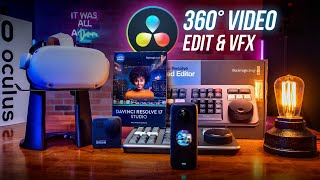
Insert and Animate Text, Logo, or Video in 360° Video - DaVinci Resolve 17 & Fusion 3D Tutorial
Master 360° video editing in DaVinci Resolve 17 & Fusion. Learn to insert and animate text, logos, graphics, and 2D videos within 360° environments using advanced techniques and nodes.