CapCut for PC & Mac - Complete CapCut Video Editing Tutorial
Comprehensive guide to CapCut video editing on desktop: learn interface, importing, editing, effects, audio, color adjustment, captions, and exporting for creating professional-quality videos.
CapCut Video Editing Tutorial - Complete Guide
Comprehensive guide to video editing with CapCut app. Learn essential techniques from project creation to exporting, including effects, transitions, audio adjustment, and color grading.
Premiere Pro Tutorial Course
Learn video editing essentials in Adobe Premiere Pro, from file organization and importing to advanced techniques like effects, audio adjustments, and exporting. Perfect for beginners seeking practical skills.
Wondershare Filmora X - Quick Start Video Editing Guide
Learn how to use the new Wondershare Filmora X FAST in this quick start video editing tutorial! Filmora X is a great video editor, and high on our list of best video editing software (especially for beginners!)
Canva for Beginners
Learn to create stunning designs with easy-to-use tools. Master templates, photos, elements, fonts, and collaboration features in this empowering introduction to Canva's design platform.
Adobe Premiere Pro Tutorial - Designed for Beginners
This video tutorial will show you how to use Adobe Premiere Pro CC. Many topics are included in this beginners video lesson on Premiere Pro. Use the timestamps below to navigate to different parts.
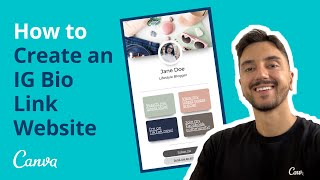
Design with Canva
Canva is a graphic design platform that is used to create social media graphics, presentations, posters, documents and other visual content. Learn how to design and create in Canva with expert help from our community team
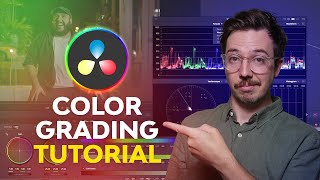
DaVinci Resolve Color Grading for Beginners
Comprehensive guide to DaVinci Resolve's color grading tools, covering layout, workflow, scopes, and advanced techniques for achieving professional-quality results in your video projects.
Video Editing for Beginners on Windows PC - Updated Tutorial
Learn how to edit videos on Windows/PC, step-by-step using just free video editing software. It’s the complete UPDATED guide to Video Editing for Beginners!

Mobile Videography Tutorials
Elevate your mobile videography skills with easy-to-follow tutorials covering hyperlapse, drone-like shots, gimbal techniques, and cinematic moves for various scenarios, from real estate to watch commercials.
YouTube SEO - Video Marketing
Learn how to rank your videos on YouTube search. This playlist contains actionable tutorials on performing techniques like YouTube keyword research, editing your videos for high engagement, and more videos on the way.
Introduction to Video Editing - Video Editing Tutorials
Learn video editing basics, from organizing footage to fine-tuning, with hands-on demonstrations using Premiere Pro. Explore industry jargon, career opportunities, and essential principles for creating polished videos.

Complete Intro to Motion Design - Full After Effects Course
Comprehensive introduction to motion design using Adobe After Effects, covering text animation, shape layers, 3D effects, and advanced techniques for creating dynamic visual content.
Davinci Resolve 18 Walkthrough - Beginner
This is the Ultimate Resolve 18 Crash Course! This course is designed for those that have used an editing app before, but want to make the jump over to Resolve, or are curious to see what it's all about.
Learn Everything About Premiere Pro
Comprehensive Adobe Premiere Pro masterclass covering basics to advanced features. Learn editing, graphics, color, audio, effects, transitions, and exporting through hands-on exercises and real-world projects.
Learn Adobe After Effects
Master Adobe After Effects: Create stunning animations, motion graphics, and visual effects. Learn essential tools and techniques to bring your creative visions to life in this comprehensive beginner's guide.
Adobe Premiere Pro Tutorial for Beginners - Complete Guide
Comprehensive guide to Adobe Premiere Pro for beginners, covering project creation, editing techniques, effects, audio management, color grading, and exporting. Includes time-saving tips for efficient video editing.
How to Edit Videos with Premiere Rush - Adobe Rush Tutorial
Step-by-step guide to video editing with Adobe Rush, covering project creation, interface, editing techniques, audio adjustment, color grading, and exporting across multiple devices.
How to Vlog - Vlogging Tips for YouTubers
Topics discussed include choosing the right kind of microphones, indoor lighting tutorials, adding watermarks to your videos, selecting and setting a camera, lens and lighting, recording computer screens or iphone screens and grow your audience on youtub…
Lightroom Tutorial
Comprehensive guide to organizing, editing, and sharing photos using Adobe Lightroom. Covers essential tools, techniques, and features for enhancing images and managing photo libraries effectively.
CapCut Crash Course - A Beginner's Guide to Mastering the Desktop Video Editor
Learn to edit videos like a pro with CapCut's free desktop editor. From setup to exporting, master cutting, trimming, adding audio, text, transitions, and effects in this beginner-friendly guide.